PreProduct can email your pre-order customers four products picked for them just before their pre-order ships, which they can add to their existing order.
Prefer a video? Click here to see Oli walkthrough pre-ship upsells.
What are pre-ship upsells? #
Once you activate upsells, PreProduct can email each order shortly before its pre-order ships. Anything the customer adds goes out in the same parcel, at no extra shipping cost to them. Nothing is sent until you activate upsells and either send the emails yourself or turn on the automation.
- No second checkout for deferred-charge orders (any order with a charge-later or deposit-upfront pre-order). The upsell is charged along with the pre-order’s remaining balance.
- Already-paid orders (charge-upfront, or a deferred charge that has already run) send the customer to a checkout to pay for just the upsell.
- Friendly for ERPs and 3PLs: either way, the item is added to the existing order with Shopify order editing. There’s never a second order, so there’s nothing to duplicate or mismatch.
Only products in stock at the location fulfilling the order are recommended, so upsells ship with the pre-order. Upsells ride on the original order’s shipping, so any extra postage cost is yours. Need to charge extra shipping? Get in touch. Upsells aren’t sent for capture-only pre-orders.
What your customer sees #
Each order gets one email, even when it holds several pre-orders. It opens with a short note that the pre-order is nearly ready, then shows the four picks with an image, title and “from” price.
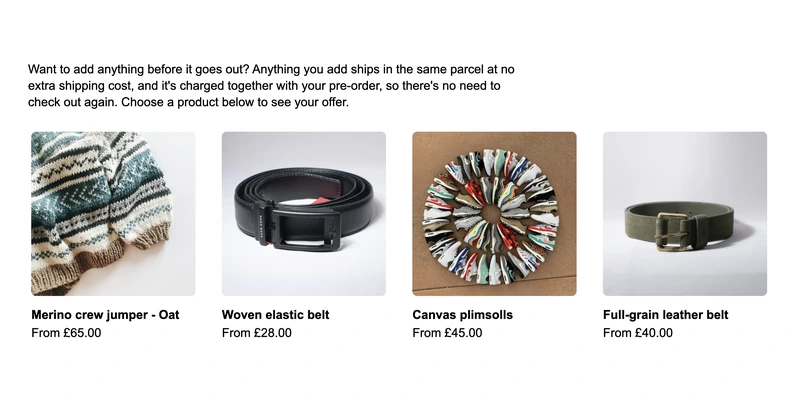
Each pick opens a confirm page in the customer portal. Prices are in the order’s currency, out-of-stock variants are disabled. Customers can add more than one upsell, one at a time.
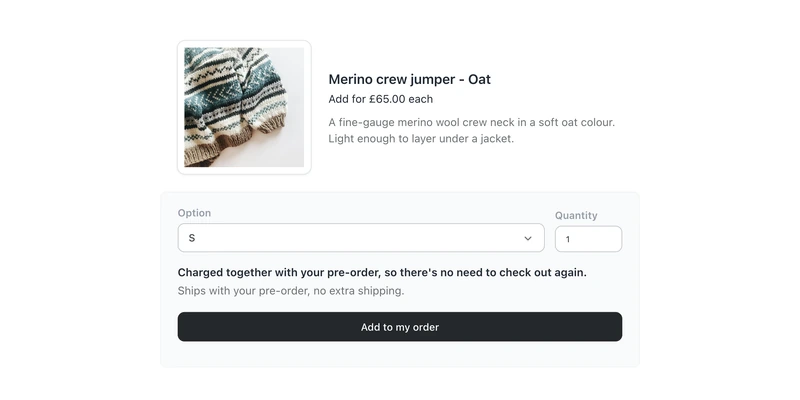
What happens on confirming depends on the types of pre-order in the order:
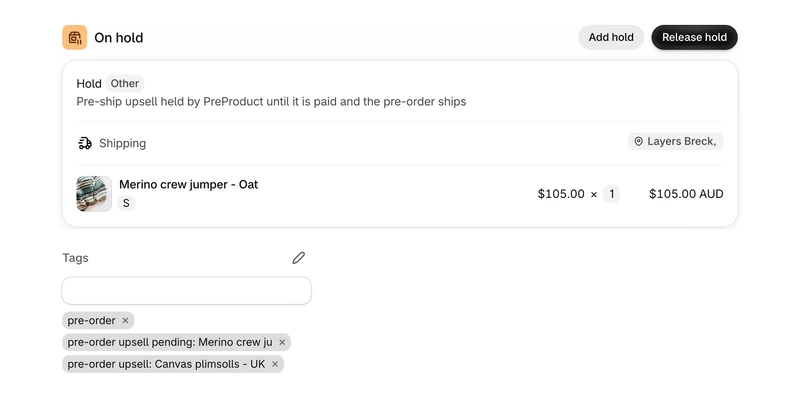
- Deferred charge: the item is added straight away and tagged
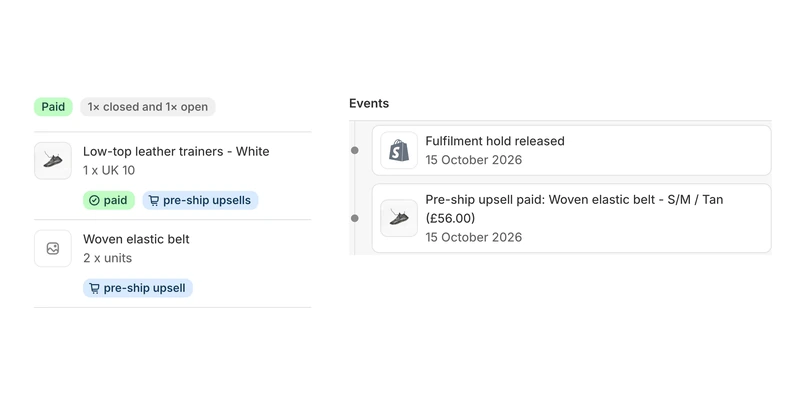
pre-order upsell: <item>. It’s held so it can’t ship early, and charged to the customer’s vaulted card along with the pre-order when you trigger charges. - Charge-upfront: the button reads Add and pay, and the customer pays for just the upsell on Shopify’s payment page. Meanwhile, the item is held and the order is tagged
pre-order upsell pending: <item>. Once it’s paid, the tag becomespre-order upsell: <item>. If it isn’t paid within an hour, the item is removed and restocked, and the pre-order is untouched. A customer must pay for one charge-upfront upsell before adding another.
How recommendations are picked #
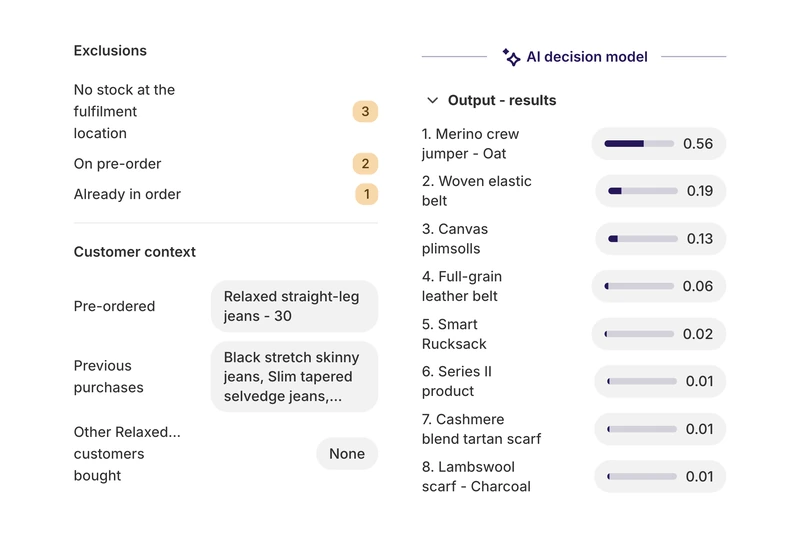
Picks are made per order, from purchase preferences only: what’s been pre-ordered, the customer’s previous purchases, and what other customers bought alongside the same products. Nothing that identifies the customer is sent. A Cloudflare-hosted decision model, which is faster and less random than an LLM, ranks the candidates.
Before ranking, PreProduct drops products that are already in the order, on pre-order themselves, or out of stock at the fulfilment location. It counts stock that only exists through “continue selling when out of stock” as out of stock. It also drops products out of stock in the pre-order’s size, draft, archived or free products, bundles, and products sold only on a subscription. If the model is unavailable or returns too few picks, best sellers from your chosen collections fill the gaps, so the email never waits.
The preview column on the Upsells screen shows what went in and what came out, for an example order or any run from the last 90 days.
Setting up and sending #
Activate upsells from PreProduct’s Upsells screen. This is a one-off re-approval of your current Shopify plan at the same price, with upsell commission added to its terms. Any running trial carries over. Once upsells are Live you can Pause them at any time: no new emails go out, but upsells already added still complete and are charged as normal.
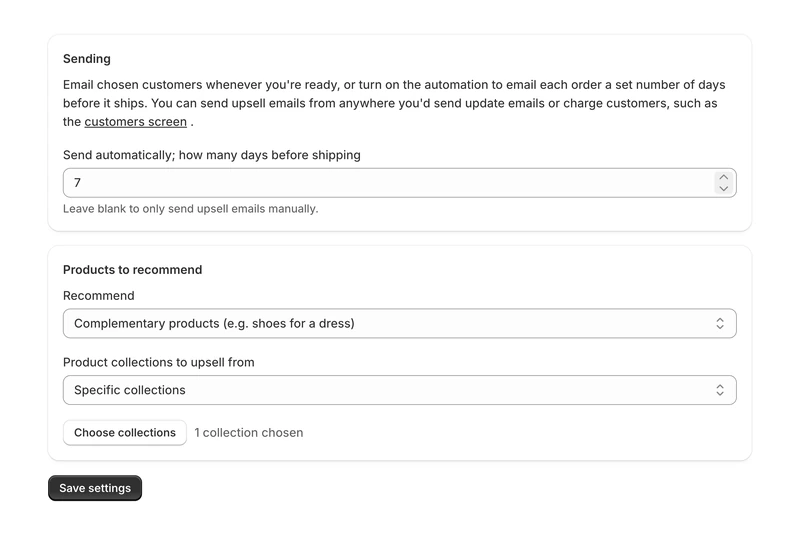
- Recommend: Complementary products (the default, e.g. shoes for a dress) or Similar products (e.g. another dress, which suits collectors and hobby stores).
- Product collections to upsell from: Picked automatically, Same collections as the pre-ordered products, or Specific collections. You can’t pick individual products, but specific collections narrow things down.
- Send automatically: how many days before shipping to send. Leave it blank to send manually only.
Emails: there are two templates, Pre-ship upsell (deferred charge) and Pre-ship upsell (paid). Edit them from the Emails section of the Upsells screen, or under Email Flows, like your other customer emails. The {{ upsell_recommendations }} variable places the four picks.
Sending: with the automation on, PreProduct checks daily and can email orders whose pre-order ships within your window, using the listing’s current ship date. You can also send manually from a listing’s dashboard, a listing’s orders selection, or the customers screen, with the usual filtering, preview and test send. Manual sends work while the automation is on too.
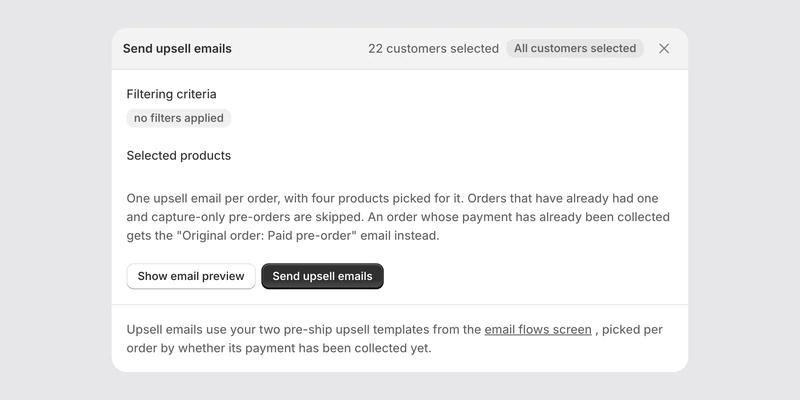
Who gets one: each order is emailed at most once, and only while it’s still awaiting shipment. Capture-only pre-orders are skipped, and nothing goes out while upsells are paused. The automation only picks pre-orders still awaiting their final charge. Once activated, pre-orders placed before activation can be emailed too if they ship inside the window.
Tracking upsells #
Filter Shopify orders, or drive Shopify Flow, with the pre-order upsell pending: and pre-order upsell: order tags. In PreProduct, the order drawer shows an upsell badge and activity, and the Upsells screen’s Status card shows total upsell revenue.
Commission #
PreProduct charges 1% of paid upsell revenue on every plan, on top of your plan’s usual pre-order commission. It applies only to upsells that are actually paid, never to items removed unpaid or refunded. It’s billed weekly as a Shopify usage charge, “Pre-order upsells commission”, in your billing currency. Upsell revenue doesn’t count towards, or use up, the Scale plan’s commission-free threshold. All plans pay commission on upsells which is different to commission on paid pre-order revenue.
If you already pay commission on your paid pre-orders, upsell commission counts towards your $1,000 threshold of maximum monthly commission. After that, pre-orders and upsells are commission free for the rest of the period.

