Prefer a video? Click here to watch Oli walk through the integration.
PreProduct’s Loop Returns pre-order integration makes sure that when one of your customers uses Loop’s portal to swap their return for an item on pre-order, PreProduct steps in to hold fulfilment on the resulting exchange order and writes a pre-order status note back into Loop so that your team can see the context without leaving Loop.
It’s a webhook-driven integration — once it’s connected, it runs automatically on every new Loop exchange order that swaps into a pre-order variant. No per-order setup is needed.
What this integration does #
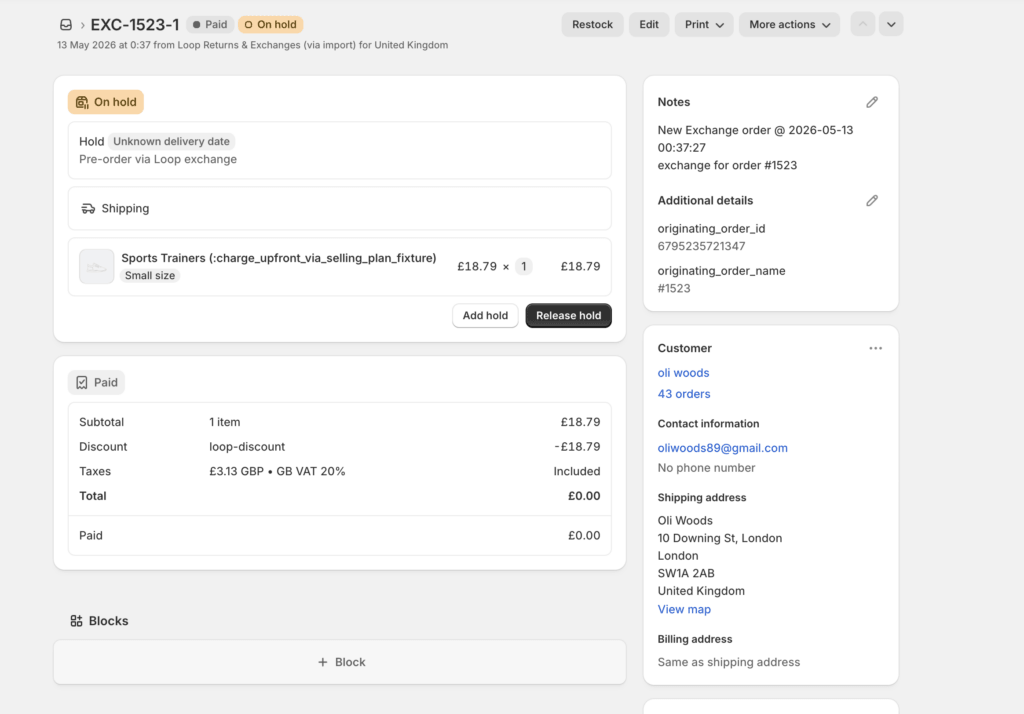
Loop’s variant exchange flow lets a customer return an item in exchange for another. This generates a brand new Shopify order (usually named something like EXC-1234)
When PreProduct sees that order and notices it’s from Loop and contains a variant on pre-order, two things happen:
- A fulfilment hold is applied to the exchange order’s line items in Shopify, so neither you nor your 3PL can ship the item before the pre-order is ready and fulfilment is released.
- A note is posted back to the Loop return stating that it’s on pre-order, and the estimated shipping statement. This lets your support team gets the same context they’d see on any other pre-order — directly inside Loop’s UI.
When the pre-order is eventually released, the fulfilment hold is removed automatically — same as any other pre-order in PreProduct.
One detection caveat: because the exchange order is created by Loop rather than through PreProduct’s cart flow, its line items won’t carry the hidden _preorder line item property that normal pre-order lines do. If you have automations that key off _preorder, rely on the fulfilment hold (or PreProduct’s “pre-order” order tag) for Loop exchange orders instead.
Setup #
1. Generate a Loop Returns API key #
In your Loop Returns admin:
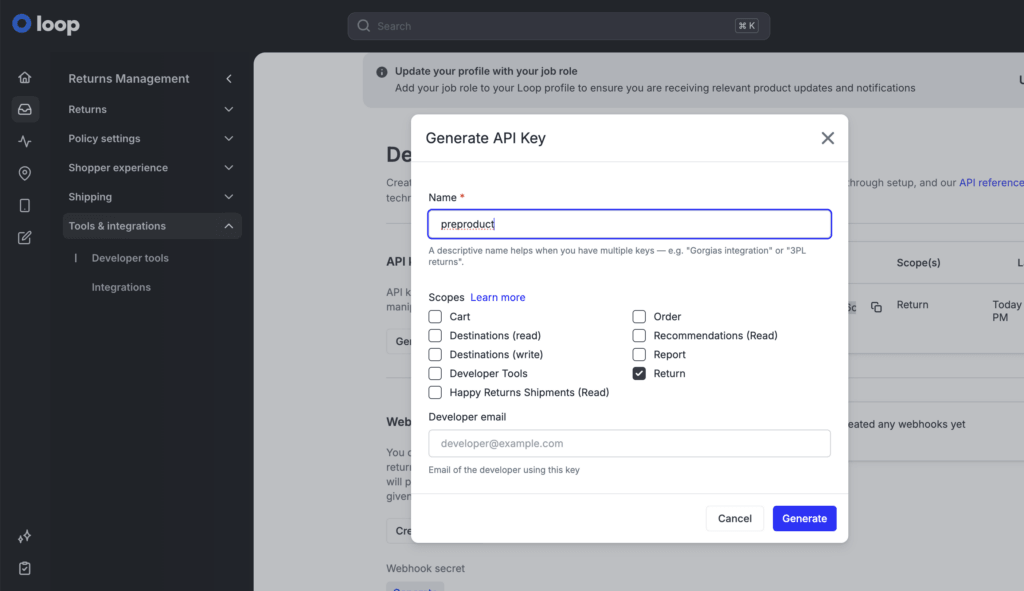
- Open Returns Management → Tools & integrations → Developer Tools.
- Click Generate new API key.
- Give the key a name (e.g.
PreProduct). - Grant the Return (
returns) permission. No other permissions are required. - Copy the API key — you’ll need it in the next step.
You can find Loop’s own walkthrough of these steps in their API authentication docs.
2. Connect Loop Returns to PreProduct #
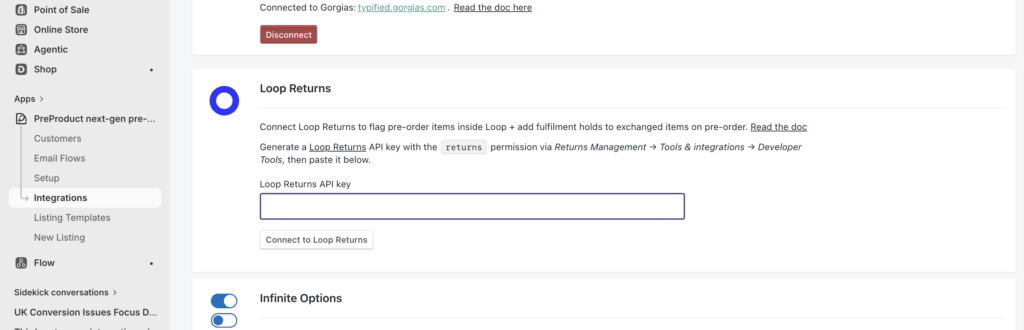
- In PreProduct, go to Integrations.
- Find the Loop Returns card.
- Paste the API key you generated into the field.
- Click Connect to Loop Returns.
PreProduct will validate the key against Loop’s API. If the key is valid, the card flips to a connected state.
What you’ll see when a Loop exchange swaps into a pre-order #
In Shopify #
A new exchange order will appear with a similar name to EXC-123…. PreProduct adds it to your pre-order dashboard exactly like any other pre-order, applies the pre-order tag, and places the exchange line item on fulfilment hold so it can’t ship by accident before the pre-order is released.
In Loop #
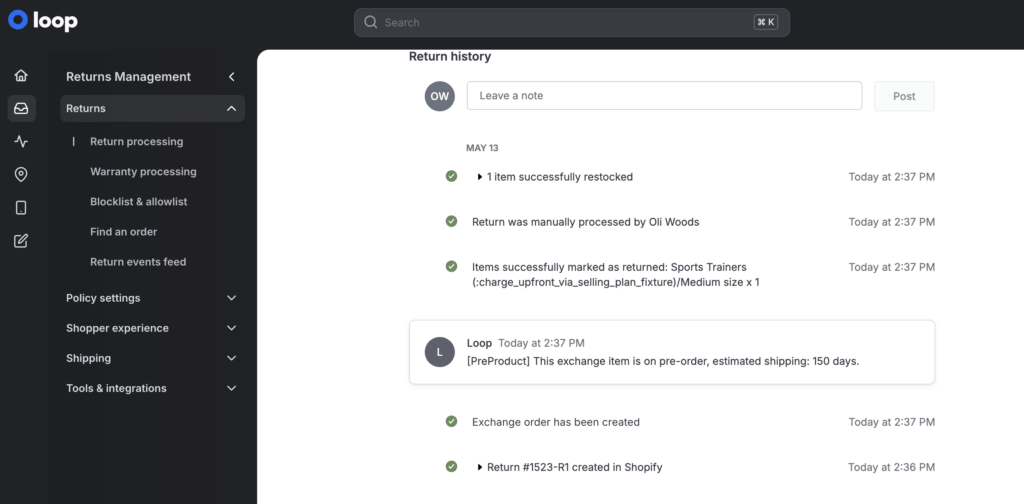
The matching return will gain a new note from PreProduct that reads:
[PreProduct] This exchange item is on pre-order, estimated shipping: {shipping window}.
This gives your support team the pre-order context inside Loop’s UI without having to dig into PreProduct or Shopify.
Plan requirement #
This integration is available on the PreProduct Scale and Scale Plus plans.
Disconnecting #
To disconnect Loop Returns from PreProduct:
- Go to Integrations in PreProduct.
- On the Loop Returns card, click Disconnect and confirm.
This stops PreProduct from acting on future Loop exchange orders. Any holds or notes that are already in place will stay where they are — they’ll be cleaned up by the normal pre-order release flow once the pre-order ships, or you can release them manually inside PreProduct.
If you’re still stuck, get in touch at hello@preproduct.io.

