Shopify checkout validations are safeguards that ensures pre-order items are processed correctly. They’re powered by Shopify Functions and can’t be overridden by other apps.
Available validations #
You can run any combination of these validations — they’re fully compatible with each other.
Pre-order enforcement #
When turned on, if a pre-order variant is detected without a valid Shopify purchase option, the checkout will be blocked, and the customer will be prompted to return to the product page to select the pre-order option.
Note: This feature is only compatible with setups using charge-later, deposit-upfront, or charge-upfront pre-orders powered by Shopify purchase options. Products on capture-only pre-order will just be ignored and never fail validation.
Isolated pre-order cart enforcement #
When turned on, the rule checks the cart and ensures that pre-order items and regular buy-now items are not mixed together.
If the cart addition will result in both types of items, it will be blocked.
Turning on an isolated pre-order redirect is the recommended way to require isolated carts, as it won’t show errors to customers. However, turning on this validation means the policy can not be circumvented.
Note: This feature is only compatible with setups using charge-later, deposit-upfront, or charge-upfront pre-orders. It does not apply to capture-only pre-orders.
Activating a validation #
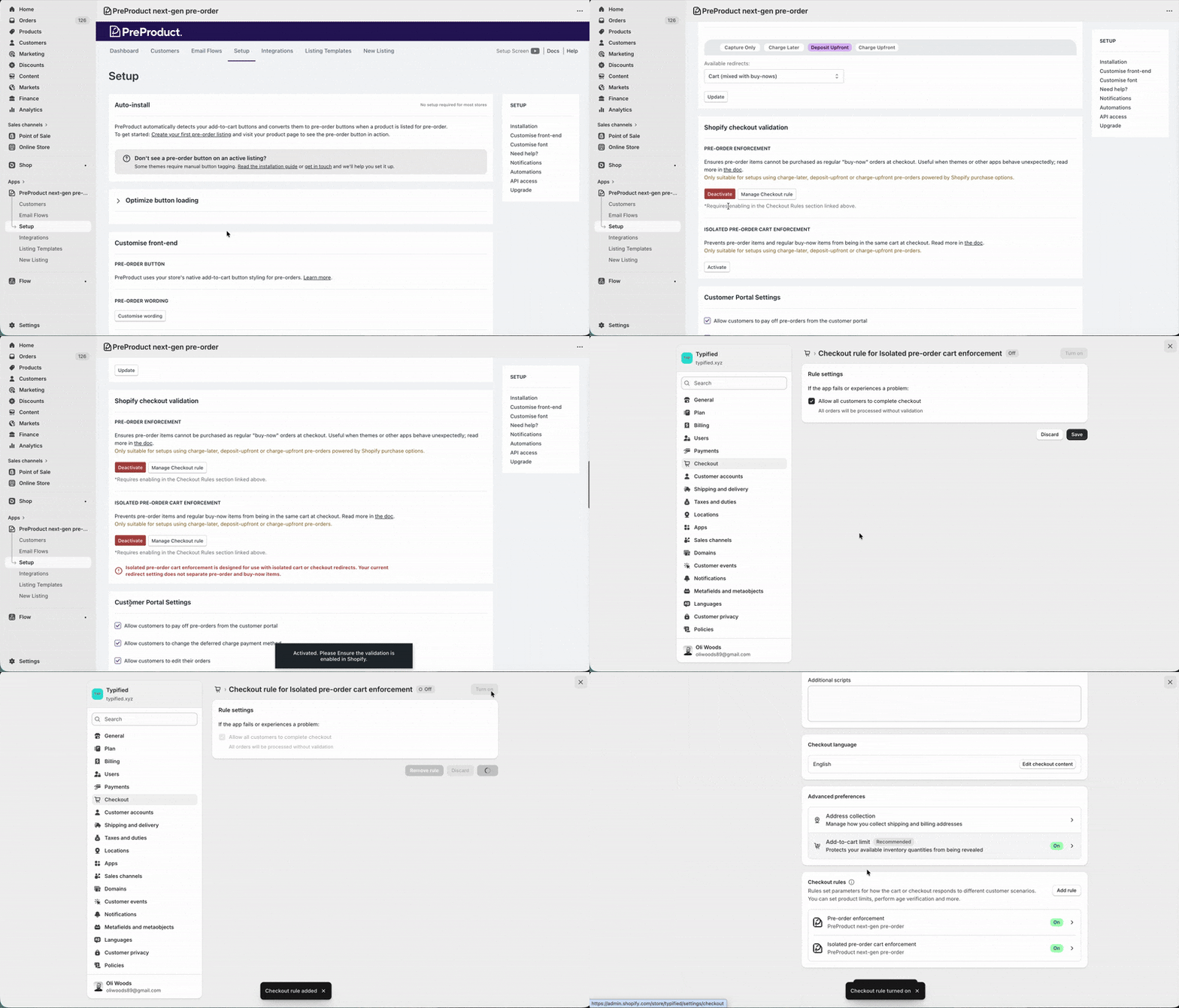
To enable a validation, you must opt-in within both PreProduct and your Shopify admin settings.
- In PreProduct:
- Navigate to the Setup tab.
- Scroll down to the Shopify checkout validation section.
- Under the rule that you’d like to opt into, click Activate.
- In Shopify:
- Click the Manage Checkout rule link that appears in PreProduct (this redirects to your Shopify Checkout settings).
- You will be taken directly to that specific checkout rule. Click save, then click Turn on.
- If you go back to the Shopify Checkout admin, the rule should show as Active under the Checkout rules section.
After activating a validation, PreProduct will loop through all of your pre-order listings and add special managed metafields in Shopify. Depending on your catalogue size, this can take some time.
Failed validation customer experience #
If a customer tries to add a pre-order item to their cart and it doesn’t pass an active validation rule, the item won’t be added. Shopify will also display an error message explaining what went wrong. Depending on your theme, that message may appear in one of the following ways:
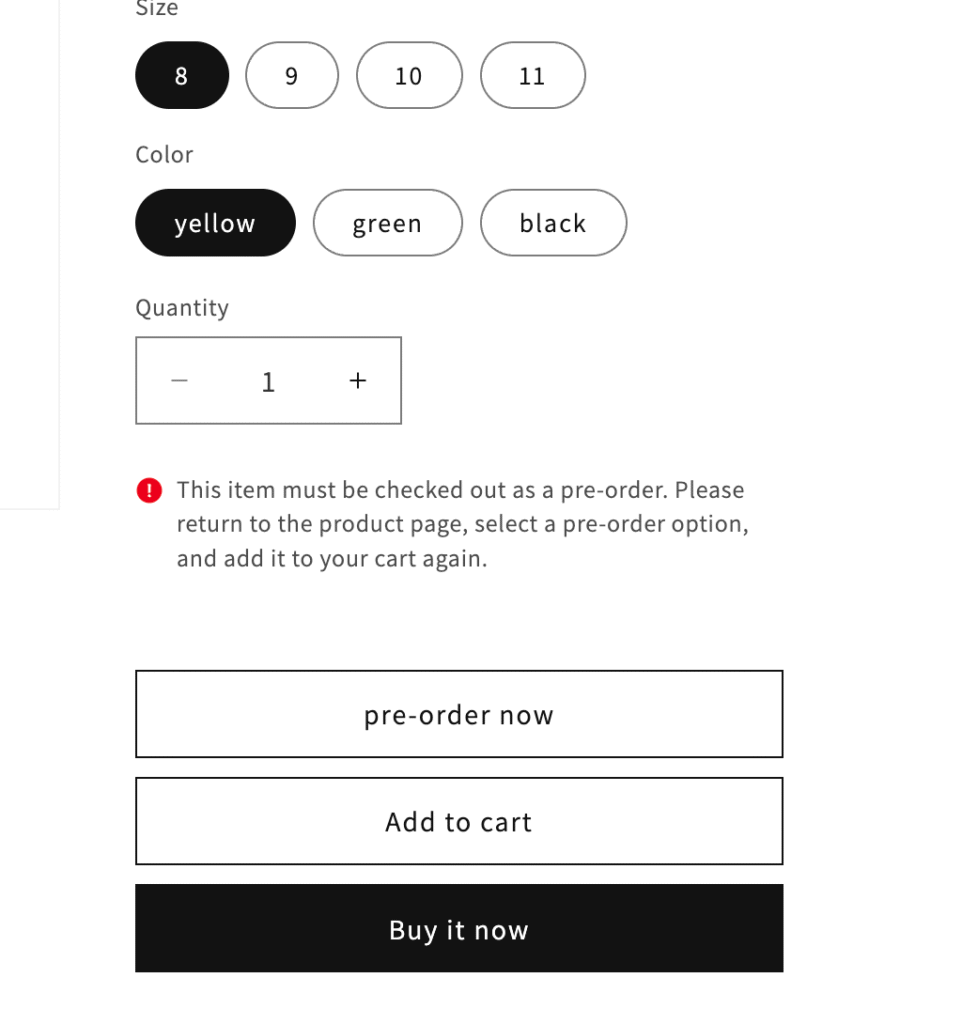
1. Inline Error: A warning message directly above the buy buttons.
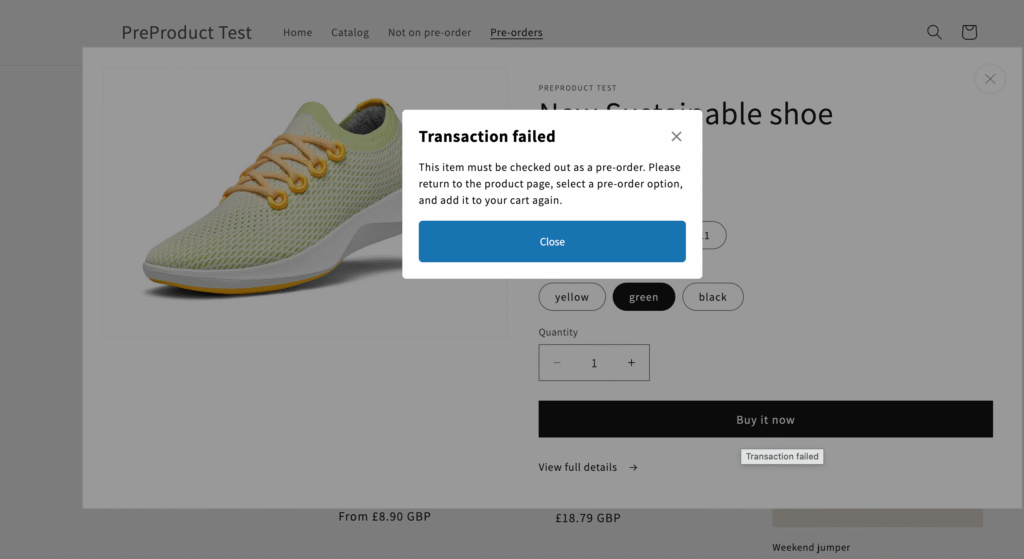
2. Modal Popup: A “Transaction failed” pop-up explaining the specific pre-order issue.
3. Silent failure: We’ve observed that some older themes don’t surface any error messaging, and instead just stop the item being added to cart.



