Prefer a video? Click here to watch Oli go through the Gorgias integration.
Overview #
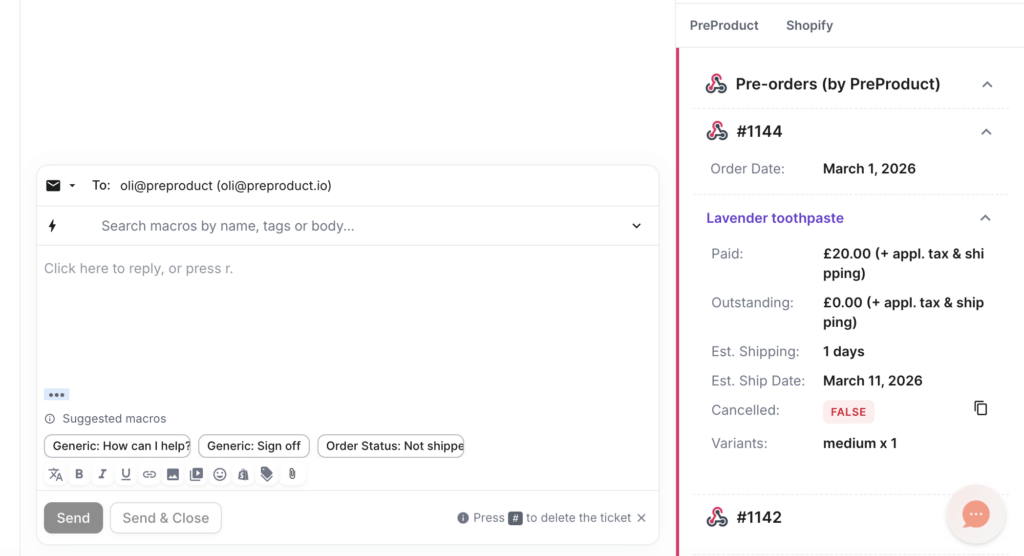
The PreProduct Gorgias integration gives your support team pre-order context directly inside Gorgias tickets and customer profiles. That means reps can quickly answer questions like:
- “When will my pre-order ship?”
- “Have I already paid?”
- “Can I cancel this pre-order?”
- “Which variant did I order?”
Requirements #
- A PreProduct account
- A Gorgias account
- A Shopify or BigCommerce store
Features #
The integration adds a Pre-orders (by PreProduct) widget to both Gorgias tickets and Gorgias customer profiles.
Support reps can use it to see:
- Recent orders containing pre-orders
- How much has been paid
- How much is still outstanding
- The shipping statement
- The estimated shipping date
- Whether a pre-order has been cancelled
- Product name and variant breakdown
- A direct link to the customer’s self-serve pre-order portal
This helps your team answer pre-order questions without leaving Gorgias.
Activating the integration #
1. Connect Gorgias in PreProduct #
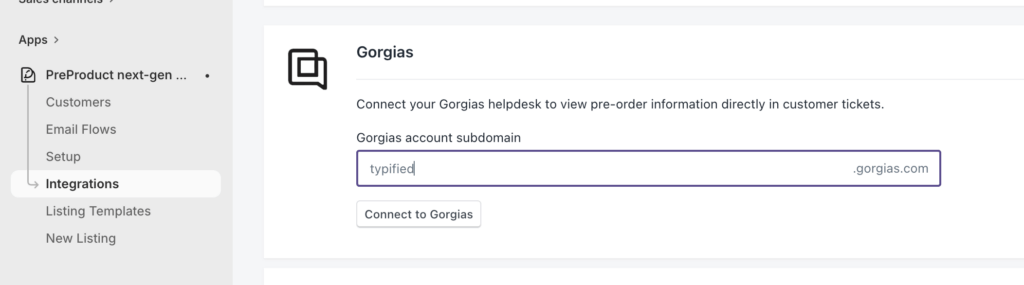
From PreProduct’s Integrations screen, scroll down to the Gorgias card. Enter or confirm your Gorgias subdomain, then click the button.
2. Approve access in Gorgias #
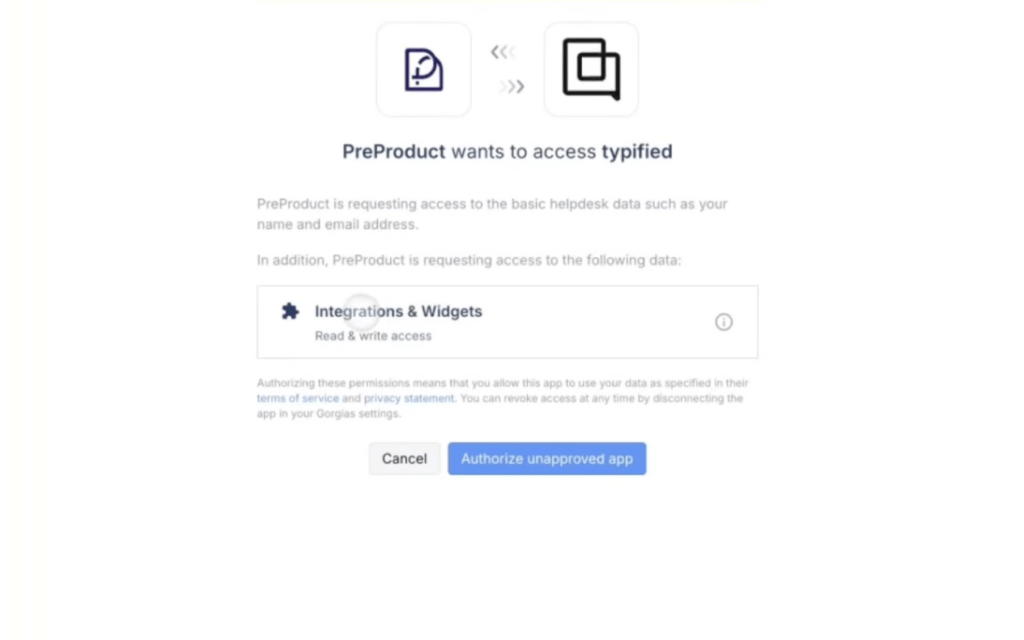
You’ll be redirected to Gorgias to approve the connection. Once approved, you’ll be redirected back to PreProduct.
3. Open a ticket or customer profile in Gorgias #
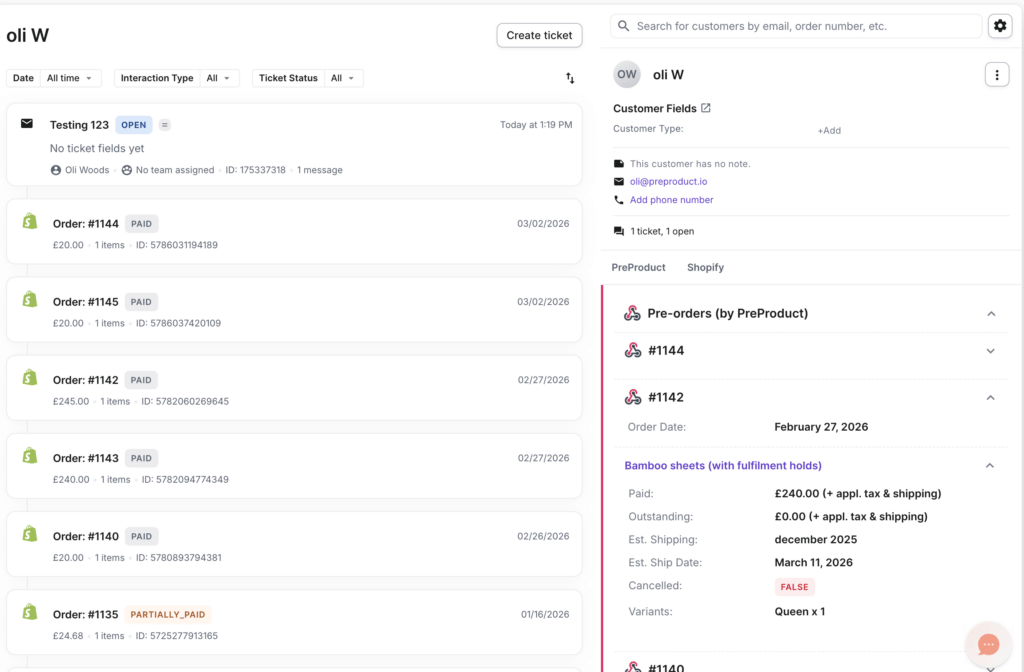
After the integration is connected, open a Gorgias ticket or customer profile for a customer with pre-orders.
You may need to update or refresh the ticket once so Gorgias fetches the latest pre-order data. Note that going forwards pre-order data will sync automatically as new orders come in.
4. Done #
Your support team can now view pre-order data directly inside Gorgias.



