Lovable can generate a Shopify store entirely from prompts, which is powerful but it creates a headless Shopify store. Because of this, Shopify apps (including PreProduct) won’t work automatically.
With a few small changes, you can use PreProduct for pre-orders in a Lovable-built Shopify store. This guide walks through the exact setup.
Lovable prompts #
Add the PreProduct embed script #
Tell Lovable to add the following script tag to your theme.liquid file, so PreProduct can run on every page needed.
<script type="text/javascript" async  src="https://api.preproduct.io/preproduct-embed.js">
</script>
Tag Buy buttons for PreProduct #
1. Tell Lovable to add the below data-attributes to the primary buy button of product pages:
data-native-pre-order-btn
data-primary-native-pre-order-btn
data-headless="true"
data-id="{{ shopify_product_rest_id }}"
data-starting-variant="{{ shopify_variant_rest_id }}"
2. For all other buy buttons, tell Lovable to add the below data-attributes. This way, PreProduct will understand which product a button is for and how it should behave.
data-native-pre-order-btn
data-primary-native-pre-order-btn
data-headless="true"
data-starting-variant="{{ shopify_variant_rest_id }}"
Ensure PreProduct re-checks every new page (Remix / React) #
Lovable uses Remix, which is a ‘SPA’ (single page application) so doesn’t have traditional page changes. To fix this, tell lovable to incorporate the below:
// import useEffect and useLocation if not already imported
import { useLocation } from '@remix-run/react';
import { useEffect } from 'react';

function PageContent({ i18n, ENV, errorContent, additionalHeadTags }) {
  const location = useLocation();

  // Re-run PreProduct on every page change
  useEffect(() => {
    if (typeof window !== 'undefined' && window.PPretry) {
      window.PPretry();
    }
  }, [location]);

  // ... rest of your component ...
}
Intermitted pre-order buttons?
PreProduct watches the page for new buy buttons being added dynamically. If you face issues with pre-order buttons not always being loaded, telling Lovable to ‘full page reload’ product pages will resolve the issue.
PreProduct setup #
Configure redirect to checkout #
Headless stores like the type Lovable creates aren’t standardised like regular Shopify stores. For this reason you’ll need to change PreProduct to redirect straight to checkout. Go to PreProduct → Setup → Front-end redirects and update it to “Redirect to checkout (isolate pre-orders)”.
Alternative: Isolated cart
Isolated cart also works in a headless environment, but requires additional setup so that PreProduct understands which page is the cart.
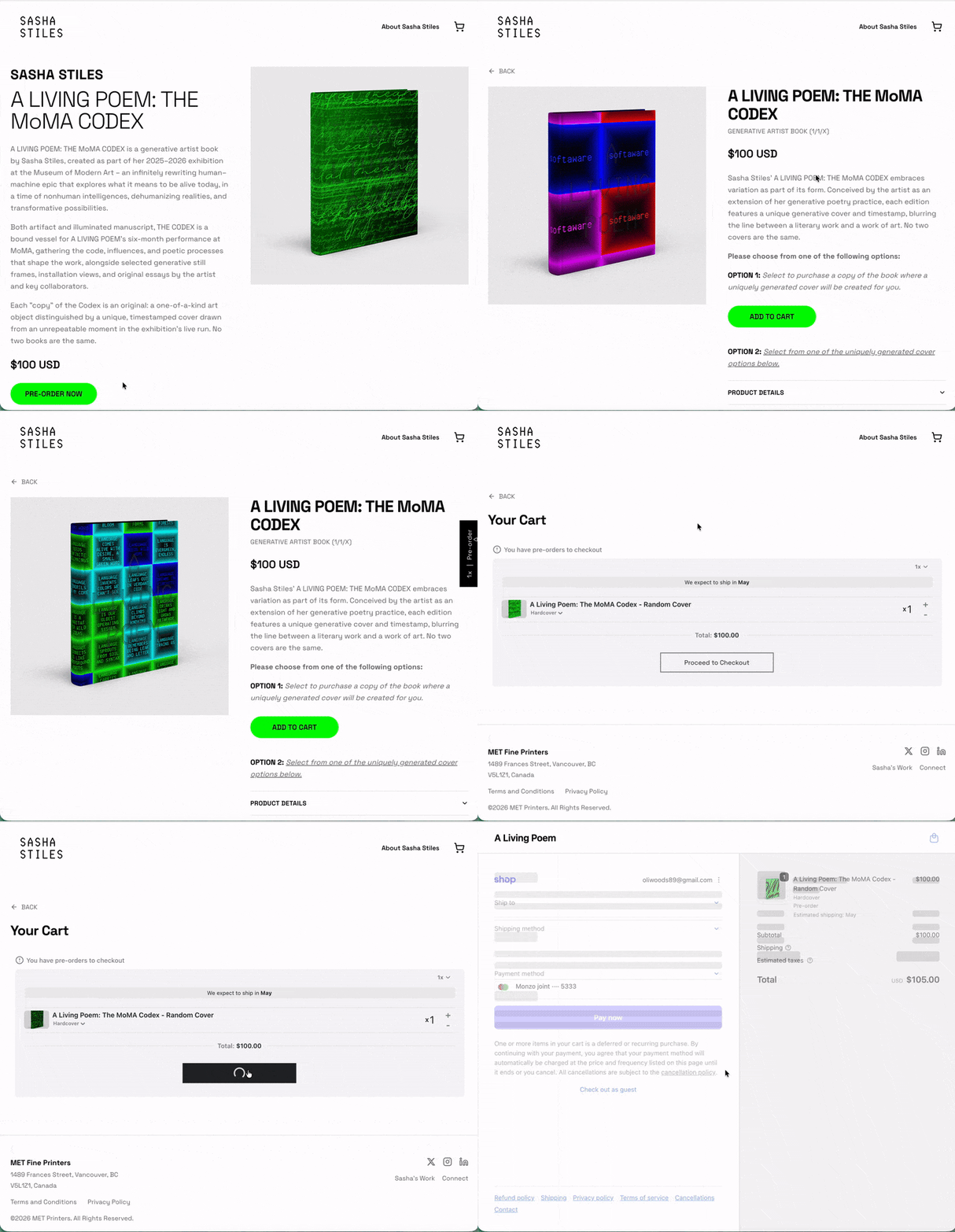
This example uses “isolated cart”, when using “isolated checkout” the checkout screen would be loaded straight after clicking the buy button.

