When products are on charge-later or deposit-upfront pre-order, PreProduct lets you offer a ‘pay early’ option — a great way to boost upfront cashflow. You can also offer an exclusive discount as an incentive, either as a percentage or fixed amount.
Admin setup #
Setup for individual listing #
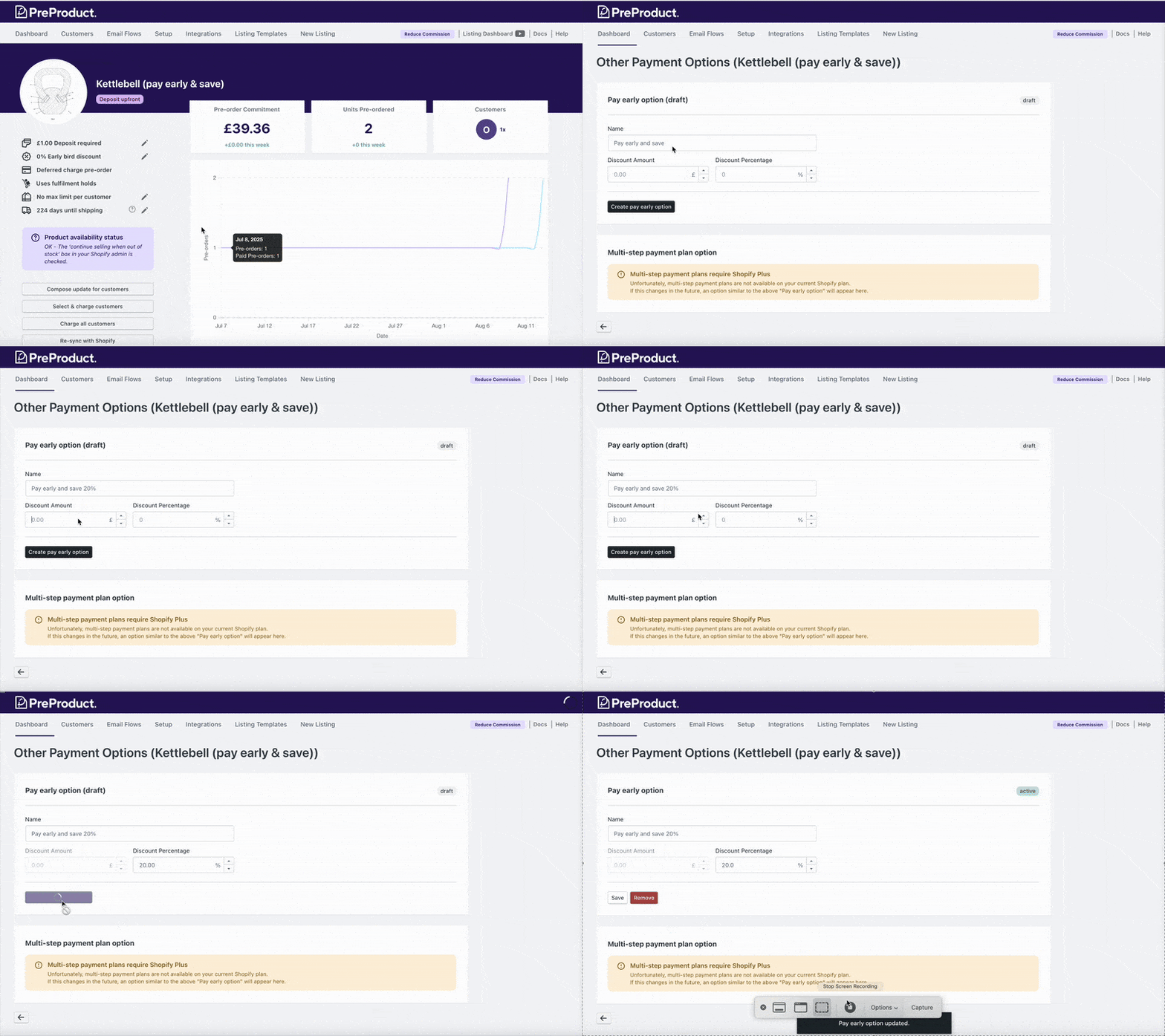
This option is off by default. To enable it, head to PreProduct’s main dashboard, click the listing name, and click the “Other payment options” button on the left of the screen.
Options #
- Name – The customer-facing label for the option. For example: “Pay early and save 25%”
- Discount Amount – A fixed monetary discount per unit (in your store’s primary currency)
- Discount Percentage – Alternatively, set a percentage discount per unit
To remove the option, just click the red “Remove” button from that same screen.
Setup via templates #
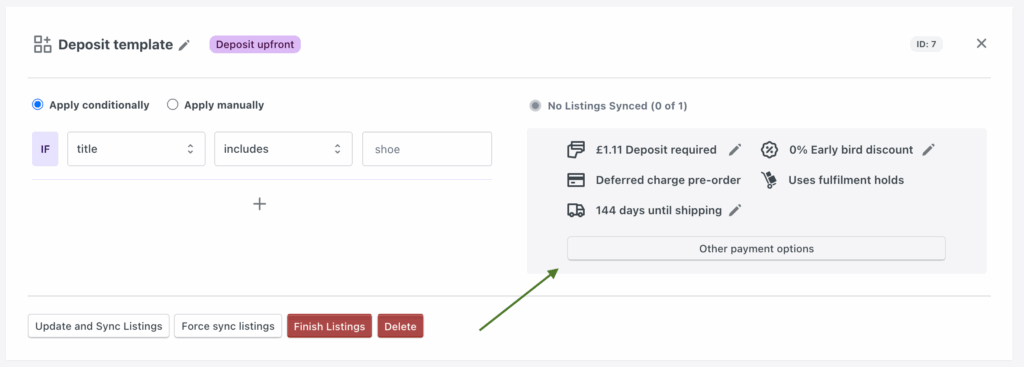
PreProduct also supports pay-early options on the template level, meaning you can set and manage the setting across many listings from the templates screen.
Storefront #
When a listing has a ‘pay early’ option enabled, a selection box appears above the pre-order button. It uses your brand color and font settings from PreProduct’s setup screen.
Customising appearance options #
The name for the ‘pay early’ option comes from the step above. You can also customize the name of the regular pre-order option via Setup → Customise wording — update the “Pre-order plan name” field near the bottom of that screen (customised wording doc).

Developer customising options #
You can style each element of the ‘pay early’ UI by adding a window.ppSelectableSellingPlansStyles JavaScript object. PreProduct will apply your styles accordingly.
Here are the supported keys:
window.ppSelectableSellingPlansStyles = {}

window.ppSelectableSellingPlansStyles[`.pp-selling-plans`] = `background: #fff; color: pink;`
window.ppSelectableSellingPlansStyles[`.pp-selling-plans__option`]
window.ppSelectableSellingPlansStyles[`.pp-selling-plans__radio`]
window.ppSelectableSellingPlansStyles[`.pp-selling-plans__name`]
window.ppSelectableSellingPlansStyles[`.pp-selling-plans__option:checked`]
window.ppSelectableSellingPlansStyles[`.pp-selling-plans__option::after`]
window.ppSelectableSellingPlansStyles[`.pp-selling-plans__option:checked::after`]
Customer Portal & Shopify Order Status Page #
PreProduct also supports a different kind of ‘pay early’ feature on the customer portal (enabled by default) and Shopify order status page (disabled by default).
This version isn’t designed for marketing — it’s more about giving customers a way to pay off pre-orders using different payment methods.
For more details, check out our Customer Portal documentation.

