The Klaviyo integration for PreProduct enriches your Klaviyo customer profiles with pre-order and email activity. This lets you trigger flows for custom actions – whether you want to send targeted email campaigns, follow up on failed charges, or create entirely new customer journeys. There are two types of events:
- Email events – Fired when PreProduct sends (or would send) a pre-order related email.
- Pre-order events – Fired when specific changes happen to an individual pre-order.
Getting Started #
- Navigate to https://app.preproduct.io/shops/integrations/klaviyo_onboarding and enter your store domain, then click Connect Klaviyo.
- If you’re not already a PreProduct customer, you’ll be prompted to install the app. Otherwise, you’ll be taken to your PreProduct integrations page.
- Scroll to the Klaviyo card and click Get integration.
- You’ll be redirected to Klaviyo to review and accept the requested permissions. This allows PreProduct to add and read events (and tags at the time of writing) from your Klaviyo account.
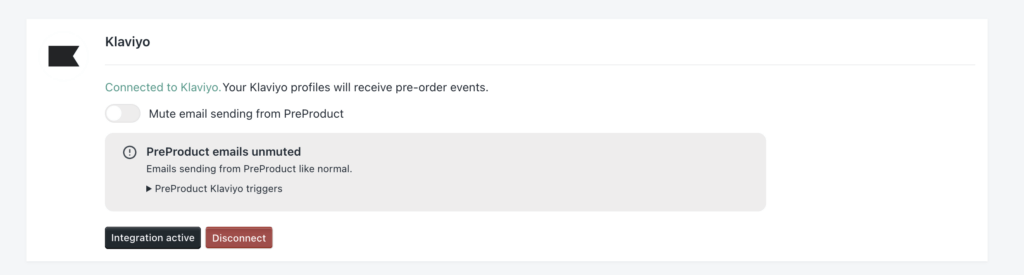
- Click Allow to be redirected back to PreProduct. To confirm the integration worked, go back to the Integrations screen and check for the “Connected to Klaviyo” status.
How the Integration Works #
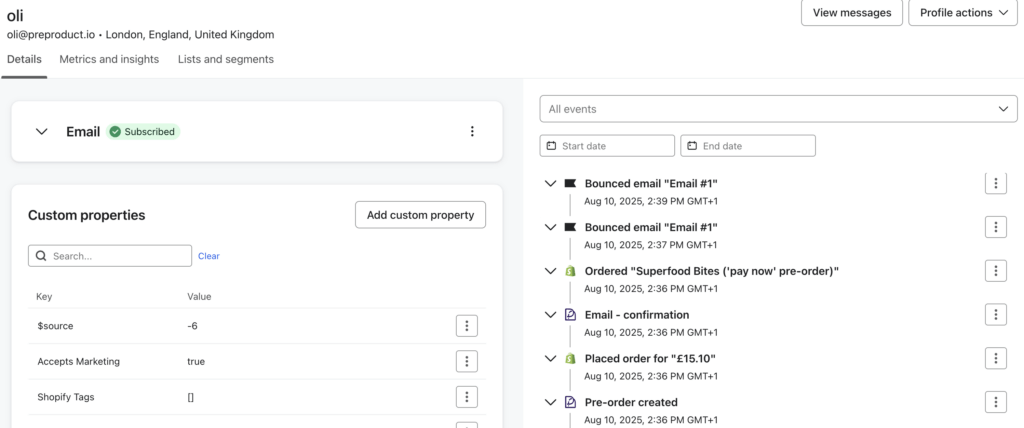
Once connected, PreProduct will send events to Klaviyo whenever specific pre-order actions occur. These events appear in the customer’s Klaviyo profile and can be used to trigger flows. The current event list is:
- Email – confirmation
- Email – update
- Email – upcoming charge
- Email – failed charge
- Email – payment link
- Pre-order created
- Pre-order cancelled
- Pre-order charge failed
- Pre-order charge succeeded
- Pre-order paid
- Pre-order fulfilment released
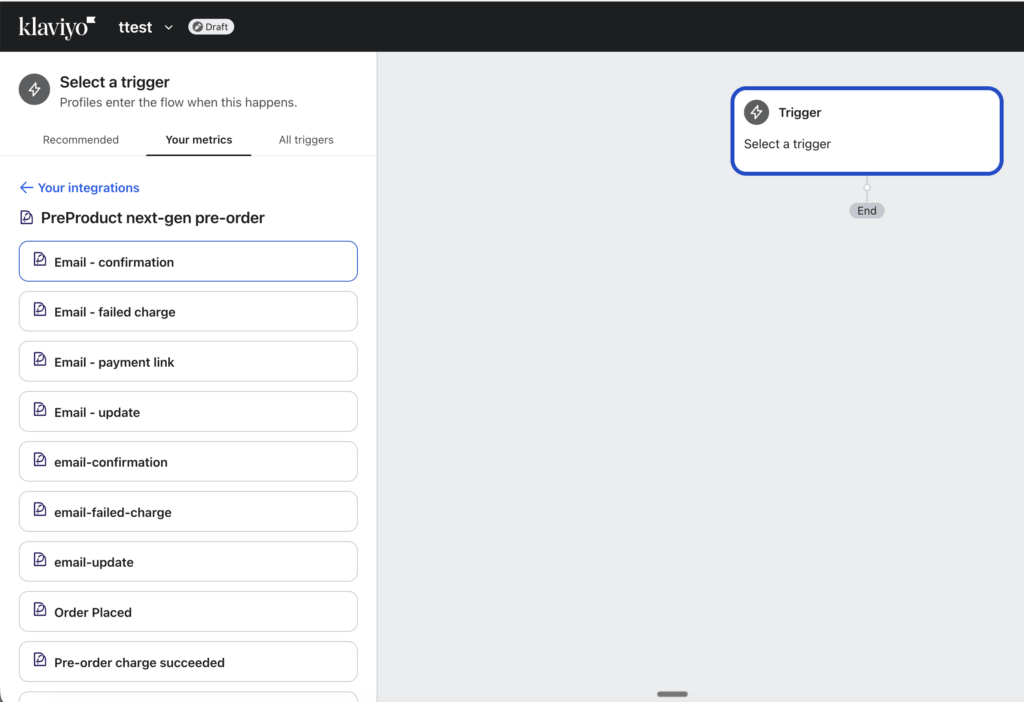
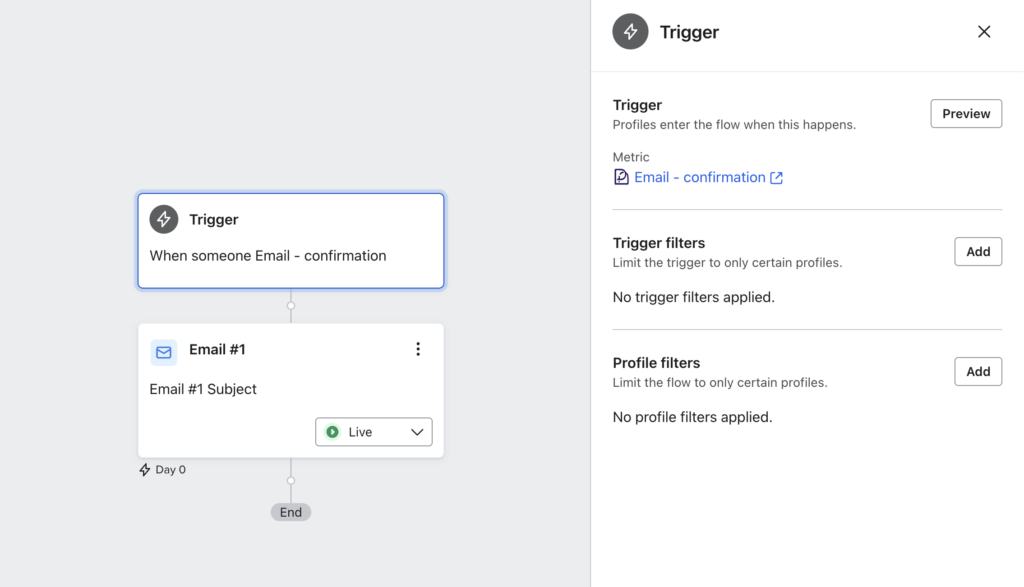
When creating a new flow in Klaviyo, you’ll now be able to use PreProduct events as triggers.
Email Events #
Email events are triggered when PreProduct sends (or would send) a specific pre-order email. For example, when a pre-order is placed, the “confirmation” email event fires. These events still fire even if you’ve enabled the “Disable automatic customer emails” setting in PreProduct.
Each email event includes:
event.preorder– Pre-order details.event.listing– Associated listing details.event.email– The email’ssubjectandbody, which you can use directly in Klaviyo templates (e.g.{{event.listing.name}}).
Example payload from an email event:
{
  "email": {
    "subject": " Thankyou for pre-ordering the Bike helmet ('charge later' pre-order) ",
    "body": "Hi Oli,\n\nThanks for pre-ordering the Bike helmet ('charge later' pre-order)!\n\nWe'll hold off charging you until the Bike helmet ('charge later' pre-order) is ready.\n\n\tPre-order details:\n\n\t1x Bike helmet ('charge later' pre-order)\n\t- white / small\n\n\n\t Discount: 10.0%\n\n\nclick here (http://typified.myshopify.com/apps/preorder_portal?code=123) at any time to check on your pre-order status.\n\nThanks again,\n\nThe Typified team"
  },
  "preorder": {
    "created_at": "2025-12-09T02:52:34.433Z",
    "paid": null,
    "quantity": 1,
    "platform_product_id": 4593157046349,
    "id": 1416765,
    "updated_at": "2025-12-09T02:52:34.761Z",
    "final_paid_payment": null,
    "customer_locale": "en-GB",
    "preproduct_id": 23334,
    "customer_portal": "https://...",
    "variant_quantities": [
      {
        "key": "32316569256013",
        "value": 1
      }
    ],
    "customer_email": "oli@preproduct.io",
    "customer_name": "oli",
    "paid_for": [],
    "deposit_paid": null,
    "platform_variant_id": 32316569256013,
    "order_name": "#1132"
  },
  "listing": {
    "created_at": "2022-06-28T14:57:27.173Z",
    "platform_product_id": 4593157046349,
    "current_variant_sales": [
      {
        "key": "32316569256013",
        "value": 17
      }
    ],
    "id": 23334,
    "discount": 10,
    "price": 3825,
    "charge_upfront_selling_plan_id": null,
    "sales_actual": 24,
    "updated_at": "2025-12-09T02:52:34.747Z",
    "lead_time": 1,
    "success_url": null,
    "name": "Bike helmet ('charge later' pre-order)",
    "max_variant_sales": [],
    "deposit_percentage": null,
    "specific_variants": [
      "32316569321549"
    ],
    "ship_date": "04/25/2025",
    "other_selling_plans": [],
    "template_relation": "unsynced_with_template",
    "deposit_selling_plan_id": null,
    "customer_max_limit": null,
    "test_status": "active",
    "deposit_price": null,
    "template_id": null,
    "charge_later_selling_plan_id": "gid://shopify/SellingPlan/2047541325",
    "different_lead_time": "december 2025"
  },
  "$value_currency": "GBP"
}
Pre-order Events #
Pre-order events are independent of PreProduct’s email campaigns. They include event.preorder and event.listing data, making them perfect for triggering custom touch points like thank-you emails upon payment, or alerts when a deferred charge fails.
Each pre-order event includes:
event.preorder– Pre-order details.event.listing– Associated listing details.
Example payload from a pre-order event:
{
  "listing": {
    "created_at": "2022-06-28T14:57:27.173Z",
    "platform_product_id": 4593157046349,
    "current_variant_sales": [
      {
        "key": "32316569256013",
        "value": 17
      }
    ],
    "id": 23334,
    "discount": 10,
    "price": 3825,
    "charge_upfront_selling_plan_id": null,
    "sales_actual": 24,
    "updated_at": "2025-12-09T02:52:34.747Z",
    "lead_time": 1,
    "success_url": null,
    "name": "Bike helmet ('charge later' pre-order)",
    "max_variant_sales": [],
    "deposit_percentage": null,
    "specific_variants": [
      "32316569256013"
    ],
    "ship_date": "2025-12-01T09:45:27.965Z",
    "other_selling_plans": [],
    "template_relation": "unsynced_with_template",
    "deposit_selling_plan_id": null,
    "customer_max_limit": null,
    "test_status": "active",
    "deposit_price": null,
    "template_id": null,
    "charge_later_selling_plan_id": "gid://shopify/SellingPlan/2047541325",
    "different_lead_time": "december 2025"
  },
  "preorder": {
    "created_at": "2025-12-09T02:52:34.433Z",
    "paid": null,
    "quantity": 1,
    "platform_product_id": 4593157046349,
    "id": 1416765,
    "updated_at": "2025-12-09T02:52:35.750Z",
    "final_paid_payment": null,
    "customer_locale": "en-GB",
    "preproduct_id": 23334,
    "variant_quantities": [
      {
        "key": "32316569256013",
        "value": 1
      }
    ],
    "customer_email": "oli@preproduct.io",
    "customer_name": "oli",
    "paid_for": [],
    "deposit_paid": null,
    "platform_variant_id": 32316569256013,
    "order_name": "#1132"
  },
  "$value_currency": "GBP",
  "$value": 0
}
Muting PreProduct Emails #
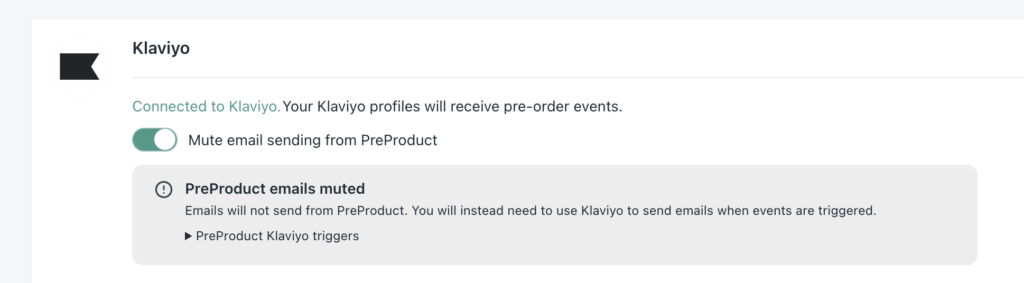
If you’d like Klaviyo to handle all customer communication (without PreProduct sending duplicates), you can mute PreProduct emails while keeping the events flowing into Klaviyo:
- Go to PreProduct’s Integrations screen.
- Find the Klaviyo card.
- Toggle Mute email sending from PreProduct to ON.
This keeps all email events firing into Klaviyo, but suppresses PreProduct’s own customer-facing sends.
Detecting pre-orders in Klaviyo #
When trying to send order confirmation emails from Klaviyo that have pre-order specific verbiage, you will most likely run into an issue where the PreProduct’s events haven’t had time to fire yet.
The reliable way to figure out if an order contains a pre-order is to check for the hidden _preorder line item property, which PreProduct adds to every pre-order line at the point of add-to-cart:
event.extra.line_items.properties.name == "_preorder"The _preorder key is fixed (it can’t be renamed or removed) and is present from the moment the order is created, so it’s safe to build automations on. We used to suggest checking for the “Estimated shipping” property here, but that key can be renamed via the PreProduct customise wording screen‘s ‘Line item property – shipping key’ field, so it was never a dependable programmatic signal. See our pre-order tags and line-item properties doc for more on _preorder.

