Shopify Partial Payments: Complete Guide to Deposits, Installments & Deferred Charges

Managing cash flow while keeping customers happy can feel like walking a tightrope. Shopify partial payments let you collect a portion of the sale upfront and charge the remaining balance later, creating flexibility for both you and your customers. Whether you’re launching a new product line, managing pre-orders, or selling higher-ticket items, understanding how to implement partial payment strategies can transform how you capture revenue.

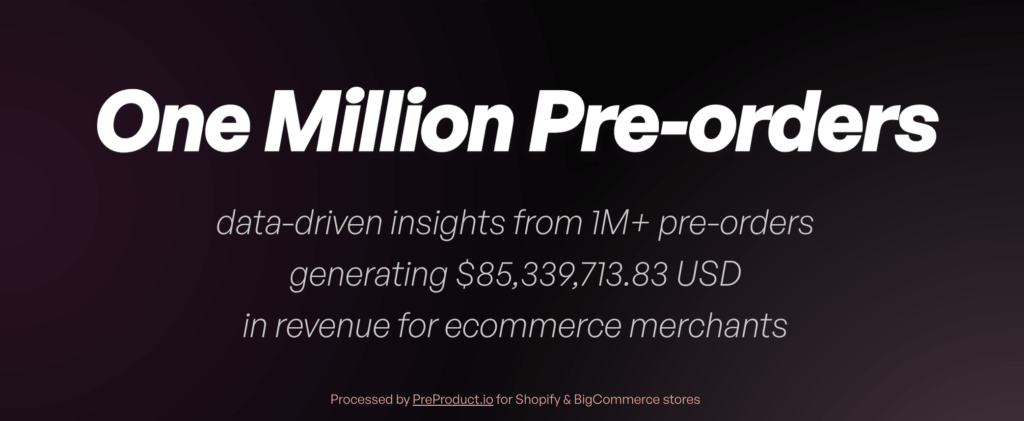
From processing over $85 million+ in pre-order sales, we’ve learned what actually works. This guide breaks down everything you need to know about Shopify deposits, charge-later options, and installment plans so you can choose the right approach for your store.

What Are Shopify Partial Payments?

The Core Concept

Shopify partial payments enable merchants to charge a portion of the sale upfront while deferring the remaining balance until later. Instead of collecting the full amount at checkout, you might take 30% now and charge the rest when the product ships. This approach relies on vaulted card technology, where payment details are securely stored with your payment provider, allowing you to trigger charges at a later date without restrictive authorization windows.
The flexibility extends beyond simple deposits. Merchants can structure payments in three main ways: deposit upfront with a later charge, full charge-later with zero upfront cost, or multi-step installment plans that spread payments across several transactions.

Three Main Approaches to Partial Payments

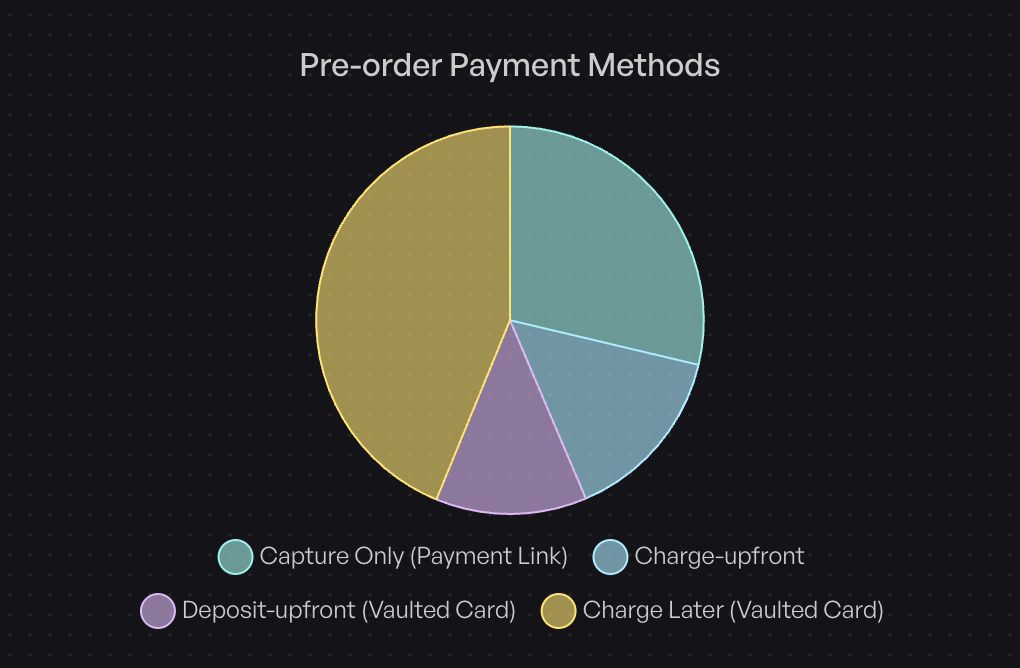
Based on data from over one million pre-orders, here’s how merchants actually structure their payments:

Charge-later accounts for 43.8% of all pre-order listings (75,781 listings). Customers complete checkout without paying anything upfront, and merchants trigger the charge when ready to ship. This approach maximizes conversion by removing initial friction while still securing the order.

Deposit upfront represents 12.6% of listings. Merchants collect a partial payment during checkout, typically 20-50% of the product value, then charge the balance when the item is ready. This balances customer commitment with flexibility.

Charge upfront makes up 14.9% of listings. The full amount is collected immediately at checkout, providing instant cash flow but requiring customers to pay before receiving the product.

The remaining 28.7% use capture-only approaches, where payment is taken through payment links rather than vaulted cards.
Why Partial Payments Matter in 2025

The shift toward flexible payment models reflects changing customer expectations. Buyers increasingly expect options beyond “pay now or don’t buy.” For merchants, partial payments solve a critical challenge: how do you capture revenue before inventory arrives without alienating customers who want to minimize upfront commitment?

Traditional Shopify payment authorizations expire after 7 or 30 days depending on your payment provider and Shopify plan. Partial payment solutions using vaulted cards bypass these limitations, giving you control over when charges occur regardless of lead times.

How Shopify Partial Payments Work

Technical Requirements

Only two payment providers currently support the vaulted card technology required for deferred charges: Shopify Payments and PayPal (although we’ve heard reports of Cybersource recently being supported). Any credit card that passes standard checkout validation works for partial payments; no special card types are required.
The system captures and securely stores card details at initial checkout. When you’re ready to charge, you trigger the payment through your pre-order app or payment platform. The customer doesn’t need to re-enter payment information or take any action.

The Customer Experience

From a customer perspective, partial payments create a streamlined experience. They complete checkout once, entering payment details as they normally would. For deposit-based approaches, they see the deposit amount charged immediately. For charge-later options, no charge appears until you trigger it.

Customers can monitor their deferred payment status through customer portals that show expected shipping dates, outstanding balances, and payment schedules. This transparency reduces support inquiries and maintains trust during longer lead times.

The Merchant Workflow

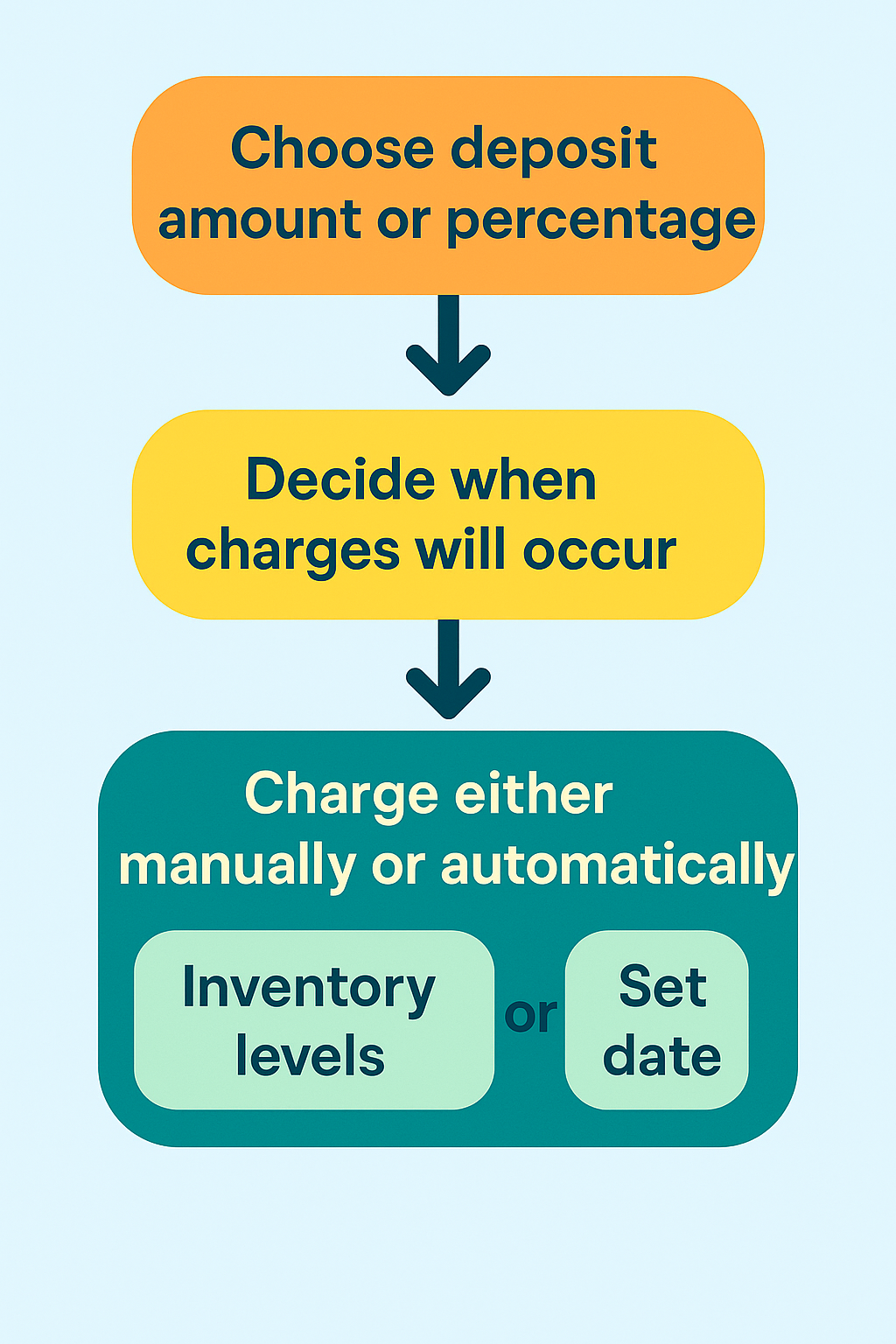
Setting up partial payments requires choosing your deposit amount or percentage, configuring when charges will occur, and customizing customer communications. You can set charges to trigger manually when you’re ready to ship, automatically based on inventory levels, or on specific dates.

For deposit approaches, you specify whether to charge a fixed amount or a percentage of the product price. The system calculates and displays the deposit at checkout, shows the remaining balance, and handles the math automatically.
When triggering remaining charges, you can process them at the listing level (charging all customers for a specific product) or at the customer level (charging individual orders as they’re ready). Failed charges generate automated recovery emails, giving customers the opportunity to update payment methods before orders are cancelled.

Benefits of Partial Payments for Pre-orders

For Merchants: Extended Sales Windows

Traditional payment authorizations create artificial constraints. With Shopify Payments, authorizations typically expire after 7 days, though this can extend to 30 days in some cases. If your product lead time exceeds these windows, you face a choice: charge upfront and risk higher refund requests, or wait until inventory arrives and lose revenue velocity.

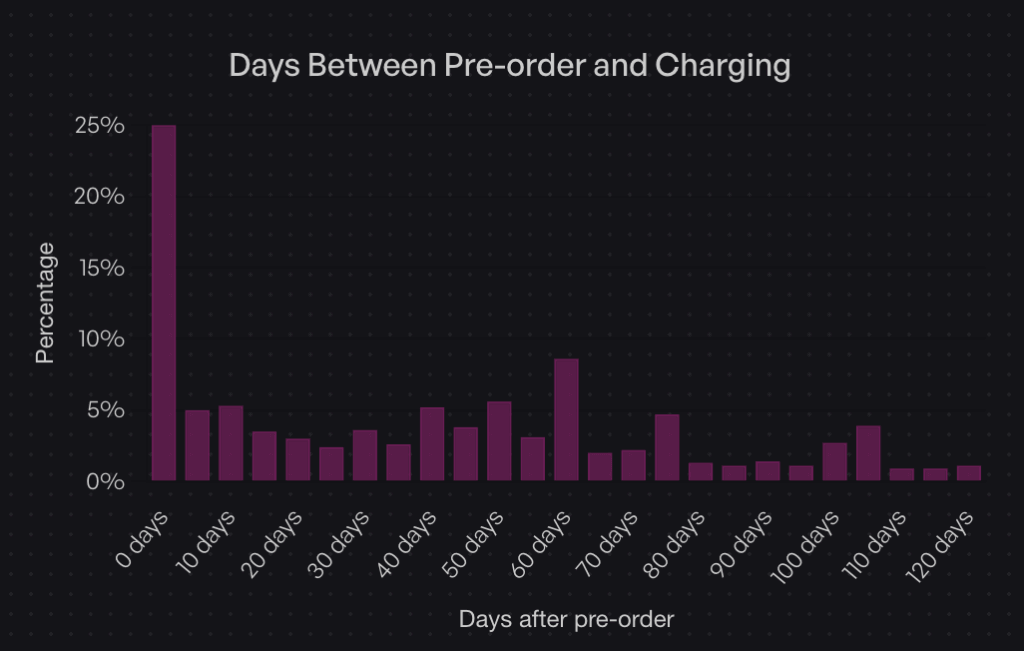
Partial payments eliminate this constraint. Data shows that while 25% of merchants charge immediately (Day 0), 47.8% charge within the first 30 days of the order. The flexibility to control charge timing means you can align revenue capture with your specific supply chain reality, not arbitrary authorization periods.
For Merchants: Reduced Refund Administration

Charge-upfront pre-orders create customer frustration when delays occur. Customers who’ve already paid feel entitled to immediate resolution, generating support tickets and refund requests. Charge-later and deposit models reduce this friction. Customers who haven’t fully paid yet tend to be more patient with timeline adjustments, as they haven’t fully committed their funds.

This isn’t just theory. Merchants using charge-later approaches report fewer cancellations and support inquiries compared to charge-upfront campaigns, particularly for products with variable lead times.

For Customers: Lower Initial Commitment

The psychological barrier of a $300 product is very different from a $75 deposit. Partial payments let customers secure items they want without the immediate financial impact of the full purchase. This is particularly powerful for higher-ticket items where the decision to buy might be delayed by cash flow concerns.

Customers who make partial payments also demonstrate stronger purchase commitment. Having “skin in the game” through a deposit makes them more likely to complete the purchase compared to waitlists or notification systems with zero commitment.

Real-World Impact: The Holochain Foundation Example

When Holochain Foundation launched their Web3 platform hardware, they faced a classic challenge: significant production costs with uncertain demand. They used deposit-based pre-orders to validate interest and secure upfront capital for manufacturing.

By collecting deposits, they confirmed real demand beyond survey responses or email signups. The deposits provided working capital to initiate production runs. And critically, they maintained full control over when to charge the remaining balance, coordinating charges with actual shipping timelines rather than racing against authorization expirations.

When to Use Deposits vs Charge-Later vs Installments

Strategic Decision Framework

The right payment approach depends on three factors: product price point, lead time length, and your cash flow needs. Here’s how to think through the decision.

Use Deposit Upfront When:

High-ticket items ($500+) benefit from deposits. The partial payment demonstrates commitment without requiring customers to part with the full amount months before delivery. We believe optimal deposit amounts range from 10-50% of the product value.

Long lead times (three months or longer) work better with deposits than charge-later. Asking customers to wait 90+ days with zero payment creates uncertainty. A deposit confirms their commitment and provides you with working capital during the production window.

Custom or made-to-order products justify deposits because you’re investing resources specifically for that customer. The deposit offsets your production costs and reduces the risk of cancellations after you’ve already started work.
When you need early production capital, deposits inject cash flow before the product is ready to ship. This is particularly valuable for crowdfunded-style launches or when production minimums require upfront investment.

Merchants who use deposit approaches represent 12.6% of listings in our dataset. While less common than charge-later, deposits serve a specific purpose for higher-value, longer-timeline products.

Use Charge-Later When:
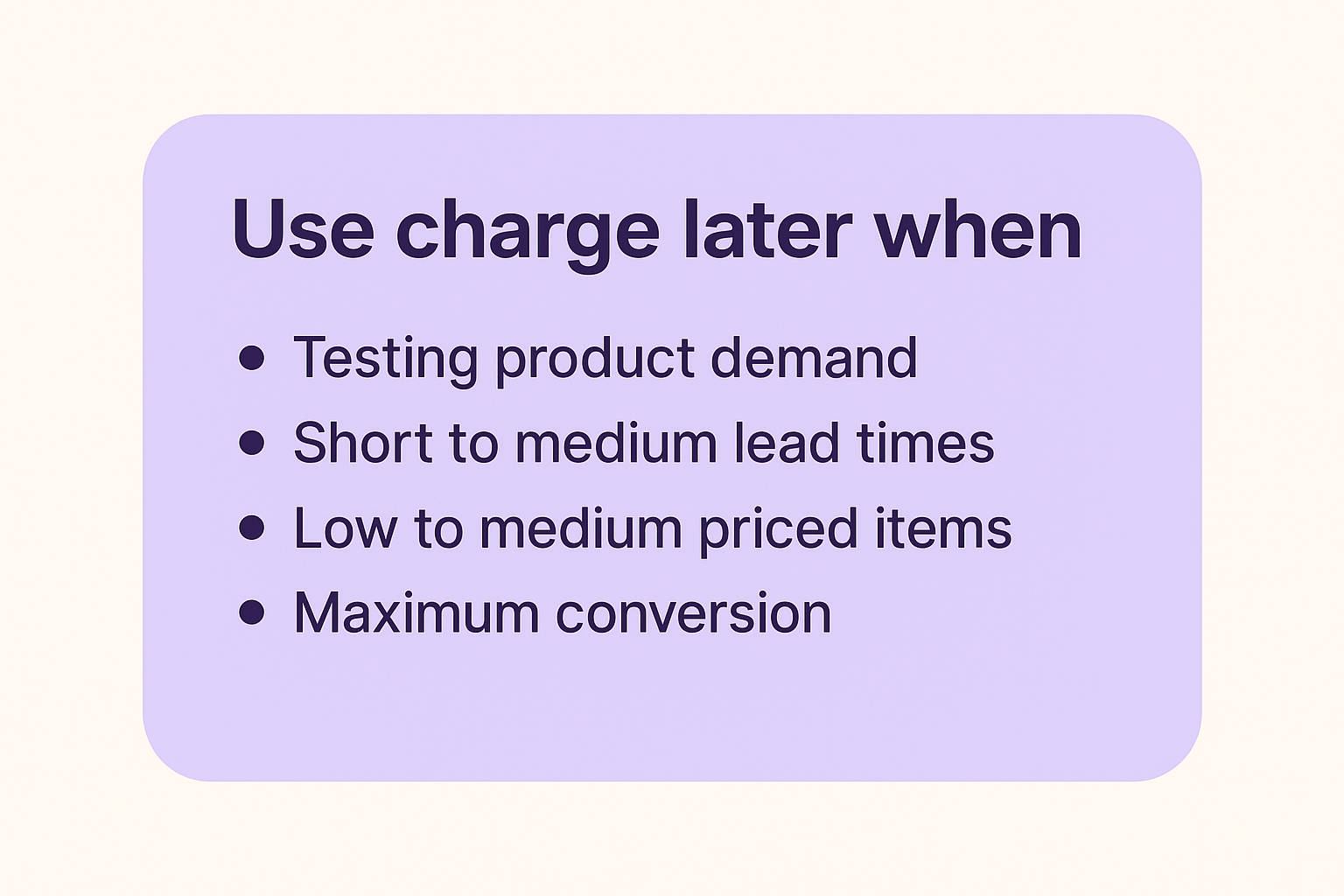
Testing product demand works better with charge-later. The zero upfront cost maximizes conversion, giving you the truest read on interest. You can validate demand without customers needing to part with money immediately.

Short to medium lead times (one to two months) pair well with charge-later. Customers don’t perceive significant risk in the timeline, and you maintain flexibility on charge timing.

Low-medium priced items ($50-$300) see strong performance with charge-later. The payment amount isn’t large enough to justify deposits, and the reduced friction at checkout improves conversion rates.

When you want maximum conversion, charge-later removes all payment friction. Customers complete checkout knowing they won’t be charged until the product ships, eliminating the primary objection to pre-ordering.

The data supports this approach: 43.8% of pre-order listings use charge-later models, making it the most popular payment timing choice. The appeal is clear: secure orders now, charge when convenient, avoid authorization periods entirely.

Use Installment Plans When:
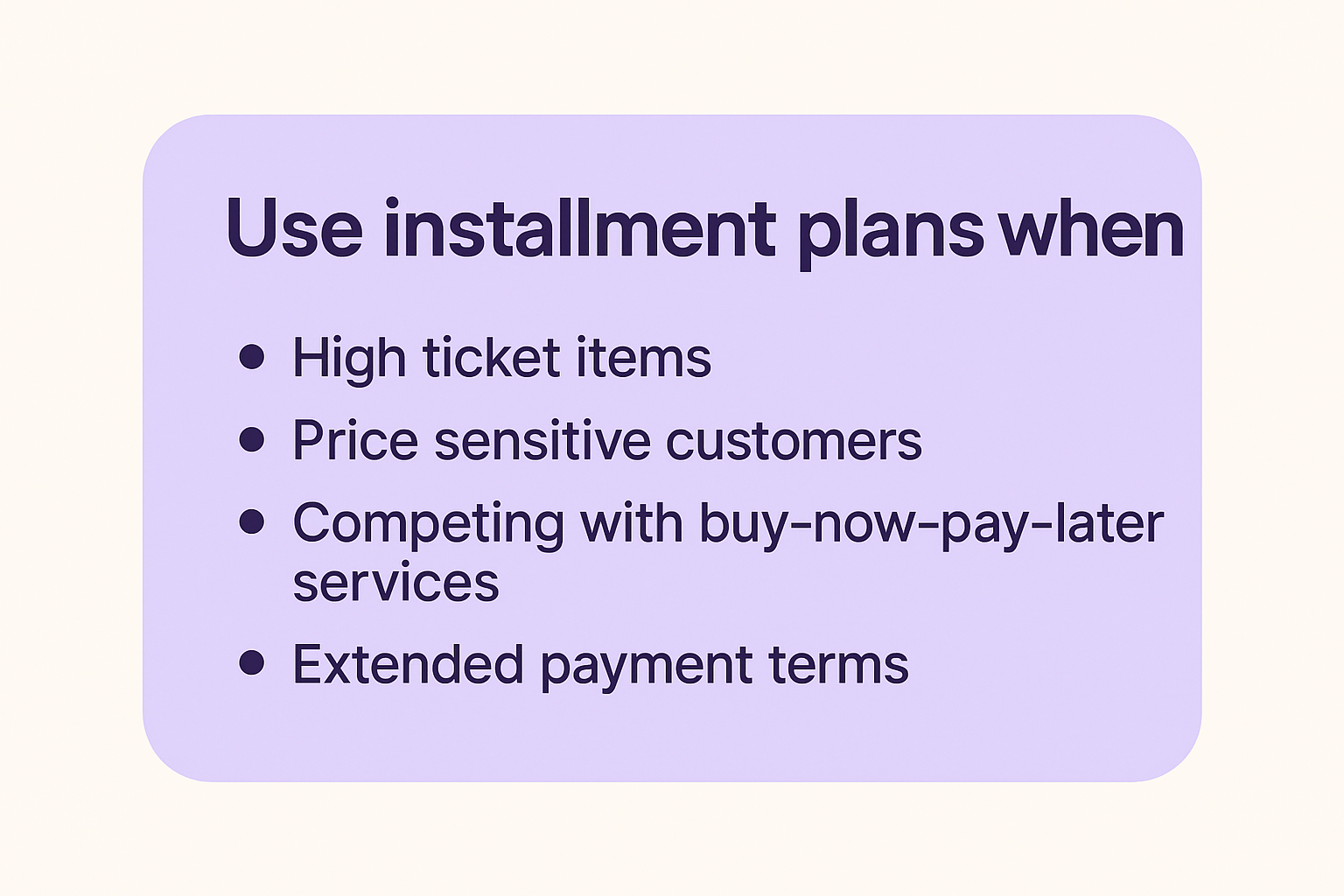
High-ticket items ($1,000+) benefit from spreading payments across multiple installments. This makes expensive products accessible to customers who want to spread the cost over time, similar to how Affirm or Klarna work.

Price sensitive customers who prefer to spread the cost over time. Offering installment plans allows you to offer a lower price point to customers who prefer to pay over time. Think of this like BNPL (buy-now-pay-later) but the customer receives the product later instead of upfront.

Competing with buy-now-pay-later services becomes easier when you offer your own installment options. Rather than paying fees to third-party services, you can structure multi-step payment plans that charge customers directly.

Extended payment terms (60-90+ days or longer) work well for premium product positioning. Luxury items or high-end equipment can be structured with monthly payments that align with when customers actually receive and use the product.

Multi-step payment plans work by splitting pre-orders into multiple automatic charges on a defined schedule. Customers select their preferred number of installments at checkout, and the system automatically processes charges based on your configured frequency (daily, weekly, or monthly).

Available for Shopify Plus stores and non-Shopify platforms, these plans integrate with charge-later or deposit-upfront pre-order models. You can configure maximum installment limits, offer discounts for choosing payment plans, and customize the customer-facing interface to match your brand. Customers access a portal showing their payment history, outstanding balance, and upcoming charge dates.

Optimal Deposit Percentages by Scenario

For physical goods in the $200-$500 range: 25-35% deposits work well. This is enough to confirm commitment without creating significant friction.

For higher-ticket items ($500-$1,500): 20-30% deposits provide meaningful capital while keeping the initial amount manageable. A $300 deposit on a $1,200 product feels more acceptable than a $600 deposit.

For custom or made-to-order products: 40-50% deposits are appropriate. Your costs are higher, customization requires more resources, and the commitment level should reflect the work involved.

For products with very long lead times (6+ months): 30-40% deposits strike a balance. Too small and it doesn’t feel meaningful; too large and customers balk at paying so much so far in advance.

The key is putting it in the context of your business and customer-base. Your hard fought intuition is a great starting point, as what works for one product or audience may not work for another.

How to Set Up Shopify Partial Payments

Option 1: Manual Setup (Not Recommended)

Some merchants attempt to create partial payment flows manually through Shopify’s native features. This involves creating separate deposit products, generating unique discount codes for the remaining balance, and manually coordinating payment collection with customers.

Why this approach fails: The customer experience is poor. They purchase a “deposit” product, then receive an email later with a discount code and instructions to buy the actual product. It’s confusing and unprofessional.

The manual coordination is time-consuming. You’re manually tracking which customers paid deposits, generating individual discount codes, and sending follow-up emails. For anything beyond a handful of orders, this becomes unmanageable.

You lose analytics and segmentation. These orders don’t flow through normal Shopify reporting as pre-orders; they look like separate product purchases. You can’t easily segment customers who have deposits pending or identify which partial payment campaigns perform best.

The approach is error-prone. Forgotten discount codes, incorrect discount amounts, customers who lose emails, all these issues create support tickets and frustration.

(FYI: Early on in PreProduct, before Shopify supported vaulted card payments; we actually offered a version of this ‘deposit product’ approach. It was pretty painful and we discontinued it as soon as the vaulted card functionality was released.)

Option 2: Using Pre-order Apps (Recommended)

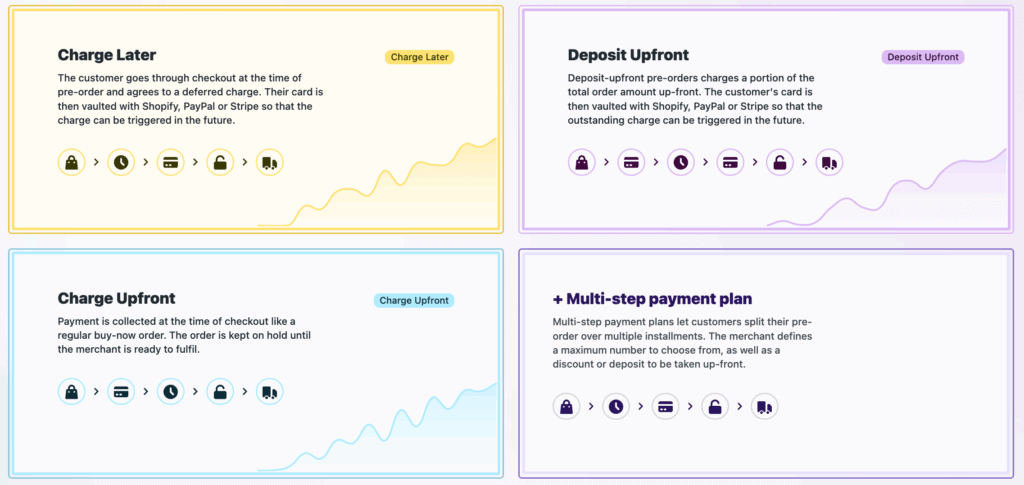
Specialized pre-order apps handle the complexity of partial payments through purpose-built workflows. PreProduct offers flexible payment timing options including charge-upfront, charge-later, deposits, and multi-step installment plans.
Step-by-step setup process:

First, choose your payment timing approach. Decide whether you’re collecting full payment upfront, charging later, or taking a deposit. This decision drives the rest of your configuration.

Second, set your deposit amount or percentage if applicable. You can specify either a fixed dollar amount or a percentage of the product price. The app automatically calculates and displays this at checkout.

Third, configure automatic charge triggers or plan for manual triggering. Some merchants prefer to trigger charges manually when they’re ready to ship. Others want automation based on inventory levels, where charges occur automatically when stock is added to Shopify.

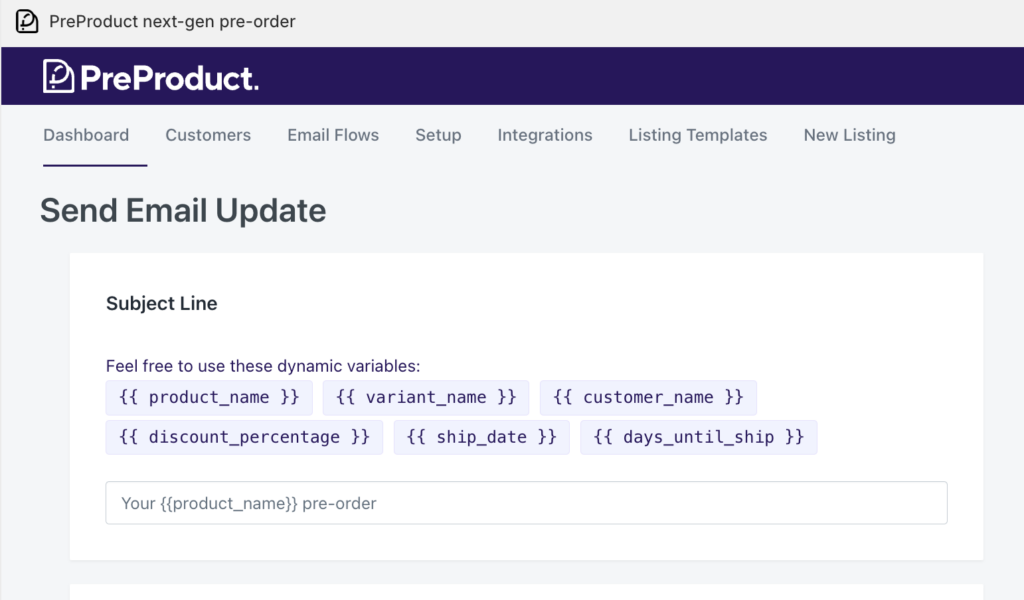
Fourth, customize your customer portal and communications. Set up the messaging customers see on product pages, in cart, and at checkout. Configure email sequences for order confirmations, upcoming charges, and payment reminders.

Fifth, set up failed charge notifications and recovery workflows. If a customer’s card declines when you trigger the remaining charge, automated emails give them an opportunity to update their payment method before you cancel the order.

Sixth, test the complete flow. Place a test order through the entire checkout process, confirm the deposit or charge-later behavior works correctly, and verify that triggering the remaining charge functions as expected.

Configuration Best Practices

Communicate lead times clearly on product pages. Use specific dates when possible (“Ships in February 2025”) or windows when dates are uncertain (“Ships 8-12 weeks after order”). Vague language like “coming soon” creates customer anxiety.

Set realistic charge dates based on your actual supply chain. Building in buffer time is smart, but don’t pad timelines excessively. Customers appreciate accuracy more than conservatively long estimates.

Craft deposit policy language that explains what customers are paying now, what they’ll be charged later, and when that charge will occur. This belongs in multiple places: product page, cart, and checkout.

Design email sequences for payment reminders that notify customers a few days before their remaining balance will be charged. This reduces surprise and gives them time to ensure sufficient funds are available.

Managing Partial Payment Orders

Order Tracking and Segmentation

Once partial payment orders start flowing in, you need visibility into payment status across your customer base. Shopify deposits apps like PreProduct provide dashboards that show which orders have deposits paid, which customers are on charge-later status, and which charges have been triggered but not yet collected.

Segmentation becomes critical for larger campaigns. You might need to charge customers in batches as inventory arrives in waves, or handle exceptions for customers requesting earlier or later charges. Good pre-order tools let you filter by payment status, creation date, product, and other attributes.

Triggering Remaining Charges

Manual charge initiation gives you complete control. You review orders ready to ship, select the customers to charge, and trigger the charges. This works well for smaller volumes or when you need to carefully coordinate charges with actual inventory availability.

Automated triggers based on dates work for predictable timelines. If you know products will ship on March 15th, you can configure charges to trigger automatically on March 10th, giving time for payment processing before you need to create shipping labels.

Stock-based triggers charge customers automatically when you add inventory to Shopify. You receive a shipment, update your stock levels, and the app detects the change and initiates charges. This aligns charges with actual product availability rather than estimated dates.

Batch processing lets you charge large groups simultaneously. If you have 500 orders and inventory for all of them arrives, you can process all charges in one action rather than triggering them individually.

Failed Charge Management

Not every charge attempt succeeds. Cards expire, customers change banks, or funds aren’t available. When charges fail, you need a recovery process.

Common failure reasons include expired cards (especially problematic for long lead times), insufficient funds, or cards that were cancelled and replaced. Some failures are soft declines that will succeed if retried; others are permanent until the customer updates their payment method.

Automated recovery emails immediately notify customers when charges fail. These emails explain what happened, provide a link to update payment information, and set a deadline before the order is cancelled. Clear, non-accusatory language is important; frame it as “we need your help to complete your order” rather than “your payment failed.”

Grace periods and retry logic give customers time to fix issues. A common approach: retry the charge once after 24 hours, send another notification if it fails again, and give customers 3-5 days total before cancelling the order. The timeline should balance giving customers adequate time with your need to manage inventory.

When to cancel vs hold orders depends on your inventory situation. If you have excess inventory, you can be generous with grace periods. If inventory is tight and you have a waitlist, shorter grace periods let you reallocate products to customers whose payments will succeed.

Refund Scenarios

Partial payments complicate refunds compared to standard orders. If you’ve collected a deposit and need to refund, do you refund just the deposit? What if you’ve already charged the remaining balance?

Partial vs full refunds depend on when the refund request comes in and why. If a customer wants to cancel before you’ve triggered the remaining charge, you refund the deposit. If they want to cancel after being fully charged but before shipping, you refund everything. If the product has shipped and they’re returning it, your normal return policy applies.

Split payment complications arise when deposits and final charges occur far apart. Your accounting needs to handle a deposit collected in January and a refund processed in March that pulls from a different financial period.

Customer communication templates should clearly explain what amount is being refunded and when they’ll see it. “Your $75 deposit will be refunded to your original payment method within 5-10 business days” sets clear expectations.

Integration with Operations

Fulfilment Hold Management

The biggest operational risk with pre-orders is accidental early shipment. Products shouldn’t ship until you’ve triggered the remaining charges. Fulfilment holds prevent pre-order items from flowing to your 3PL or shipping team until you explicitly release them.

For Shopify stores, apps can place orders in “hold” fulfilment status. This keeps them out of your normal fulfilment queue. When you trigger charges and they succeed, the hold is released and the order moves to “unfulfilled,” making it visible to your fulfilment team.

For BigCommerce and WooCommerce stores, the approach differs. Pre-order apps keep orders in the app until you release them, then push them to your platform admin only when ready to ship. This ensures your team never sees an order before it’s time to fulfil it.

ERP and Inventory Systems

If you use an ERP system, syncing pre-order payment status matters for accurate financial reporting. Your ERP needs to know which orders represent collected revenue versus orders that will generate revenue when charged later.

Webhooks or API connections push order status updates from your pre-order app to your ERP. When a deposit is collected, your ERP records it. When the remaining balance is charged, another update flows through. This keeps your financial picture accurate without manual data entry.

For demand forecasting, pre-orders provide early signals about which products will sell and in what quantities. If you have 200 pre-orders before production starts, you know you need at least 200 units. Integrating this data into inventory planning prevents stockouts and informs production run sizes.

Learn more about managing pre-orders with ERP systems.

3PL Coordination

If you use a third-party logistics provider, they need to understand which orders are pre-orders and shouldn’t ship yet. Most 3PLs integrate with Shopify or your platform and automatically pull orders marked as unfulfilled. If pre-orders flow through before you’re ready, they’ll ship them.

The fulfilment hold approach prevents this. Only when you explicitly release holds do orders become visible to your 3PL. This coordination is critical for smooth operations.

For more on this topic, see our guide on managing pre-orders with your 3PL.

Mixed Carts: Pre-orders Plus In-Stock Items

Should you allow customers to purchase pre-order and in-stock items in the same cart? This decision impacts operations significantly.

Mixed carts increase average order value. Customers can buy what’s available now along with pre-order items, maximizing their cart size. However, this creates split fulfilment complexity. You need to ship the in-stock items immediately and hold the pre-order items for later.

Isolated carts force customers to check out separately for pre-orders and regular items. This simplifies operations; each order is either all in-stock or all pre-order. However, it may reduce total cart value and creates a slightly more complex customer experience.

The right choice depends on your operational capacity. If you can handle split fulfilments without errors, mixed carts are valuable. If your fulfilment setup struggles with partial shipments, isolated carts reduce mistakes.

Common Mistakes to Avoid

Payment Timing Errors
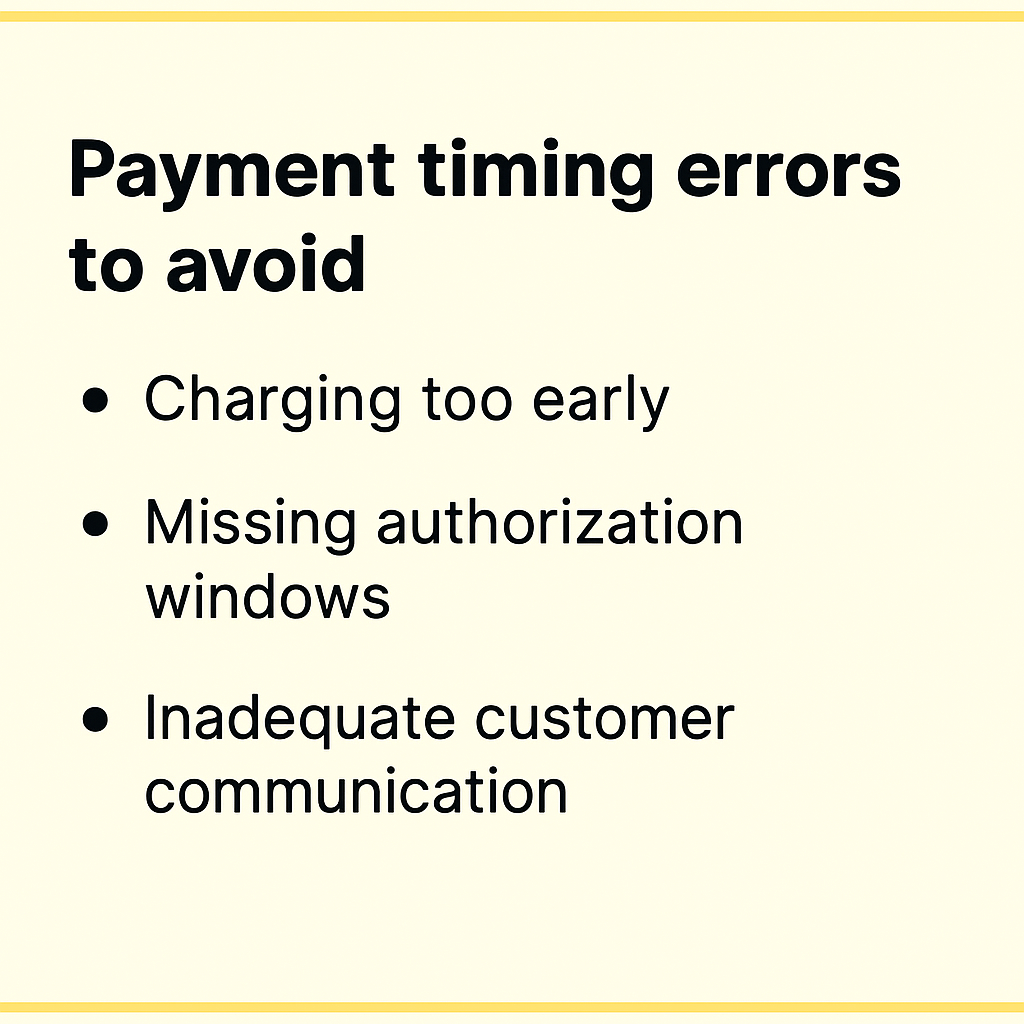
Charging too early before products are ready to ship creates customer frustration. If you charge the remaining balance and then announce a delay, customers who were patient during the charge-later period suddenly become frustrated. Only trigger charges when you’re confident products will ship within days.

Missing authorization windows applies to merchants not using vaulted card solutions. If you’re trying to use standard Shopify authorizations for long-lead-time products, you’ll hit expiration issues. This is why partial payment apps with vaulted cards exist in the first place.

Inadequate customer communication about when charges will occur causes surprise and support tickets. Notify customers a few days before charging remaining balances. Give them a heads-up rather than charging unexpectedly.

Deposit Amount Missteps
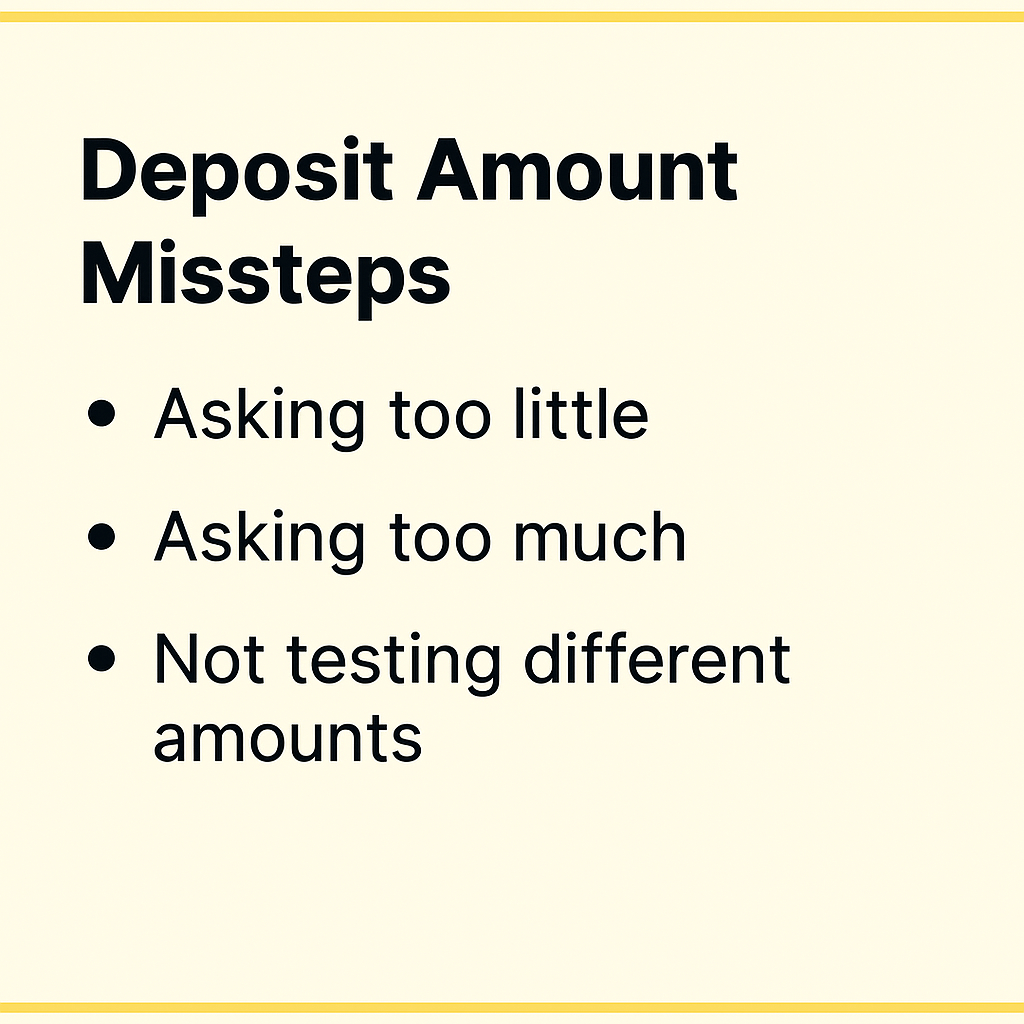
Asking too little defeats the purpose of deposits. A $10 deposit on a $300 product doesn’t demonstrate meaningful commitment. Customers will cancel without hesitation because they haven’t invested much.

Asking too much creates friction at checkout. A $250 deposit on a $400 product feels nearly as expensive as just paying full price. You lose the psychological benefit of partial payments.

Not testing different amounts means you’re guessing at optimal deposit levels. Run small test campaigns with 25%, 35%, and 45% deposits on the same product. Measure conversion rates and cancellation rates. The data will tell you what works for your audience.

Technical Pitfalls
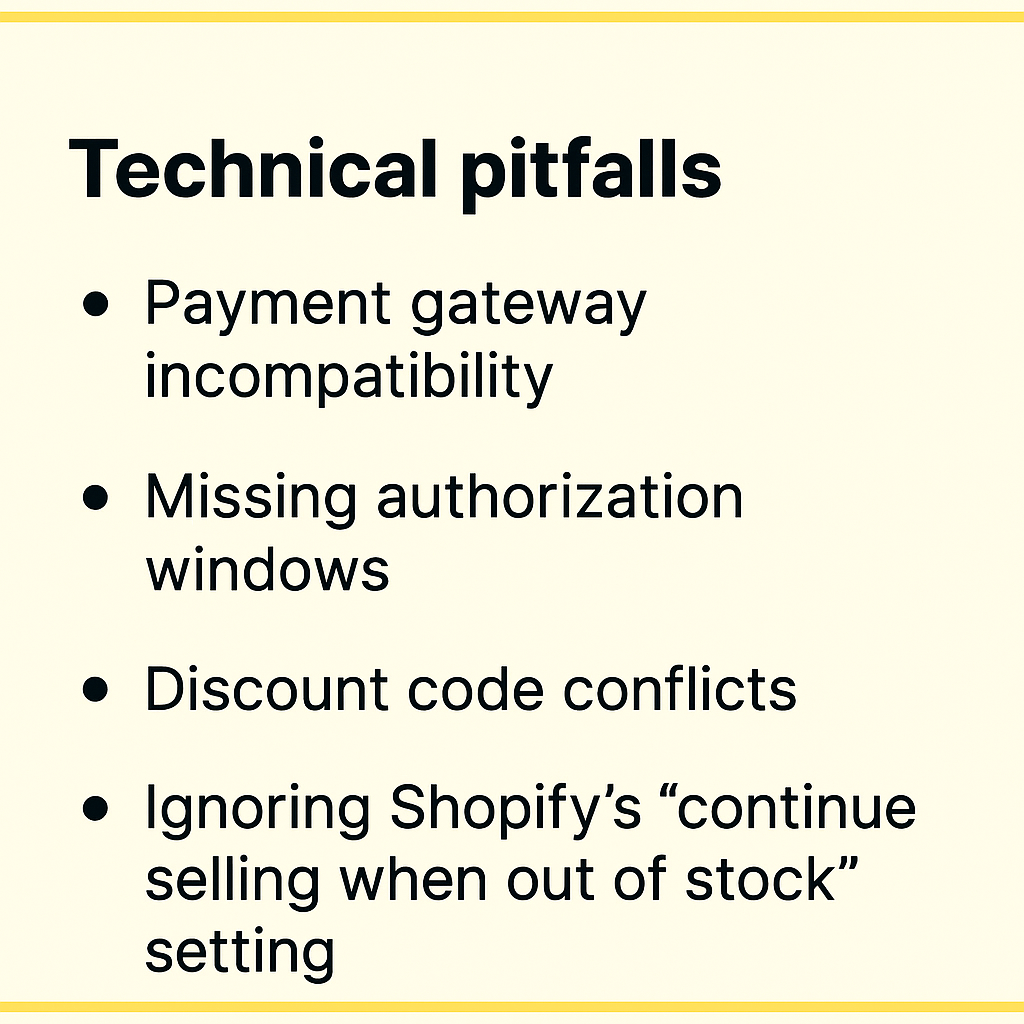
Payment gateway incompatibility is the most common technical issue. If you’re not using Shopify Payments or PayPal, vaulted card features won’t work. You’ll need to use capture-only approaches with payment links instead, which creates a different customer experience.

Discount code conflicts can arise with partial payments. Shopify’s “buy X, get Y” style discounts aren’t yet supported by some pre-order apps. If you rely heavily on these discount types, test compatibility before launching campaigns.

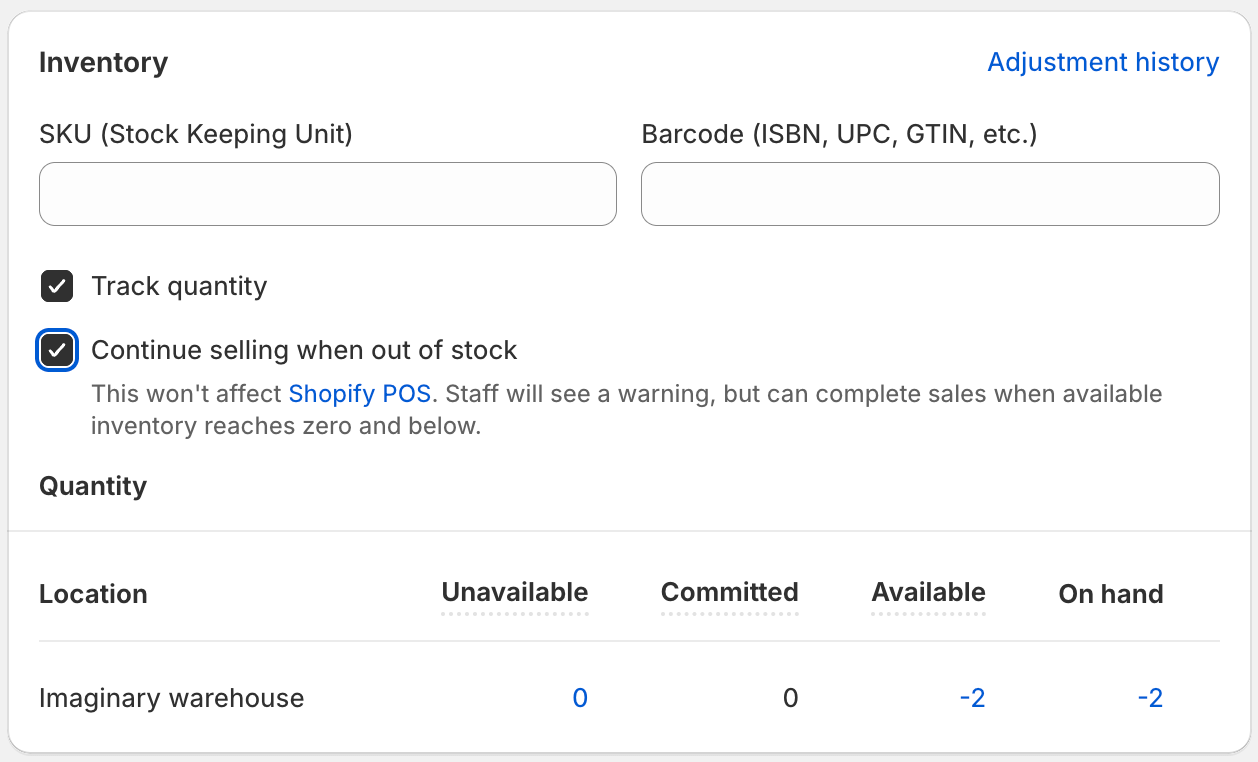
Ignoring Shopify’s “continue selling when out of stock” setting causes checkout failures. Pre-order products need this setting enabled so customers can purchase when stock is at zero. Good pre-order apps handle this automatically, but if you’re building custom solutions, it’s easy to miss.

Customer Experience Issues
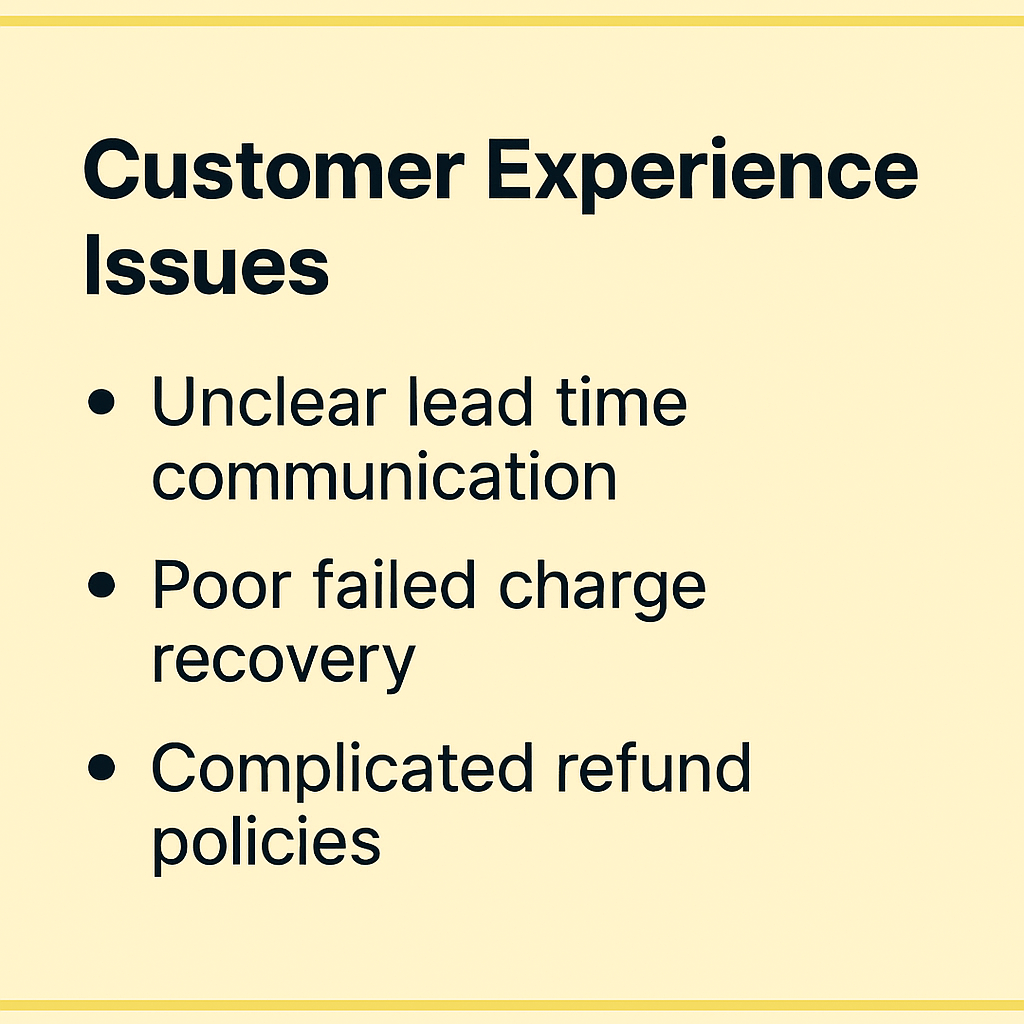
Unclear lead time communication on product pages leads to unrealistic expectations. If you say “ships soon” and then customers wait three months, they’ll be unhappy even if the product itself is perfect. Specific timelines set accurate expectations.

Poor failed charge recovery loses revenue unnecessarily. If charges fail and you just cancel orders without giving customers a chance to update payment methods, you’re leaving money on the table. Simple recovery emails can save 30-50% of failed charges.

Complicated refund policies create support burden. If customers don’t understand whether they’re getting deposits back, remaining balances back, or something else, they’ll contact support repeatedly. Clear refund language prevents this.

Frequently Asked Questions

Can Shopify take partial payments without apps?

Shopify doesn’t offer native partial payment functionality for pre-orders. While you can create manual workarounds using separate products and discount codes, these approaches create poor customer experiences and significant administrative overhead.

Specialized apps provide the vaulted card technology, customer portals, and automated workflows that make partial payments practical. The investment in an app quickly pays for itself through reduced support burden and improved conversion rates.

Which payment gateways support deposits?

Only Shopify Payments and PayPal currently support the vaulted card technology required for true charge-later and deposit-upfront functionality (although we’ve heard reports of Cybersource recently being supported). Other payment providers don’t offer the ability to securely store card details and charge them at a later date without re-entering information.

If you use a different payment gateway, you can still offer partial payments through capture-only approaches using payment links. When it’s time to collect the remaining balance, you send customers a link to complete payment. This creates an extra step but works with any payment provider.

What’s the ideal deposit percentage?

Based on industry data and merchant testing, 20-50% is the optimal deposit range for most products. The specific amount within that range depends on your product price point, lead time, and customer base.

Lower-priced products ($200-$400) work well with 25-35% deposits. Higher-ticket items ($500-$1,500) can go lower, around 20-30%, because the absolute dollar amount is still significant. Custom or made-to-order products justify 40-50% deposits given the resources you’re investing.

The only way to know for certain is testing different levels with your specific audience.

How do I handle failed charges?

When a charge fails, implement a recovery workflow:

First, send an immediate notification email explaining what happened and providing a link to update payment information. Keep the tone helpful, not accusatory.

Second, automatically retry the charge after 24 hours. Many soft declines succeed on retry once banks process pending transactions.

Third, if the second attempt fails, send another notification with a deadline. “We’ll need to cancel your order by [date] unless we can process payment.”

Fourth, give a grace period of 3-5 days total before cancelling. This balances customer convenience with your need to manage inventory.

Apps like PreProduct automate this entire workflow, reducing manual work and recovering revenue that would otherwise be lost.

Can I offer installment plans for pre-orders?

Yes, multi-step payment plans work well for pre-orders, particularly cost-sensitive customers and high-ticket items. These plans charge customers in multiple installments, like 3 payments of $200 instead of $600 upfront.

The system works by letting customers select their preferred number of installments at checkout. You configure the payment frequency (daily, weekly, or monthly), maximum installment count, and optional discounts for customers who choose payment plans. The app automatically processes charges on the defined schedule.

Available for Shopify Plus merchants and non-Shopify platforms, automated installment scheduling handles all charge timing. Customers see a selector above the pre-order button where they choose how many payments they want, and they access a portal showing payment history, outstanding balances, and upcoming charge dates.

For merchants on standard Shopify plans, manual installment approaches work. You trigger each charge manually when the next payment is due. This requires more oversight but achieves the same outcome.

What happens if I need to refund a deposit?

Refunding deposits works like any other Shopify refund. Process the refund through your Shopify admin or pre-order app, and the funds return to the customer’s original payment method within 5-10 business days.

If you’ve already charged the remaining balance, you can refund either the full amount or just a portion, depending on the situation. The refund process itself is straightforward; the complexity is deciding which amount to refund and communicating that clearly to the customer.

Clear refund policies prevent confusion. State upfront: “If you cancel before [date], we’ll refund your deposit in full. After [date], deposits are non-refundable but you can apply them to other products.”

Do deposits work with Shopify discounts?

Most discount types are compatible with partial payments. You can apply discount codes to orders, offer pre-order-specific discounts, and run sales that include deposit-based pre-orders.

The main limitation is Shopify’s “buy X, get Y” automatic discount format, which some pre-order apps don’t yet support. Standard percentage or fixed-amount discount codes work fine.

If you rely heavily on complex automatic discount combinations, test compatibility with your pre-order app before launching campaigns. Most common discount use cases work without issues.

Conclusion

Shopify partial payments can transform how you capture pre-order revenue. From the 1 million+ pre-orders report data to the rise of BNPL services like Klarna and Affirm. Partial payments are a great way to reduce friction and increase conversion rates.

The key takeaways:

Vaulted cards eliminate authorization periods, giving you complete control over charge timing regardless of lead times.

Payment timing flexibility lets you match your cash flow needs to customer expectations. Choose charge-upfront for immediate revenue, charge-later for maximum conversion, or deposits for balanced commitment.

Strategic deposit amounts based on product type and price point improve conversion while demonstrating real customer commitment.

App-based solutions solve the operational complexity, poor customer experience, and support burden of manual approaches.

Whether you’re launching new products, managing restocks, or selling made-to-order items, partial payments reduce friction while securing revenue before inventory arrives.

Ready to start taking Shopify deposits and partial payment pre-orders? PreProduct supports charge-upfront, charge-later, deposits, and multi-step installment plans with automated workflows and comprehensive customer communications.

Pre-sell With PreProduct

7 day free trial with all plans

5 Ways to Put Products on Pre-Order in Shopify: Fine-Grained Control to Mass Automation

Introduction

Putting products on pre-order in Shopify is a great way to build hype, improve cash flow, and validate demand before you commit to inventory. But many merchants run into the same question: what’s the best way to incorporate pre-orders into my business?

That’s where PreProduct comes in. PreProduct gives you multiple ways to put products on pre-order in Shopify — from quick manual listings to fully automated workflows. Each approach has its own strengths and trade-offs, depending on how many products you’re managing and how hands-on you want to be.

In this post, we’ll walk through five different ways of putting a product on pre-order in Shopify with PreProduct.


1. Manual Listing

The most straightforward way of putting a product on pre-order is to create a listing manually in PreProduct. You can set deposits, lead times, and customize variant availability. It’s perfect if you want complete control over the details of each pre-order.

The trade-off? It’s slower when managing more than a handful of products.

👉 Full guide: Listing a new product on pre-order


2. Bulk Lister

If you want to put multiple products on pre-order at once, PreProduct’s bulk product lister makes it simple. You can apply pre-order settings across batches of products in just a few clicks.

This is ideal for mid-sized catalogs where setting each product individually would be too time-consuming.

👉 Full guide: Bulk Product Lister


3. Listing Manager

For stores managing hundreds or even thousands of products, templates are the best way to scale pre-orders. Instead of configuring each product, you define rules — for example: “apply deposit upfront pre-orders to all products tagged ‘Pre-Sale’.”

PreProduct’s Listing Manager builds on templates to deliver full automation. Once your templates are in place, the Listing Manager will automatically apply them to new or updated products as variants go in and out of stock.

This is ideal for large catalogs where products frequently go in and out of stock, saving hours of repetitive admin work.

👉 Learn more: Templates


4. API

If you need complete flexibility, PreProduct’s Admin API is the most powerful way to put products on pre-order. It allows developers to programmatically create, edit, or remove listings, integrate with your backend, and sync pre-order data with external systems like ERPs or custom apps.

This route is for teams with technical resources who want pre-orders deeply embedded in their existing workflows.

👉 Full guide: PreProduct Admin API


5. Shopify Flow

Shopify Flow is a free Shopify app that allows you to build automation workflows across your store. PreProduct integrates directly with Flow, enabling over 30 pre-order related triggers and actions:

  • “Put listing variant on pre-order”
  • “Link listing to template”

This opens up powerful automation without needing to write code, though it does require a system-thinking approach to set up correctly.

👉 Full guide: Pre-order Shopify Flow Actions & Triggers


Which Method Should You Choose?

When it comes to putting products on pre-order in Shopify with PreProduct, the right method depends on your stage and scale:

  • Best for getting started: Manual listing
  • Best for 10–100 products on pre-order: Bulk lister or listing manager
  • Best for automation: Start with Listing Manager, then add Shopify Flow if needed

Wrap-Up

Putting products on pre-order is a low-risk way to improve cash flow and capture demand before stock arrives. Whether you’re just listing a single product manually or building full-scale automations, PreProduct supports every workflow — from fine-grained control to mass automation.

Want to learn more? Check out the PreProduct docs for step-by-step guides on putting products on pre-order in Shopify.

Pre-sell With PreProduct

7 day free trial with all plans

How to Actually Validate Product Demand (DTC Pre-order Strategy)

Prefer a video? Watch Oli on YouTube here.

Introduction: Why Guessing Demand is Killing Product Launches

Launching a new product without validating demand is one of the fastest ways to burn cash—and one of the quickest paths to founder burnout. Too many DTC brands still rely on gut feel when deciding what to launch next. And while those instincts may be based on experience, even the most seasoned merchandisers can’t reliably predict exactly how many units a SKU will sell through.

The result? Overstocked variants that gather dust, last-minute discounts that erode margins, and sunk inventory costs that could have been avoided entirely. Fortunately, there’s a smarter way. By using charge-later pre-orders, brands can validate product demand before placing a single purchase order—collecting real buyer intent while preserving customer trust and cash flow.

measuring demand

The Problem: Inventory Risk from Unvalidated Products

Here’s the pattern that happens far too often: a brand designs or sources a new product, places a large purchase order, and launches with fingers crossed. It’s a high-stakes gamble where success depends on guesswork aligning perfectly with real-world demand.

The consequences of getting it wrong are painful. Unsold inventory ties up cash and warehouse space. Discounting becomes the only lever to move slow SKUs, slashing your margins. Meanwhile, your most popular variants sell out too quickly, leading to missed revenue and frustrated customers. Worst of all, every dollar spent on the wrong inventory is a dollar not invested in the product your customers actually wanted.

In short: guessing is not the same as validating. And when it comes to physical products, the difference can make or break your next launch.

The Solution: Validate Product Demand with Pre-orders

Pre-orders aren’t just a way to drive early revenue—they’re one of the most reliable tools available for validating product demand. In particular, deferred-charge pre-orders allow brands to collect buyer intent without taking funds upfront. Customers can reserve their spot in line, and their payment method is vaulted securely for later—meaning no charge occurs unless and until you’re ready to fulfill.

This creates a low-friction experience for the customer while giving you a clear signal of which products or variants actually resonate. You can cleanly cancel or adjust unviable SKUs before committing to production, avoiding unnecessary cost and complexity. Even better, pre-orders can help fund your first manufacturing run – but only for the products your audience has already said they want.

The Strategy: MVP Pre-order Testing (No Guesswork)

Step 1: Create a product listing

Validating product demand doesn’t require a fully polished launch. You can start with a minimum viable product listing that communicates the core idea and offer. For visuals, factory samples, renders, or even AI-enhanced images can work well to showcase the product. Just write your product detail page (PDP) copy as you normally would—focus on benefits, clarity, and what makes the product stand out.

Step 2: Enable charge-later pre-orders

Once your listing is ready, the next step is to enable charge-later pre-orders. Using a tool like PreProduct, you can vault customer payment methods securely and defer charging until you’re ready to ship. It’s critical to set clear expectations—let customers know that “nothing is charged until the product is ready.” This builds trust and keeps the experience customer-friendly.

Step 3: Launch!

From there, launch as you would any other product—send it to your email list, run ads, or tap into influencer support. You can frame the pre-order as early access, a pre-launch opportunity, or just present it as a standard product that’s currently in pre-order mode.

Step 4: Watch for signal

Finally, watch closely for signals. Set an internal benchmark—say, 100 pre-orders within two weeks—as your greenlight. Track which variants, configurations, or bundles perform best, and pay attention to customer notes or post-order feedback. This is the data that should drive your purchasing decisions—not assumptions or guesswork.

How DTC Brands Use Pre-orders Today

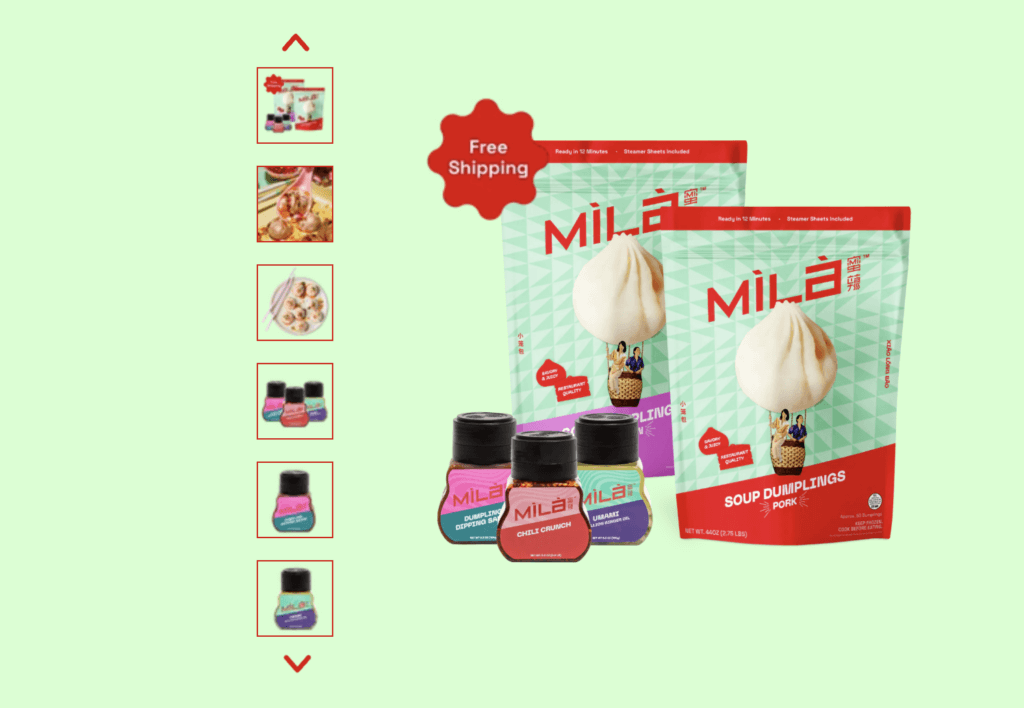
Take MILA for example—a premium direct-to-consumer brand specializing in high-end Asian comfort food, including soup dumplings, noodles, and dipping sauces. Their product lines span across flavour variants, dietary options like vegan, and seasonal limited runs. With so many variables in play, guessing demand for each SKU would be expensive and risky.

That’s why MILA used PreProduct to validate demand before launching new ranges. Rather than placing a large production order and hoping for the best, they opened up deferred-charge pre-orders for an upcoming product drop. This allowed customers to reserve new flavour variants (like spicy chili crunch or vegan dumplings) without being charged upfront.

High-end DTC Asian comfort food,

Behind the scenes, MILA’s team could see which variants were gaining traction in real time—helping them decide how much to produce, which flavours to prioritize, and which bundles to feature in launch promotions. It also meant they had actual sales before incurring production costs, and customers were fully informed they wouldn’t be charged until the product shipped.

For a brand built on operational excellence and product quality, this approach helped MILA avoid inventory waste while deepening trust with their fanbase. Pre-orders weren’t just a sales tactic—they became a core part of how MILA validated product demand across a growing and diverse catalogue.

Key Takeaways

When it comes to launching new products, guessing is expensive—testing is strategic. Pre-orders, especially deferred-charge pre-orders, offer a clean way to validate product demand without risking cash or customer trust. By creating simple listings, communicating clearly, and measuring real buyer intent, you give yourself the confidence to move forward only when there’s proven interest.

Validation through pre-orders reduces inventory risk, unlocks early cash flow, and provides actionable insight into what your customers actually want. With the right tooling—like PreProduct—you can support vaulted payments, run variant-level analytics, and align demand signals directly with your manufacturing and inventory planning.

takeaways checklist

Next steps

If you’re ready to validate product demand without the guesswork, try PreProduct today at preproduct.io.


Oli Woods

Co-founder @PreProduct

Pre-sell With PreProduct

7 day free trial with all plans

How to Set Up Pre-orders on Shopify

Pre-orders can transform your Shopify business, we’ve helped stores process over one million pre-orders to help boost their cashflow and demand (ref). This guide shows you how to implement pre-orders on Shopify using both native features and third-party solutions. Click here to see a video instead.
For a more in-depth, much longer walkthrough, see our Complete Shopify Pre-order Guide.

Understanding Your Pre-Order Options

Native Shopify Approach Shopify includes basic pre-order functionality through inventory management settings. This approach works well for simple scenarios:

  • Built into your existing Shopify plan
  • No additional monthly fees
  • Quick setup process
  • Basic functionality for straightforward pre-orders

However, it has some limitations:

  • Manual inventory tracking required
  • Limited customer communication options
  • Basic payment processing only
  • No advanced analytics or reporting

Third-Party Pre-Order Apps For businesses needing more advanced features, specialized pre-order apps offer enhanced functionality:

  • Automated inventory management
  • Advanced customer communication workflows
  • Flexible payment processing options
  • Comprehensive analytics and performance tracking
  • Integration with marketing tools

Popular options include PreProduct, which offers flexible payment timing and comprehensive merchant tools for managing pre-order campaigns.

Step-by-Step Implementation Guide

Method 1: Native Shopify Setup

  1. Navigate to Products > All products in your Shopify admin
  2. Select the product you want to offer for pre-order
  3. In the Inventory section, uncheck “Track quantity”
  4. Set “Continue selling when out of stock” to enabled
  5. Update product description to clearly indicate pre-order status
  6. Modify your order confirmation emails to mention pre-order timing
Shopify continue selling box
The Shopify “continue selling when out of stock” box allows zero stock products to pass through checkout.

Method 2: Using Pre-Order Apps

  1. Browse the Shopify App Store for pre-order solutions
  2. Install your chosen app (many offer free trials such as PreProduct)
  3. Create a pre-order listing for your product in the app.
  4. Check the product page and make sure you’re happy with the presentation and user experience
  5. Update any settings and automated email sequences you’d like before going live.
  6. Go live and test out the user flow from product page through to checkout*

*It’s important to ensure Shopify will allow your zero stock product through checkout. Issues usually come from not having the “continue selling…” box unticked or not having the product published to the correct sales channel in Shopify.

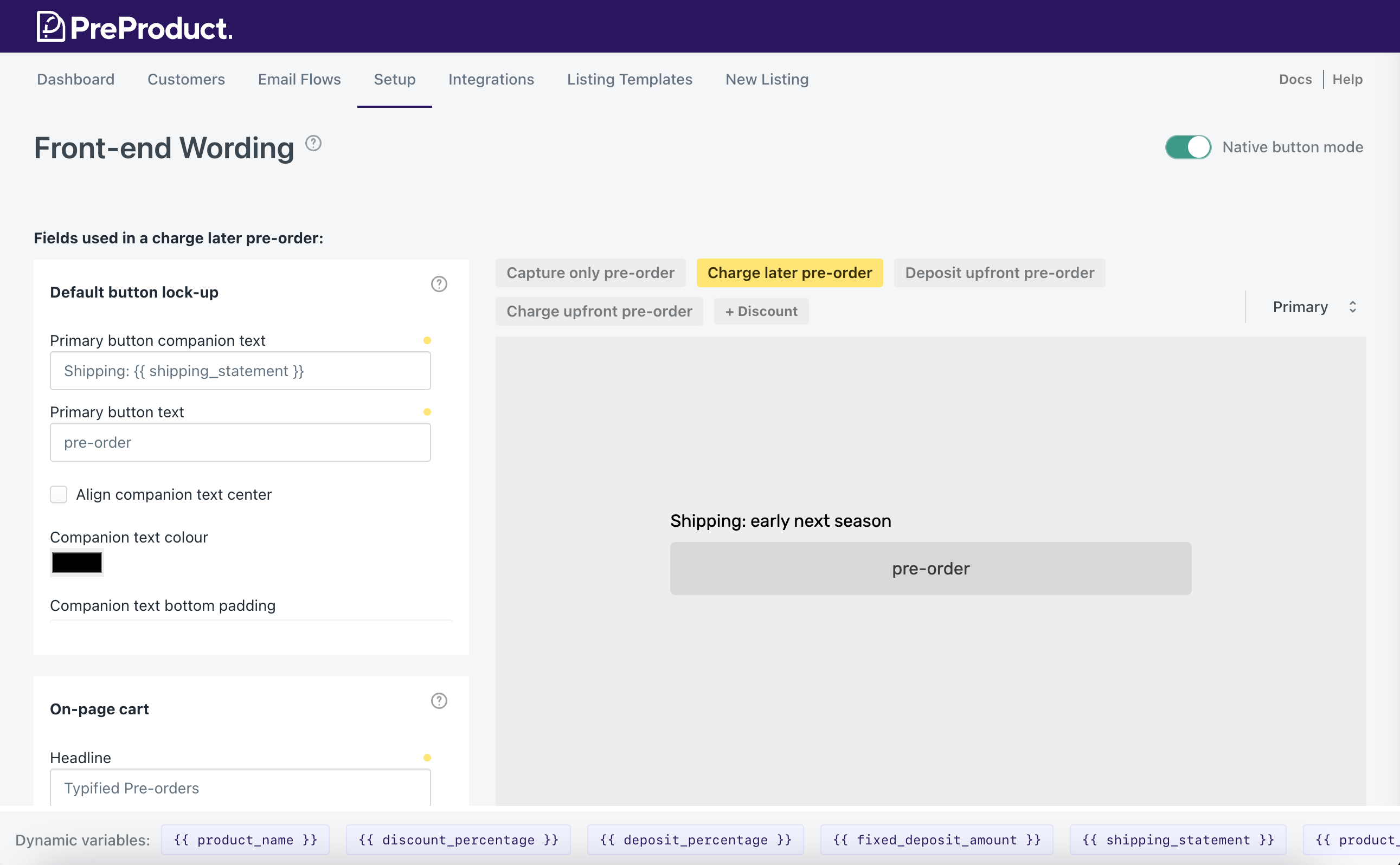
Customising wording with a pre-order app

Optimizing Customer Experience

Clear Communication Strategy

  • Display expected shipping dates prominently on product pages
  • Send regular updates about order status and any delays
  • Provide easy cancellation options
  • Set realistic expectations about potential delays
  • Include pre-order terms in your checkout process

Payment Processing Best Practices

  • Decide between immediate charging or payment at shipping
  • Clearly explain when charges will occur
  • Ensure Payment Card Industry compliance for all transactions (for example using Shopify or Stripe)
  • Consider offering deposit options for high-value items
  • Make refund policies crystal clear

Legal and Compliance Considerations

FTC or equivalent Requirements

  • Clearly disclose that items are pre-orders
  • Provide accurate shipping date estimates
  • Honor cancellation requests within reasonable timeframes
  • Maintain transparent communication about delays

Customer Protection

  • Implement clear terms and conditions
  • Provide easy-to-find contact information
  • Offer straightforward refund processes
  • Maintain customer service standards throughout pre-order period

Measuring Success and Optimization

Track these key metrics to optimize your pre-order performance:

  • Conversion rate compared to regular products
  • Cancellation rate: On average 5.4% of pre-orders are cancelled (according to our recent report: https://preproduct.io/one-million-pre-orders/)
  • Customer satisfaction scores
  • Average order value for pre-orders vs regular orders
  • Time from order to fulfillment

Common Challenges and Solutions

Managing Customer Expectations Challenge: Customers unclear about shipping timelines Solution: Prominent display of expected dates, regular communication updates

Payment Processing Issues Challenge: Confusion about when payment occurs Solution: Clear payment terms at checkout, confirmation emails

Inventory Forecasting Challenge: Difficulty predicting demand Solution: Start with limited quantities, use pre-order data for future planning

Conclusion

Setting up pre-orders on Shopify can significantly boost your cash flow and reduce inventory risk. Start with Shopify’s native features if you’re testing the waters, then consider upgrading to specialized apps as your pre-order volume grows.

The key to success lies in clear communication, realistic expectations, and professional execution throughout the entire pre-order process.


Oli Woods

Co-founder @PreProduct

Pre-sell With PreProduct

7 day free trial with all plans

Pre-orders for Sustainability: Mastering Made-to-Order Sales Through Shopify

Introduction

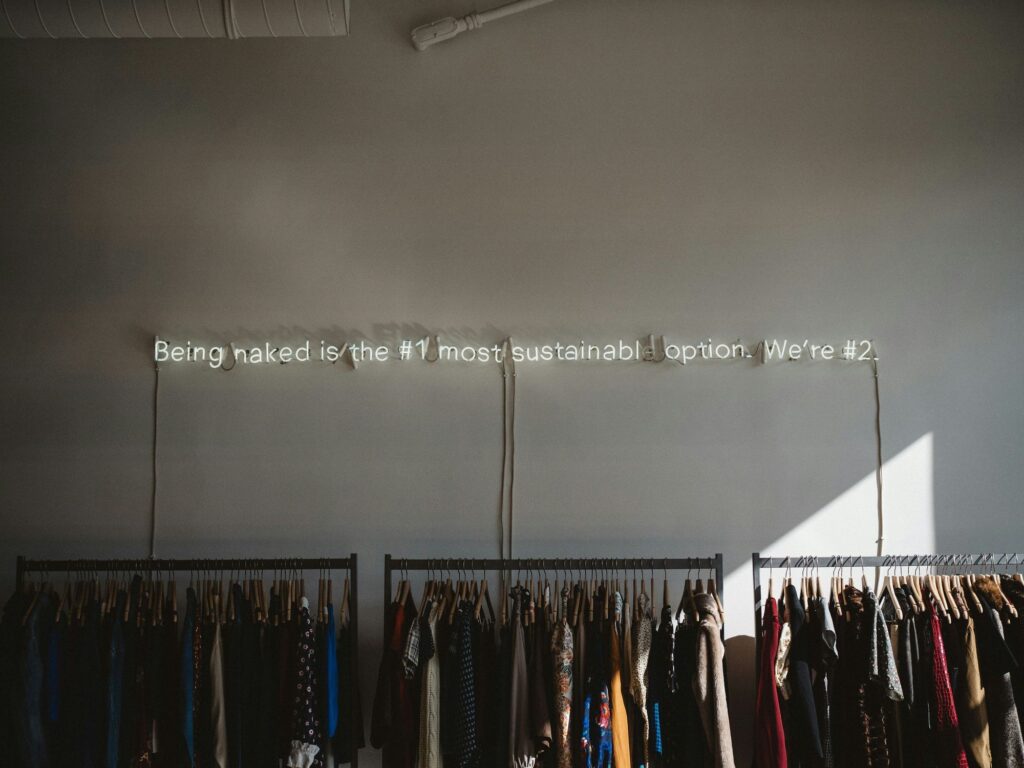
Before we get into pre-orders for sustainability, some quick stats: Did you know that the fashion industry is responsible for approximately 10% of the world’s carbon emissions? That’s a significant chunk, considering it includes everything from making clothes to shipping them and eventually getting rid of them. The quick and constant turnover of trendy items in the fast fashion world is a big part of the problem, leading to more waste and environmental harm. This is effecting buyer behaviour; According to a survey from McKinsey & Co., 66% of all respondents and 75% of millennial respondents say that they consider sustainability when they make a purchase.

The concept of sustainability in fashion and online retail revolves around adopting practices that prioritize environmental, social, and ethical considerations throughout the entire supply chain and product life cycle.

I am Eliza, a co-founder at PreProduct, which is a pre-order app for ecommerce brands where I work on many fashion and made-to-order pre-order campaigns.


Made-to-order production provides a more responsive and sustainable approach to fashion manufacturing, addressing issues related to overstocking, heavy discounting, and the disposal of excess stock into landfills. It aligns production with actual demand, reduces waste, and promotes a more environmentally and economically viable business model.

Pre-orders serve as a mechanism in e-commerce to effectively implement a made-to-order model. Pre-orders allow for demand forecasting, customization options, cash flow management, and production efficiency, as they allow you to take order interest upfront reducing the risk of over or under supply, along with reducing wastage.

Shopify is one of the leading e-commerce platforms that enables individuals and businesses to create and manage online stores. I will be focusing on it for the article, as it’s the go-to solution for online fashion brands today.

The Rise of Sustainable Fashion

Consumers

Sustainable fashion is about creating, making, and wearing clothes in a way that thinks about how it impacts the planet, people, and communities at every step of the process. The goal of sustainable fashion is to minimize the negative effects associated with the fashion industry, which traditionally has been resource-intensive, environmentally damaging, and sometimes associated with poor labor practices.

A survey of 10,281 global consumers showed that 78% of consumers feel that sustainability is important and that 55% of consumers are willing to pay more for eco-friendly brands

Consumer trends towards sustainability and ethical consumption have become increasingly prominent, reflecting a growing awareness and concern about the environmental and social impact of products. This shift in consumer behavior is noticeable at various levels, including individual purchasing decisions, industry practices, and global business strategies.

Consumers are more informed about environmental and social issues related to the products they buy. This awareness is being driven by social media, online platforms, and awareness campaigns by environmental and ethical organizations.


Industry

There is also a rising demand for transparency in supply chains. Consumers want to know where and how products are made, whether fair labor practices are followed, and the environmental impact of the production process. This has led to an increase in companies providing detailed information about their sourcing and manufacturing practices.

Whilst this has been going for quite a while already, it shows signs of growing to even more front-of-mind. This rundown on Gartner’s top trends for 2023 describes sustainability as one of the technologies that will drive disruption and opportunity over the next five to 10 years.

The popularity of brands with a strong commitment to sustainability and ethical practices has grown. Consumers are actively seeking out and supporting companies that prioritize these values, leading to the rise of eco-friendly and socially responsible brands.


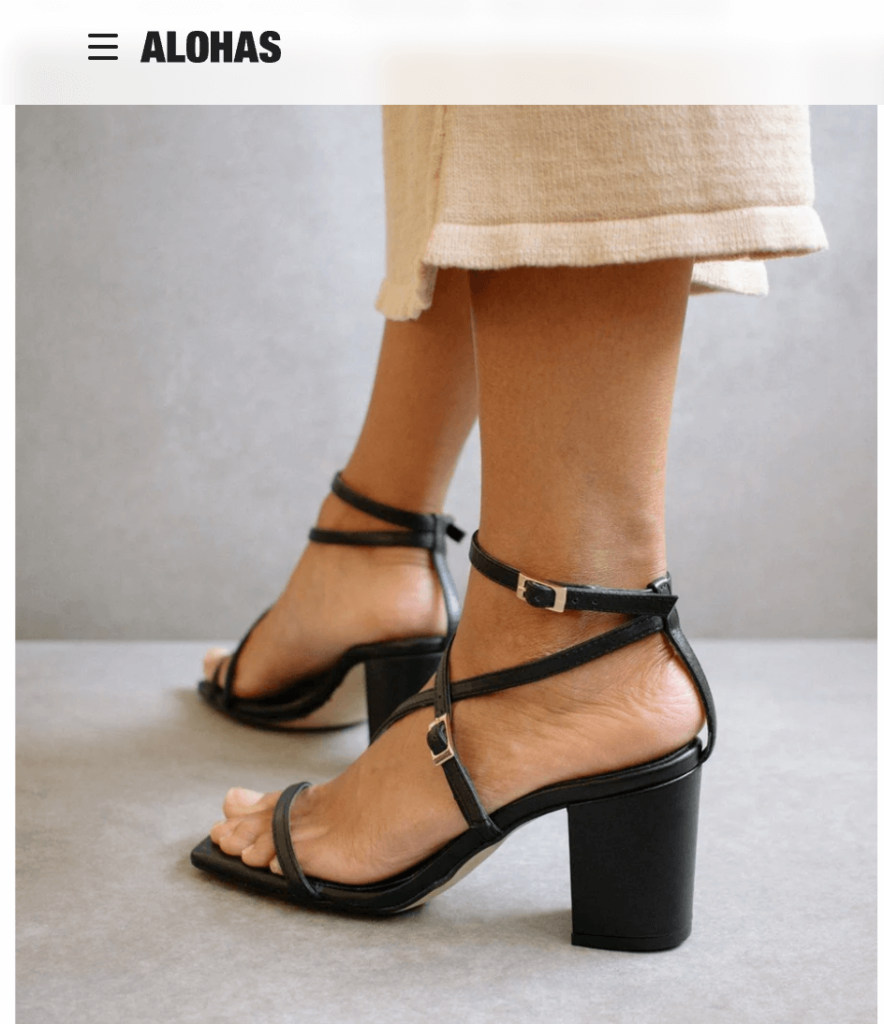
Some examples of exciting sustainable focussed fashion brands include; Alohas (the Spanish footwear brand that works to an on-demand business model meaning they never over-produce and only make what is actually needed, Aligne (a womenswear brand that focused on using conscious materials and using ethical factories) & Riley Studio (Gender-neutral clothing made from waste materials and natural fibres. On a mission to change mindsets and make conscious consumerism the norm).

https://www.alohas.io/products/manhattan-black-sandal?variant=37680289546433

Pre orders for sustainability

Pre-orders work by allowing customers to reserve and purchase or commit to purchase a product before it is officially available.

Stages of pre-orders

  1. Customer clicks a pre-order button
  2. Customer chooses variant/quantity and is redirected to cart/checkout where they are charged or accept a future charge (depending on the pre-order type)
  3. Customer receives optional confirmation email.
  4. Time…
  5. If …
    • Charging upfront, brand releases fulfilment. Customer receives an optional shipping email, and brand ships the pre-order item.
    • Charging later, brand triggers deferred charge. Customer receives optional upcoming charge email, after a delay the customer’s card is charged.
  6. Campaign cycle
    • If you’re a made-to-order brand, you might operate a perpetual pre-order campaign. Which is to say; constantly taking new pre-orders and fulfilling existing ones.
    • For a more standard model fashion brand that plans to pre-sell ahead of time and have a limited quantity or order might be more of a one-off campaign. i.e. taking pre-orders for a set amount of time before stock arrives, then fulfilling all pre-orders together.

Whether you’re an independent merchant, boutique or larger fashion brand, made-to-order can dramatically reduce your excess stock. Meaning zero (or close to it) stock has to go to landfill.


Benefits of pre-orders for both consumers and businesses

Benefits to merchants

  • This strategy for sustainability doesn’t impact how your products are designed, made or sourced; meaning it can be one of the easier ways to increase your brands sustainability.
  • Leading on from the above point, sustainability via pre-orders is a lot cheaper than a product audit and overhaul. It can also be better for cashflow, due to receiving purchases upfront or when you’re ready to ship.
  • A low risk tactic for reaching your sustainability targets. We recommend experimenting with a pre-order campaign for an upcoming product first. Once you’ve iterated on your pre-order setup and standard-operating-procedure, you can then roll pre-orders out on a larger scale.

Benefits to consumers

  • Customers can buy from one of their favourite brands (you!), whilst feeling good about their purchasing decision.
  • By purchasing from a business who is using pre-orders to be more sustainable there will be a reduction on the environmental impact associated with unnecessary production, as well as a lower carbon footprint.
  • Modern pre-order technology like PreProduct allows for more flexible types of pre-orders, for example charge-later pre-orders, where the customers card is ‘vaulted’, meaning they’re only charged when you’re ready to ship.
  • Being able to participate on a less abrupt buying journey. Emailing pre-order customers to keep them in the loop and communicate how their purchase is coming along is a great way to build brand affinity. You can see this dynamic with Kickstarter campaigns; backers love following along with the journey.


Integrating & setting up Pre-orders with Shopify

Step-by-step guide on setting up a pre-orders on Shopify

  1. To get started and set up pre-orders on Shopify, visit the Shopify App Store and search for “pre-order”, then select the app you wish to install (surprisingly, we recommend PreProduct).
  2. Once you have located the app, click on it to access the app listing page, and then select the “Add app” option.
  3. To grant the app access to your Shopify admin account, click “Install app” and authorize its use.
  4. Integrating the App with Your Storefront: We have an in-depth guide on the installing a pre-order app here and would absolutely recommend reaching out to customer support if you’re at all uncomfortable with HTML/Liquid coding.
  5. If you have a Shopify “store 1.0” theme, then you’ll need to add a snippet to your online store’s product page theme file. For themes from 2022 onwards, the introduction of Shopify 2.0 themes means that app blocks can now seamlessly integrate into the Shopify admin’s drag-and-drop theme customizer.

Listing Pre-orders on Shopify

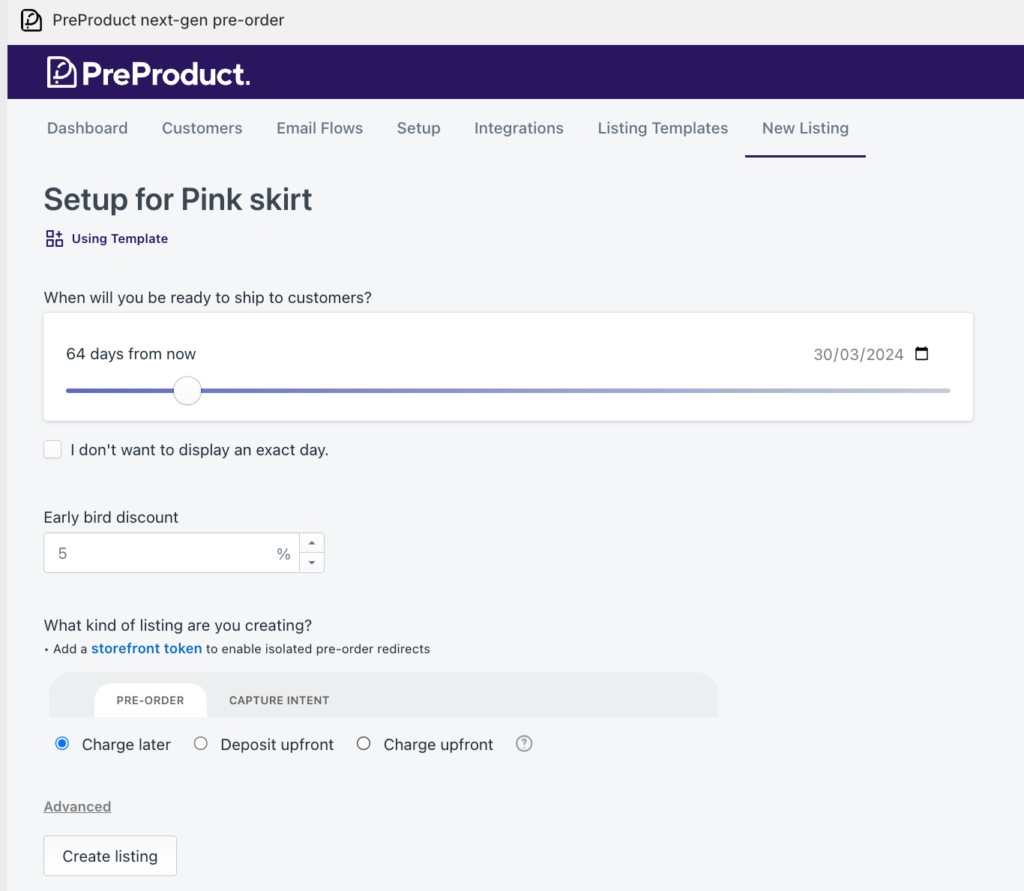
Once you’ve completed the above steps to integrate the app with your Shopify storefront, you can now start listing products for pre-orders. Begin by listing a product in your selected pre-order app. Most if not all pre-order apps sit on top of your existing Shopify product listings. Once listed in the app, the pre-order product page’s cart button text should be replaced with a pre-order version, accompanied by any other front-end additional information, i.e. special pre-order messaging.

You will need to decide which type of pre-order to use (as explained below), along with the shipping time frame and whether to offer any discount. The general pre-order types are:

  • Charge upfront pre-order – 100% charged upfront (Most apps will offer this).
  • Charge Later pre-orders – 100% charged later when you trigger the charge.
  • Deposit-based pre-orders – A percentage paid upfront, with the outstanding charged later.
  • Capture-only pre-orders – A payment link is sent once you’re ready to send customers through your payment gateway.

Besides the terms of payment for your pre-order listing, there are many other other useful features available that are worth considering before you choose an app to go forwards with.

  • Listing specific variants
  • Setting max pre-order limits for variants
  • Early bird discounts that are exclusive to pre-orders
  • Custom text in and around the pre-order button
  • Email campaigns to keep customers in the loop with their pre-order
  • Isolating pre-order items from buy-nows in orders
  • Fulfilment holds so items aren’t prematurely pushed to your shipping/ERP platform
  • Automatic listing of out of stock products for pre-order
  • Automatic charging of pre-orders as stock comes in
  • And many more!

Marketing Your Made-to-Order Products


When marketing made-to-order products, ensure you highlight the unique aspects of customization, personalization, and the tailored experience. Below are some of the strategies to consider including;

  • Emphasize Customization: Highlight the ability for customers to customize their products according to their preferences. Showcase the range of options available, whether it’s color choices, materials, sizes, or features.
  • Tell a Unique Story: Craft a compelling narrative around the made-to-order process. Explain the craftsmanship, attention to detail, and the personalized journey each customer undergoes when ordering a product.
  • Educate on the Process: Provide transparent information about how the made-to-order process works. Explain the steps involved, the craftsmanship behind it, and the benefits of choosing a personalized item over mass-produced alternatives.
  • Limited Edition Releases: Create a sense of exclusivity by framing made-to-order products as limited edition releases. This can evoke a feeling of uniqueness and urgency, encouraging customers to place orders promptly.
  • Social Media Engagement: Leverage social media platforms to showcase the customization process, share behind-the-scenes glimpses of craftsmanship, and engage with your audience through polls, Q&A sessions, or live videos.
  • Adopt a more boutique look and feel: Reflecting an environmentally conscious, “human” business through storytelling and additions like optional staff tips at checkout can all be ways to create a more compelling offering.
  • Utilize Email Marketing: Build an email marketing campaign to nurture leads and inform customers about the benefits of made-to-order products. Include visuals, success stories, and exclusive offers to encourage conversions.

Pre-order and made-to-order product launches can unlock a whole new set of strategies for marketing:

  • Launching your product more than once. Once when you open pre-sales, then once when it’s in stock.
  • Having multiple sales pushes for your made-to-order products as sales/stock goes up and down. There are many artists that are really effective with this approach, for example Kimmy Hogan an Australian print and ceramic designer will often post multiple times a week as new editions become available or are pre-released.

Case Study: Frahm Jackets

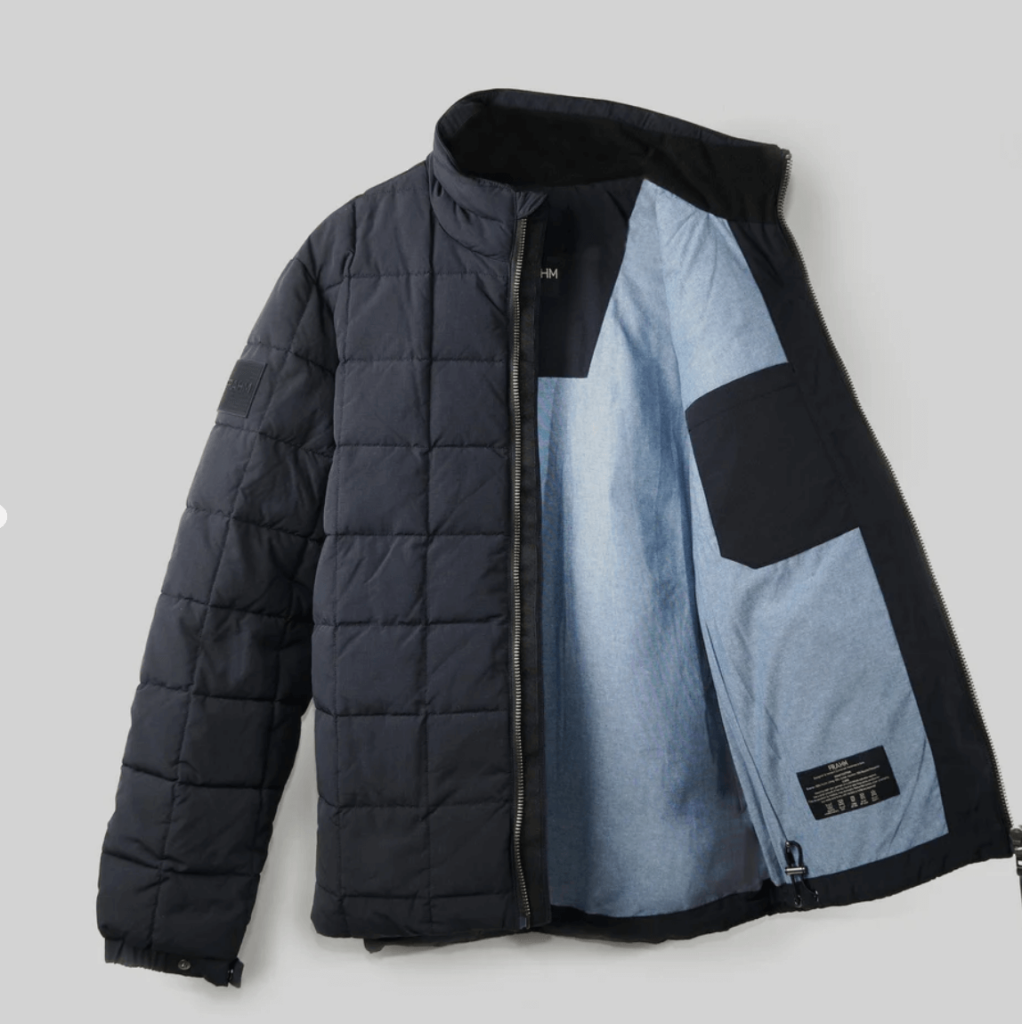
  • Frahm is a UK men’s jacket company, that focuses on high quality and timeless style.
  • Frahm uses a pre-order process, to ensure they are not left with excess stock, as over buying impacts the quality they can product. Each jacket design is only made once a year, every year, so if you place a pre-order with them before they have placed their order with the factory then you are guaranteed your choice of size and colour.

https://frahmjacket.com/collections/jackets/products/ripstop-puffer-jacket-2024

Overcoming Challenges in Pre-order and Made-to-Order Models

Potential challenges you may experiences when using pre-order and made-to-order models include;

  • Production timing issues – if you experience any production delays or inventory management issues, ensure you keep customers up to date. This can be done by email, as well utilising the customer portal both should be available in the pre-order app you choose to use. Clear communication about expected delivery dates is crucial to managing customer expectations, as is setting realistic delivery timelines to avoid over-promising and under-delivering.


  • Quality control – is crucial as products are often produced based on individual customer specifications. Consistency is key. Similar to product timing issues, ensure customers are kept informed of any changes.


  • Cancellation and returns – customers might cancel orders, leading to revenue fluctuations and potential inventory management challenges. Ensure you have a refund/cancellation policy that you are happy with and works for your business.
  • Cash Flow Management – the production process often requires upfront costs, therefore managing cash flow becomes crucial as expenses may need to be covered before revenue is generated. Therefore is very important to choose the type of pre-order that will work for your business.

If it is your first time using pre-orders, and you feel apprehensive about the process, and have any doubts on production timings/fulfilment, we would recommend starting with charge-later pre-orders to begin with so that you’re not charging any money upfront; generally customers will be much more tolerant of delays when they haven’t paid anything yet.

Conclusion

This article has highlighted that there are many benefits of using pre-orders for sustainability, including;

Reduced Overproduction:

  • Pre-orders allow you to gauge customer demand accurately. By producing items based on confirmed orders, the risk of overproduction is significantly reduced. This helps in minimizing excess inventory, which can be wasteful and environmentally harmful.

Resource Efficiency:

  • With pre-orders, resources such as raw materials and energy are used more efficiently. Manufacturers can plan production based on actual demand, optimizing the use of resources and reducing the environmental impact associated with unnecessary production, this will also contribute to a lower carbon footprint.

Extended Product Lifecycles:

  • Pre-orders can contribute to the creation of products that are more timeless and have longer lifecycles. Instead of following fast fashion or other trends that lead to rapid product turnover, pre-orders can encourage the production of durable and lasting goods, reducing overall waste.

Financial Stability for Sustainable Investments:

  • The cash flow generated through pre-orders can provide financial stability for your business, allowing you to make long-term investments in sustainable practices.

We strongly encourage businesses to look into and adopting these practices for a more sustainable future in retail. If you find pre-orders intimidating, we recommend merchants start with a single product as an experiment and use a ‘charge-later’ strategy so that you’re not charging customers until you’re comfortable.

Pre-orders for Sustainability FAQ

Pre-orders help in reducing overproduction, which is a major issue in the fashion industry. By producing only what is pre-ordered, brands can minimize waste and reduce their environmental footprint. This approach ensures resources are used more efficiently, leading to a more sustainable production process.

How do pre-orders actually contribute to sustainability in fashion?

Absolutely! Shopify’s platform is user-friendly and scalable, making it ideal for brands of all sizes. Pre-orders can help small or emerging brands manage inventory more effectively, reduce upfront costs, and build a customer base interested in sustainable fashion.

Can implementing pre-orders on Shopify be beneficial for small or emerging fashion brands?

Common challenges include managing production timelines, setting realistic delivery dates, and maintaining customer communication. To overcome these, plan your production schedule carefully, set clear and transparent communication channels with your customers, and use Shopify’s tools to keep track of orders and inventory efficiently.

What are the key challenges I might face when setting up pre-orders on Shopify, and how can I overcome them?

Leveraging social media, creating email marketing campaigns, and engaging in storytelling about your brand’s commitment to sustainability are effective strategies. Also, consider offering exclusive perks for pre-order customers, like early access to new products or special discounts.

Are there any specific marketing strategies that work best for promoting pre-order campaigns on Shopify?

Transparency is key. Keep your customers informed about the status of their orders. If delays occur, communicate them promptly and offer options like order modifications or cancellations if needed. Building trust through clear communication can turn a potential negative experience into a positive one.

How can I ensure a positive customer experience with pre-orders, especially when there are delays?

Pre-sell With PreProduct

7 day free trial with all plans