Pre-orders
your ERP, 3PL
and Shopify all understand.
PreProduct runs on Shopify's own pre-order purchase options, so the order is a first-class pre-order in your admin rather than a normal order with a workaround stapled to it. Fulfilment is held until you release it, and every pre-order carries a signal your ERP, 3PL and shipping apps can already read.


1 million+ pre-orders processed for stores like yours – get all the insights here to see how you compare 
Some of the brands we work with













Pre-orders marked as pre-orders, wherever they are read.
PreProduct marks every pre-order as a pre-order on the Shopify order itself. Your ERP, your 3PL and your reporting all read that same order, so each of them knows what it has and treats it correctly.
Your 3PL sees the fulfilment on hold and waits for your release. Your ERP sees a pre-order tag on the order and a hidden line-item property on every pre-order line, and can route on either from the first sync. And because the pre-order terms are a Shopify purchase option, the pre-order type and shipping date are on the order for anything else that needs them.

NATIVE TO SHOPIFY
Pre-orders Shopify understands. Built on its own purchase options.
PreProduct runs on Shopify's own pre-order purchase options. The pre-order terms and the estimated shipping are held by Shopify itself, as a purchase option on the product, rather than in a third-party cart.
So the order that arrives is a first-class pre-order: it comes through your existing storefront and checkout, lands in your Shopify admin with the correct financial and fulfilment statuses, and your discount codes, shipping profiles, Shopify Markets, PayPal and Shopify Functions carry on working as they always did. Anything downstream that reads Shopify orders reads these ones too, without being taught what a pre-order is.
This allows:
- Your theme, your button and your wording, rather than a third-party checkout the customer has to trust.
- One order per sale, in the admin your team and your connectors already work from.
- Pre-orders to be filtered, reported on and exported like every other Shopify order.
-
Pre-order terms held by Shopify
The pre-order type, the price and the shipping statement are stored by Shopify as a purchase option on the product. Nothing has to be looked up in a second system to know what the customer agreed to.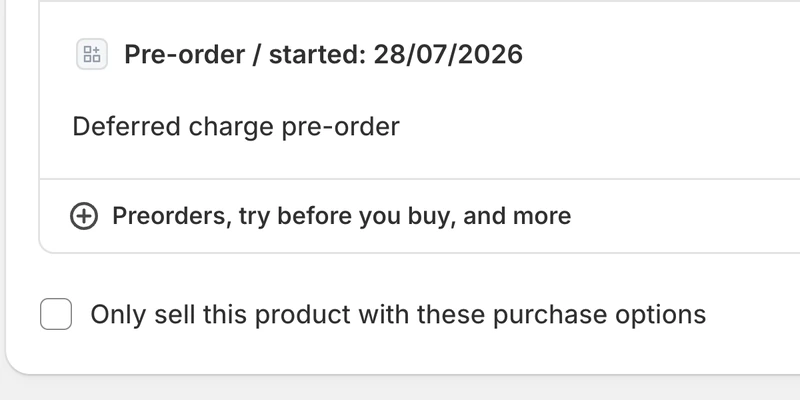
-
Your checkout, not ours
No third-party cart and no redirect off your domain. The customer checks out where every other customer checks out, with the payment methods you already accept. -
Correct statuses on arrival
Financial status reflects what has been taken so far, fulfilment status reads on hold. Two signals, amongst others, that your ERP and 3PL can read.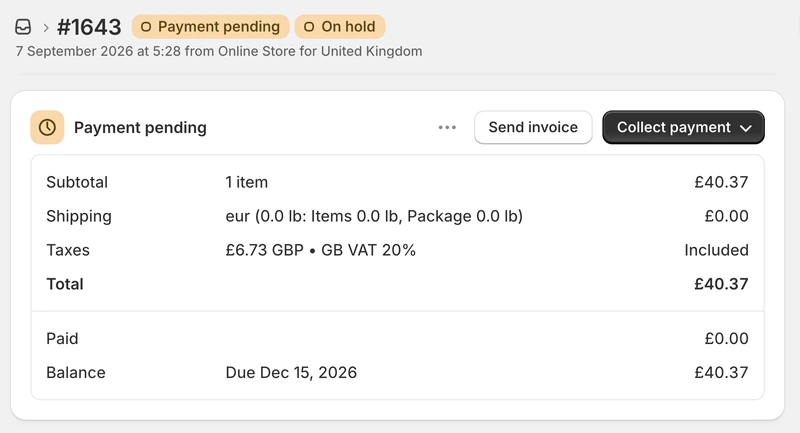
-
Your button, your wording
PreProduct uses your store's native buttons for pre-orders. Every piece of customer-facing wording is yours to write, so a pre-order looks like your store rather than an app.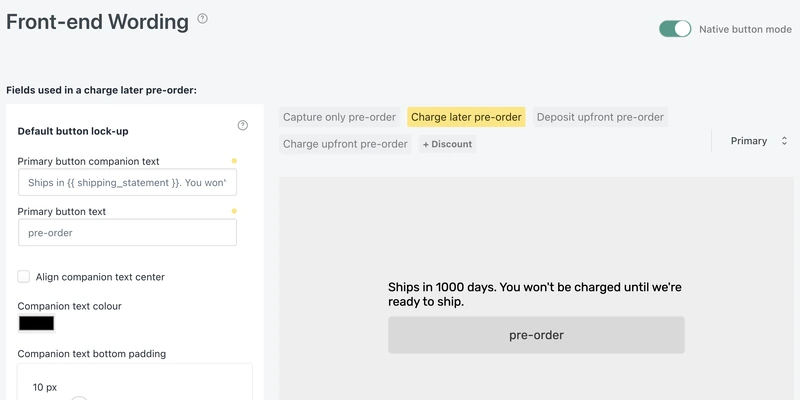
-
Discounts, shipping, Markets and PayPal as normal
Discount codes, shipping profiles, tax rules, Shopify Markets and PayPal all apply because it is your checkout doing the work.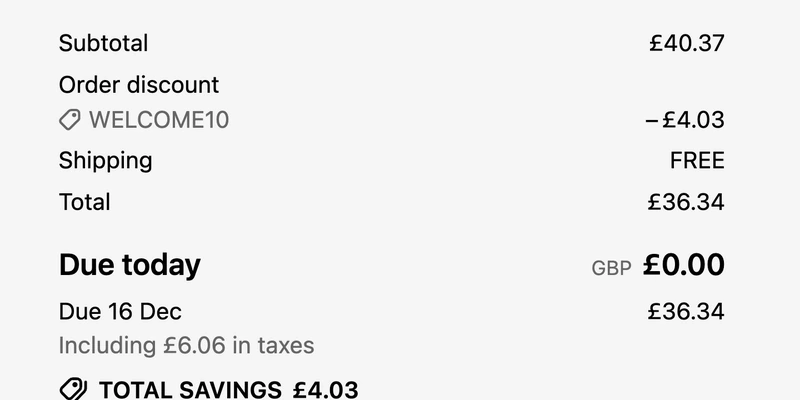
“Extremely happy with this app so far: the installation was quick and smooth, the app features visually blends perfectly with the store.”

5 stars in the Shopify Appstore

3PLS AND WAREHOUSES
3PL friendly. No orders released until you say so.
The order exists from the moment it is placed, but fulfilment is held, so a pre-order cannot be picked, packed or synced months early. Where a 3PL or WMS honours Shopify's native on-hold fulfilment status, there is nothing to configure and plenty of them do. Where one does not, pre-orders are identifiable by the order tag and the hidden line-item property PreProduct adds, and can be routed with Shopify Flow or the API instead.
PreProduct works with ShipBob, ShipStation, ShipMonk, Flexport, Shopify Fulfillment Network and the rest. We can work with you on preferences like partial fulfilment and custom 3PL rules.
This allows:
- Pre-orders to sit in your Shopify admin from day one without any of them reaching a picker.
- The half of a mixed order you can actually ship to go out today (if you want to).
- Fulfilment to be released a listing, a customer or a variant at a time as stock lands, or automatically when a charge-later pre-order is charged.
-
On hold and marked straight away
PreProduct generates pre-order carts in a way that Shopify can hold straight away, and line-item properties are added before checkout. This means there are no timing issues with conflicting webhooks processing the same order in changing states.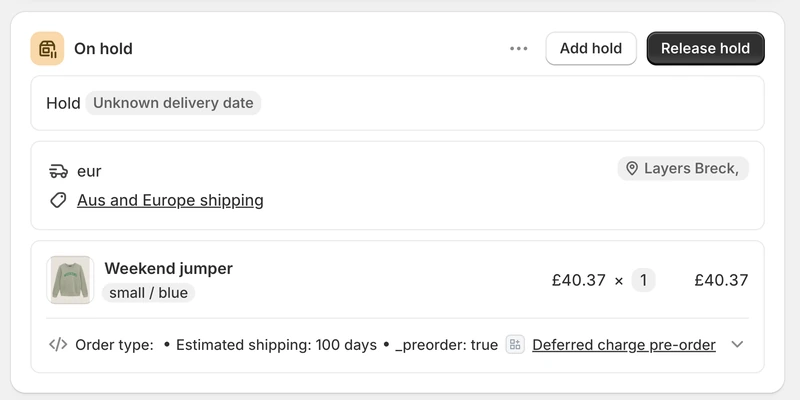
-
Release orders once stock arrives
The order goes to unfulfilled and your normal pipeline picks it up like any other order. Release the whole listing, a filtered selection, one customer, or only the variants that landed, or have the hold released automatically when the final charge succeeds. -
Tell your WMS it is ready
Some warehouse systems only evaluate orders on creation. We can work with you on building the perfect Shopify Flow work-around: a pre-order fulfilment released trigger in Flow can re-tag it, call your connector or add whatever flag that system is waiting for. -
Pre-order flags for systems that ignore holds
Every pre-order order gets a pre-order tag and every pre-order line carries a hidden _preorder property. Enough for a connector that ignores fulfilment holds to filter pre-orders out automatically.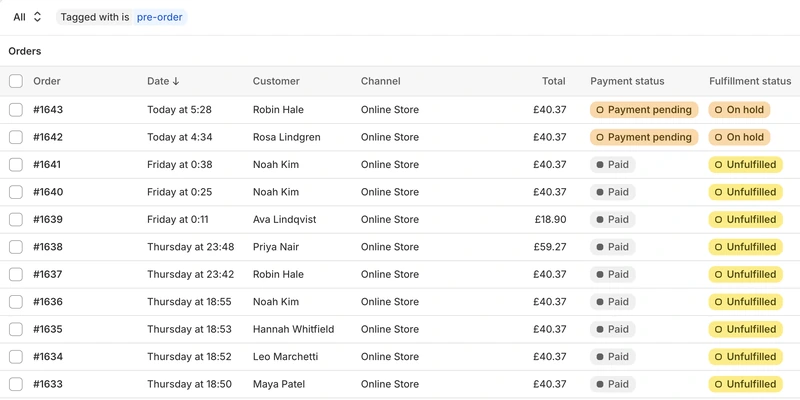
-
Ship in-stock lines, hold pre-order lines
In a mixed order the pre-order lines hold and the in-stock lines read as unfulfilled. Whether you send that half now is an ops call, but having line items clearly marked means you can make that decision.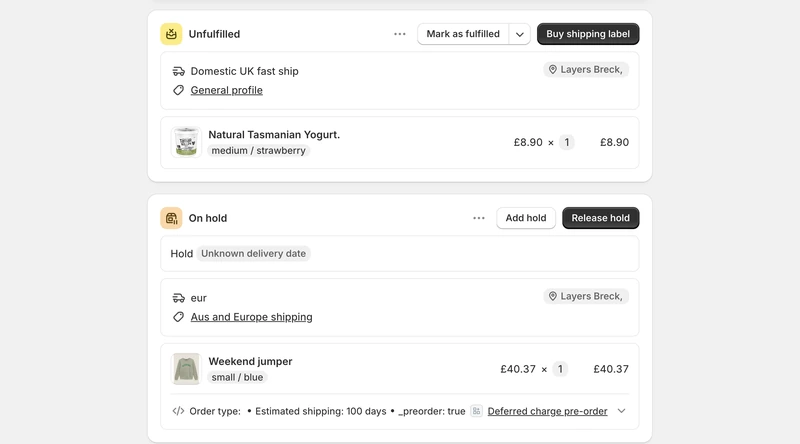
“Oli's support has been exceptional. He guided us through a smooth integration that worked with our current fulfillment and inventory processes.”

ERPS AND ORDER SYNC
ERP friendly. Even the ones that have never heard of a pre-order.
An ERP that pulls Shopify orders as they are created needs to know which ones are pre-orders, so it can hold them for later rather than raising them as orders to ship today. PreProduct leaves several signals on the order instead of picking one for you, and most setups end up using whichever their connector already understands. Most connectors support custom rules, so the common pattern is matching on the hidden _preorder property that goes on every pre-order line. Some honour Shopify's on-hold fulfilment status instead. Others skip anything that is not fully paid, which handles it with no rule at all. Where none of that fits, Shopify Flow and a REST API are there for more sophisticated flows.
You can also specify whether buy-now and pre-order items can be mixed in the same order, or have to be kept separate. Charging upfront? PreProduct can also split mixed orders for you after checkout.
This allows:
- An order to be skipped on the first sync and picked up later, without anyone editing it by hand.
- A pre-order to raise its own sales order, separate from the buy-now items it was checked out with.
- The lead time to travel with the line, so your ERP knows when it is due rather than guessing.
-
Hidden _preorder property on every line
Every pre-order line carries a hidden _preorder line-item property, which is added pre-checkout. It is there from the instant the order exists, in the admin, the API and Shopify's own order webhooks, so your connector can match on it from the very first sync.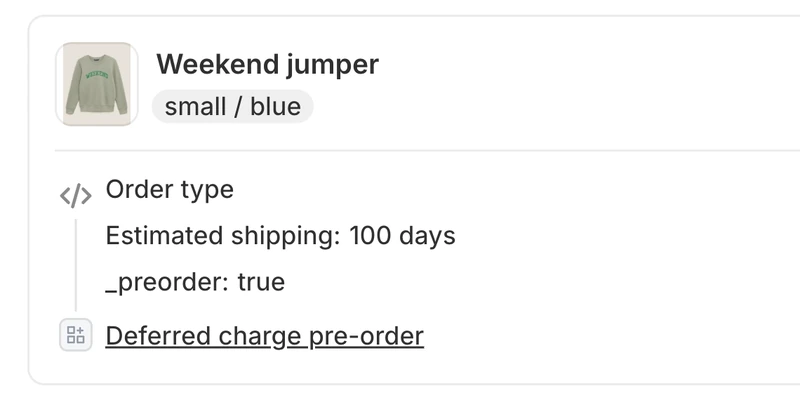
-
Pre-order tag on every order
PreProduct tags any order containing a pre-order line. Ideal for filtering and reporting in the admin, and for connector rules.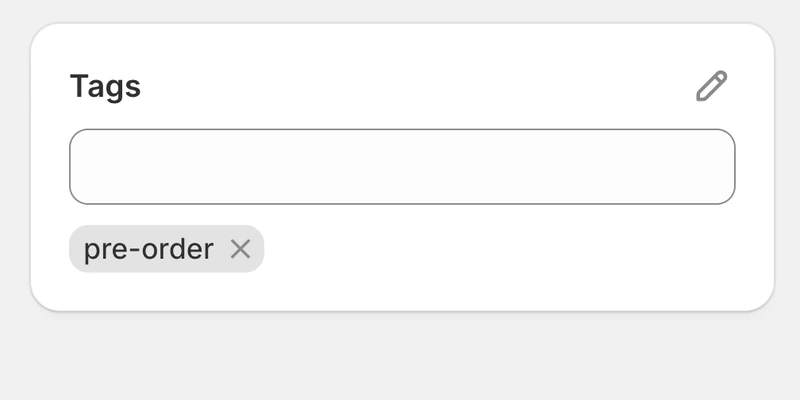
-
Filter on payment status
A deferred-charge pre-order is not fully paid when it arrives, and plenty of ERPs already ignore orders in that state. For those, pre-orders are handled by a rule you already have, with nothing new to set up.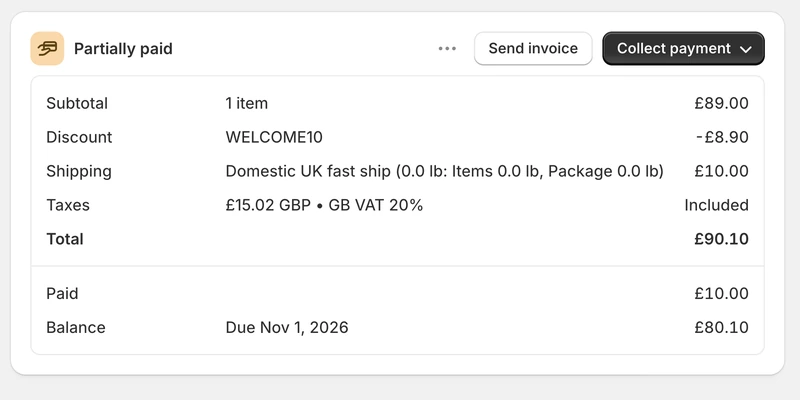
-
Estimated shipping on every line
Alongside the hidden flag, each line carries a readable shipping statement, and you choose what that property is called. Add your own properties to pre-order lines too, if your connector wants a field of its own.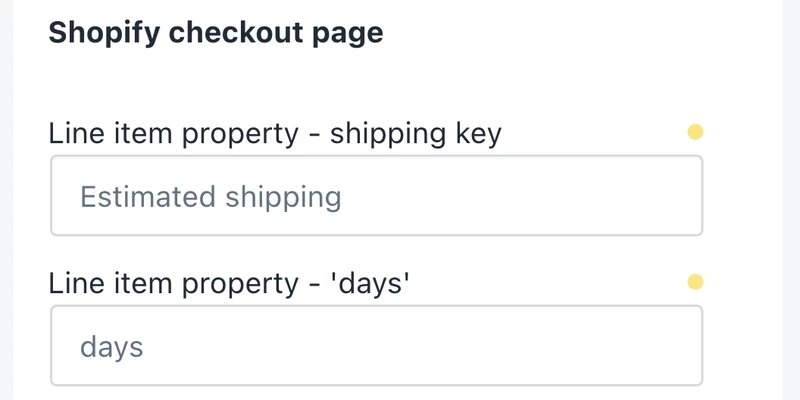
-
Specify whether pre-orders can combine
If your ERP would prefer that pre-orders are isolated to their own orders, opt into one of our 'isolated' front-end redirects. This means that they check out separately. PreProduct also supports post-checkout order splitting for charge-upfront pre-orders.
-
Shopify Flow and REST API for everything else
Listings, charges and orders over a REST API, plus 16 Flow triggers and 15 Flow actions.
“This app has enabled us to integrate Shopify preorders with our legacy ERP.”

KLAVIYO, GORGIAS, SHOPIFY POS, LOOP AND MORE
Pre-order details in the tool your team already has open.
A pre-order reaches your email platform, your support desk, your point of sale and your returns tool as well as your order admin, and each of them needs to know it is a pre-order. Klaviyo gets eleven dedicated pre-order events, so pre-order emails can be built in the same Klaviyo flows as the rest of your email and can replace PreProduct's own emails entirely. Gorgias shows a customer's pre-order details inside the ticket and the customer profile, so agents answer in one place instead of two.
Shopify POS takes pre-orders on the shop floor or at a trade show, with the fulfilment hold applied automatically. And Loop Returns handles a case that is easy to miss: a customer exchanging a return for something on pre-order. PreProduct holds fulfilment on the exchange order and writes the pre-order status back into Loop.
This allows:
- Pre-order emails to be written and sent by whoever runs the rest of your email.
- A support agent to answer when does mine ship without opening a second app.
- A shop floor or a trade show to take pre-orders that fulfil on the same terms as the online ones.
-
Eleven Klaviyo events
Six pre-order events plus the five emails PreProduct would otherwise have sent, pushed onto the customer's Klaviyo profile. Switch PreProduct's emails off and Klaviyo sends every pre-order email instead, in your templates rather than ours.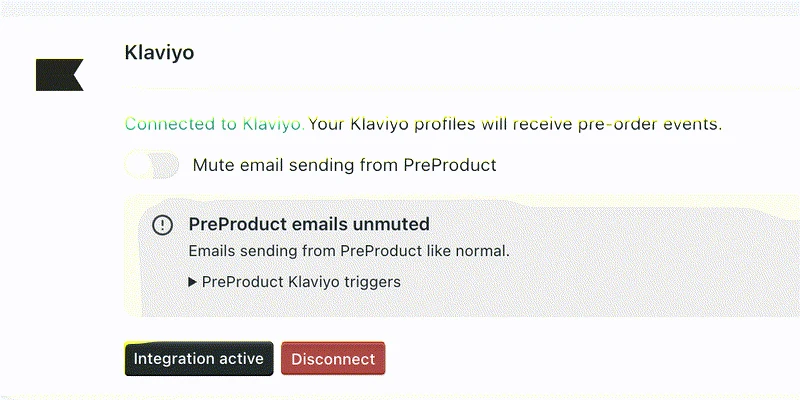
-
Gorgias tickets and profiles
A widget on tickets and on customer profiles: recent orders containing pre-orders, what is paid, what is outstanding, the shipping statement and estimated date, whether it was cancelled, the variants ordered, and a link to the customer's own pre-order portal.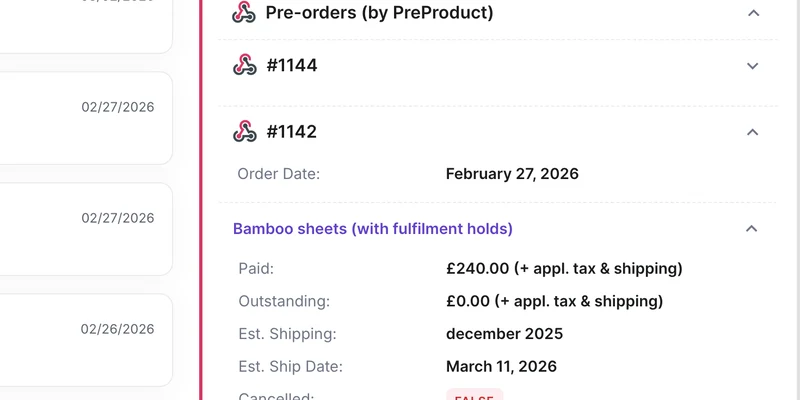
-
Pre-orders on Shopify POS
Sell a pre-order in store or at a trade show. Staff get a note telling them to set the order to ship, and the fulfilment hold goes on exactly as it would online. Deferred charge is not available through POS, so a POS pre-order is paid in store or invoiced afterwards (which PreProduct can trigger for you).
-
Loop Returns exchanges
When a customer swaps a return for a pre-order item, Loop raises a new Shopify order that would otherwise ship immediately. PreProduct holds it and posts a note back on the Loop return with the estimated shipping, so support sees it without leaving Loop.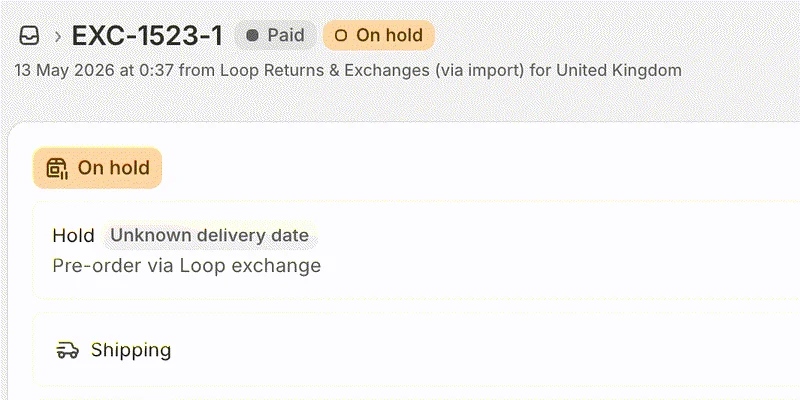
-
Page builders, headless and more
PageFly, Unbounce, Personizely, Discountly and Infinite Options are supported directly, and headless storefronts add pre-orders through the API. If something in your stack is not on the list, the tag, the property and the hold are usually all it needs on the back-end.
On the storefront level, we have a pre-order cart session, data-configs and JavaScript events available.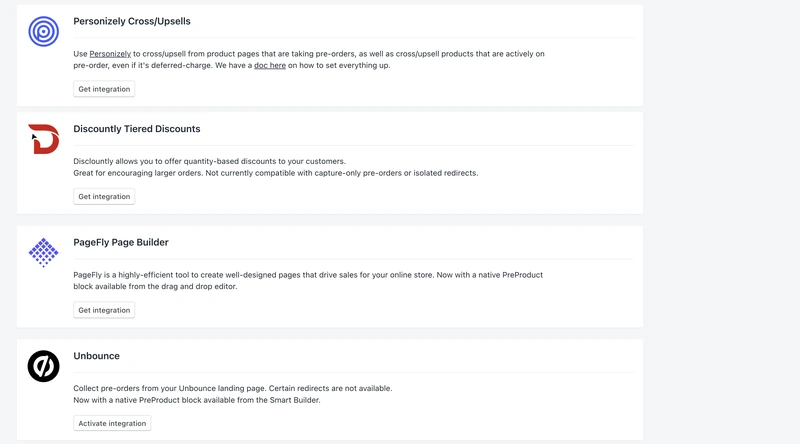
“PreProduct went above and beyond to help integrate this app with another essential app on my store.”
Pricing
Shopify pre‑order pricing
Starter
Only pay a percentage of pre-order revenue
$0.00
USD / month
+5% of paid pre-order revenue
Take me to the Shopify app
Take pre-orders from your e-commerce/Shopify storefront
Unlimited pre-order listings
Charge customers upfront, later or via deposit
Multi-step payment plans and ad-hoc installments
Customise pre-order front-end & email campaign
Customer portals



Scale
For small to medium sized brands
$59.99
USD / month
+0% commission on up to 5k of monthly paid pre-order revenue, then 0.5% afterwards.
Take me to the Shopify app – 7 day free trial
All of Growth features
Listing Manager automation access
API access
15x Shopify Flow actions
10+ Klaviyo events
Priority support
Scale Plus
For medium to large sized brands
$259.99
USD / month
+0% commission
Take me to the Shopify app – 7 day free trial
Our top plan with all the features
0% commission
15+ Shopify Flow triggers
Developer support
Pre‑order integration FAQ
My ERP pulls Shopify orders the moment they are created. Will it pull pre-orders it cannot process?
It will see them, because the order is real from the moment of checkout. That is why the pre-order line carries a hidden _preorder property from the instant the order exists, rather than relying on the tag, which lands moments later and can lose the race to your connector. Most ERPs let you write a rule against a line-item property, an on-hold fulfilment status, or an unpaid order. The tags and line-item properties doc covers which signal to use when.
Does my 3PL have to support Shopify’s on-hold fulfilment status?
No, though it is the easiest path: where a 3PL or WMS honours the native hold there is nothing to set up. Where one does not, route pre-orders on the pre-order tag or the line-item property instead, with Shopify Flow or the API. Worth checking two things with your provider first: whether they can split a shipment, and how an order they already pulled gets re-synced once you release the hold.
Do you have a webhook I can point at my own system?
No. PreProduct does not post events to an endpoint of your choosing. What it does give you is a REST API covering listings, charges and orders, Shopify Flow triggers and actions, and Shopify’s own order webhooks, which carry the pre-order line-item property from the moment the order is created. See the Flow actions and triggers doc for what a workflow can start from.
Can pre-orders go into their own Shopify order, so my ERP raises a separate sales order?
Two ways. Isolate pre-orders at the front end and a pre-order can never share an order with in-stock items in the first place, which is the cleaner option and what most stores choose. Or take the mixed order and split the pre-order lines into their own order afterwards, which is available on request for charge-upfront pre-orders. The front-end redirects doc covers the first and splitting orders the second.
Will discount codes, shipping rates, taxes, Markets and PayPal still work on a pre-order?
Yes, because it is your own Shopify checkout doing the work rather than a replacement for it. For charge-later pre-orders the card is vaulted through Shopify Payments or PayPal, and PayPal needs its automatic payments setting on. The exceptions worth knowing: Buy X get Y discounts are not supported, and the more complex Shopify discount rules can clash with a deferred charge, so test the combination before a launch. A pre-order’s discount is also locked in when it is placed, so changing it later only affects new pre-orders. The discounts doc has the detail.
Do you have a direct integration with NetSuite, Brightpearl or my ERP?
No, and that is deliberate. Rather than maintain a connector per ERP, PreProduct leaves the signals in Shopify that your existing connector already reads: an order tag, a hidden line-item property, an on-hold fulfilment status and an unpaid financial status. Your ERP connector stays the only integration with Shopify. We do keep guides on how the common ERPs and 3PLs behave around pre-orders, which is the part that varies.
Can we take pre-orders on Shopify POS?
Yes, with Shopify POS Pro. A customer with an email and shipping address has to be attached to the sale, and staff need to set the order to ship rather than leaving it as pickup, otherwise Shopify marks it fulfilled straight away. Deferred charge is not available through POS, so a POS pre-order is either paid in store or invoiced afterwards, and capture-only pre-orders are not supported there. The line still carries the pre-order property and the fulfilment hold. Setup is in the POS integration doc.