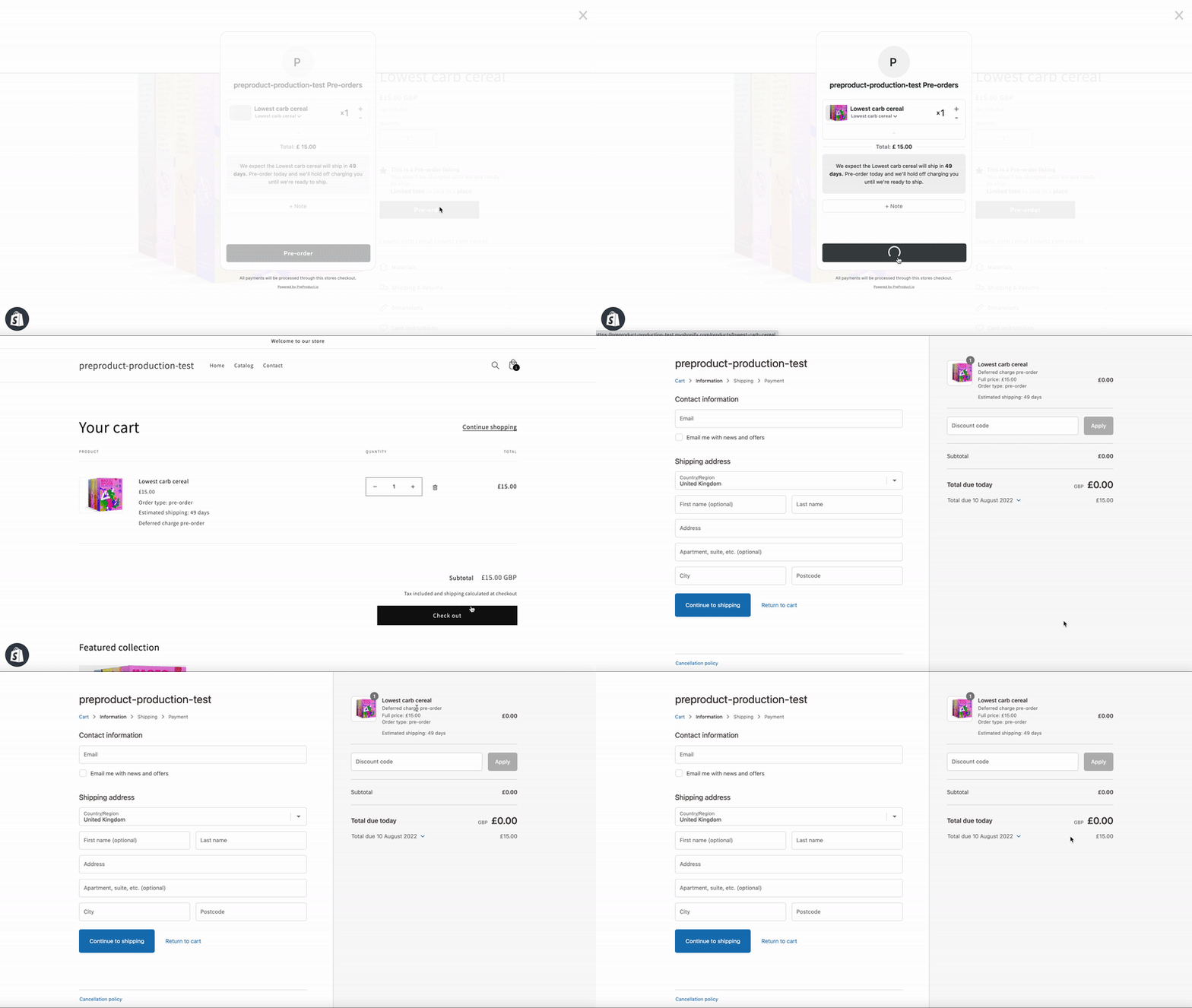
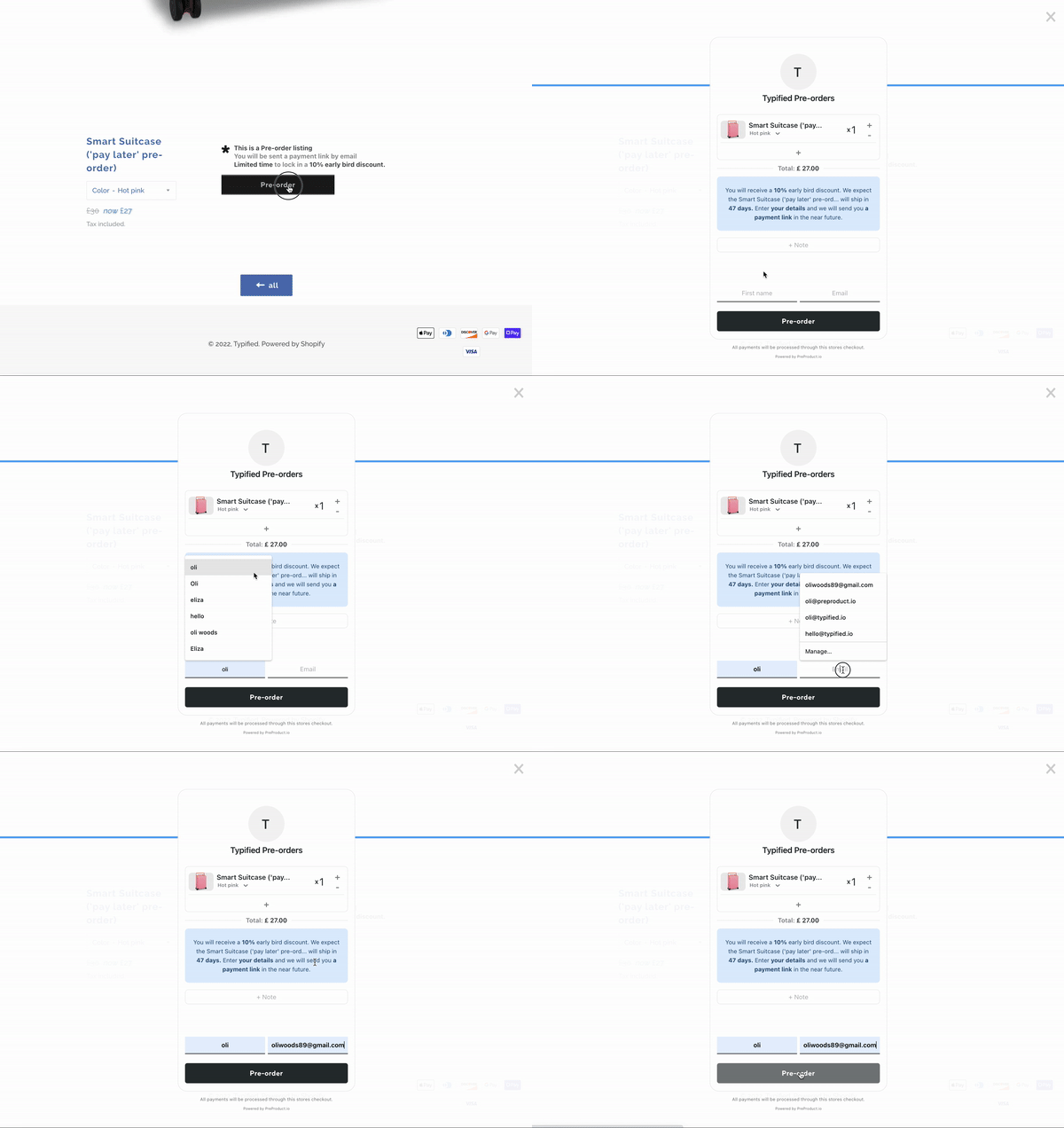
How to Actually Validate Product Demand (DTC Pre-order Strategy)

Prefer a video? Watch Oli on YouTube here.

Introduction: Why Guessing Demand is Killing Product Launches

Launching a new product without validating demand is one of the fastest ways to burn cash—and one of the quickest paths to founder burnout. Too many DTC brands still rely on gut feel when deciding what to launch next. And while those instincts may be based on experience, even the most seasoned merchandisers can’t reliably predict exactly how many units a SKU will sell through.

The result? Overstocked variants that gather dust, last-minute discounts that erode margins, and sunk inventory costs that could have been avoided entirely. Fortunately, there’s a smarter way. By using charge-later pre-orders, brands can validate product demand before placing a single purchase order—collecting real buyer intent while preserving customer trust and cash flow.

measuring demand

The Problem: Inventory Risk from Unvalidated Products

Here’s the pattern that happens far too often: a brand designs or sources a new product, places a large purchase order, and launches with fingers crossed. It’s a high-stakes gamble where success depends on guesswork aligning perfectly with real-world demand.

The consequences of getting it wrong are painful. Unsold inventory ties up cash and warehouse space. Discounting becomes the only lever to move slow SKUs, slashing your margins. Meanwhile, your most popular variants sell out too quickly, leading to missed revenue and frustrated customers. Worst of all, every dollar spent on the wrong inventory is a dollar not invested in the product your customers actually wanted.

In short: guessing is not the same as validating. And when it comes to physical products, the difference can make or break your next launch.
The Solution: Validate Product Demand with Pre-orders

Pre-orders aren’t just a way to drive early revenue—they’re one of the most reliable tools available for validating product demand. In particular, deferred-charge pre-orders allow brands to collect buyer intent without taking funds upfront. Customers can reserve their spot in line, and their payment method is vaulted securely for later—meaning no charge occurs unless and until you’re ready to fulfill.

This creates a low-friction experience for the customer while giving you a clear signal of which products or variants actually resonate. You can cleanly cancel or adjust unviable SKUs before committing to production, avoiding unnecessary cost and complexity. Even better, pre-orders can help fund your first manufacturing run – but only for the products your audience has already said they want.

The Strategy: MVP Pre-order Testing (No Guesswork)

Step 1: Create a product listing

Validating product demand doesn’t require a fully polished launch. You can start with a minimum viable product listing that communicates the core idea and offer. For visuals, factory samples, renders, or even AI-enhanced images can work well to showcase the product. Just write your product detail page (PDP) copy as you normally would—focus on benefits, clarity, and what makes the product stand out.

Step 2: Enable charge-later pre-orders

Once your listing is ready, the next step is to enable charge-later pre-orders. Using a tool like PreProduct, you can vault customer payment methods securely and defer charging until you’re ready to ship. It’s critical to set clear expectations—let customers know that “nothing is charged until the product is ready.” This builds trust and keeps the experience customer-friendly.

Step 3: Launch!

From there, launch as you would any other product—send it to your email list, run ads, or tap into influencer support. You can frame the pre-order as early access, a pre-launch opportunity, or just present it as a standard product that’s currently in pre-order mode.

Step 4: Watch for signal

Finally, watch closely for signals. Set an internal benchmark—say, 100 pre-orders within two weeks—as your greenlight. Track which variants, configurations, or bundles perform best, and pay attention to customer notes or post-order feedback. This is the data that should drive your purchasing decisions—not assumptions or guesswork.

How DTC Brands Use Pre-orders Today

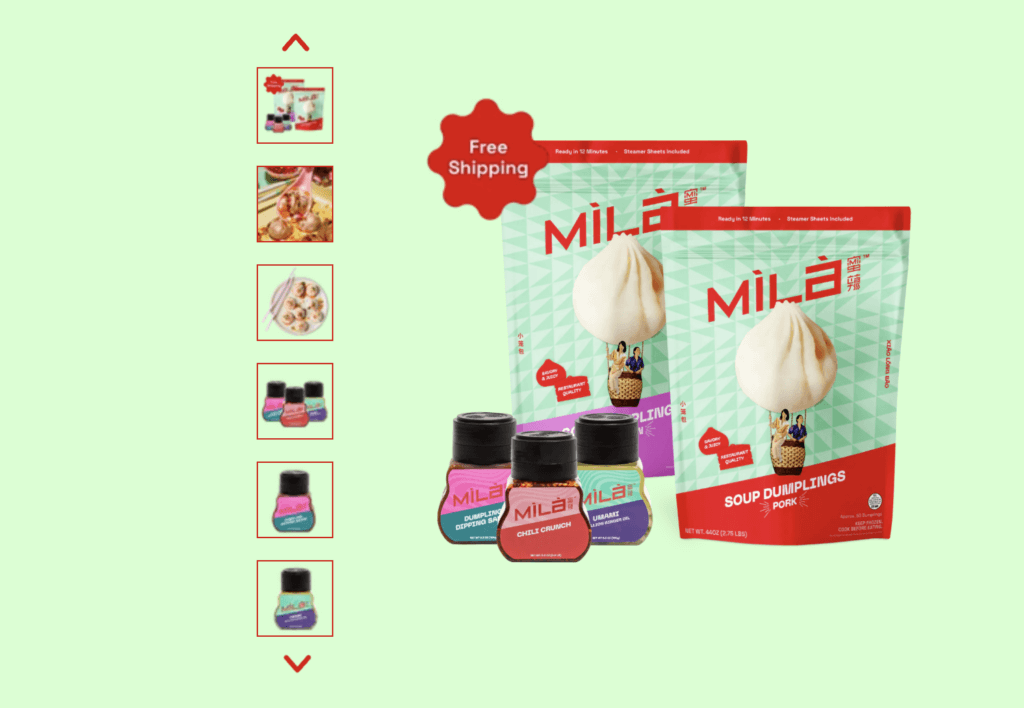
Take MILA for example—a premium direct-to-consumer brand specializing in high-end Asian comfort food, including soup dumplings, noodles, and dipping sauces. Their product lines span across flavour variants, dietary options like vegan, and seasonal limited runs. With so many variables in play, guessing demand for each SKU would be expensive and risky.

That’s why MILA used PreProduct to validate demand before launching new ranges. Rather than placing a large production order and hoping for the best, they opened up deferred-charge pre-orders for an upcoming product drop. This allowed customers to reserve new flavour variants (like spicy chili crunch or vegan dumplings) without being charged upfront.
High-end DTC Asian comfort food,

Behind the scenes, MILA’s team could see which variants were gaining traction in real time—helping them decide how much to produce, which flavours to prioritize, and which bundles to feature in launch promotions. It also meant they had actual sales before incurring production costs, and customers were fully informed they wouldn’t be charged until the product shipped.

For a brand built on operational excellence and product quality, this approach helped MILA avoid inventory waste while deepening trust with their fanbase. Pre-orders weren’t just a sales tactic—they became a core part of how MILA validated product demand across a growing and diverse catalogue.

Key Takeaways

When it comes to launching new products, guessing is expensive—testing is strategic. Pre-orders, especially deferred-charge pre-orders, offer a clean way to validate product demand without risking cash or customer trust. By creating simple listings, communicating clearly, and measuring real buyer intent, you give yourself the confidence to move forward only when there’s proven interest.

Validation through pre-orders reduces inventory risk, unlocks early cash flow, and provides actionable insight into what your customers actually want. With the right tooling—like PreProduct—you can support vaulted payments, run variant-level analytics, and align demand signals directly with your manufacturing and inventory planning.

takeaways checklist

Next steps

If you’re ready to validate product demand without the guesswork, try PreProduct today at preproduct.io.


Oli Woods

Co-founder @PreProduct

Pre-sell With PreProduct

7 day free trial with all plans

Take Pre-Orders Now, Decide Prices Later: How to build flexibility into your pre-sales

28.7 % of pre-orders processed with PreProduct were taken as “capture-only” (ref: One Million Pre-orders report). It’s popular amongst our Japanese merchants, as well as hobby stores. Prefer a video? here’s one of Oli explaining capture-only pre-orders.

If you’ve ever eaten a surprise cost increase or watched freight rates spike after locking in prices, you know the pain. This guide breaks down the two types of 100% pay later pre-order —Charge-Later and Capture-Only, so you can decide the best fit for your business.

TL;DR

  • Charge-Later pre-orders convert best but lock your price in — often fine, but riskier in volatile markets.
  • Capture-Only safeguards margin by splitting the flow into (1) placing a reservation and (2) completing checkout later.
  • 43.8 % of all PreProduct pre-orders run Charge-Later.*
  • 28.7 % run Capture-Only.*

*Source: PreProduct — one million pre-orders

pre-order

Why “locking-in” the price can come back to bite you

  • Supplier volatility: quotes expire in days, not months; delays and surprise surcharges are now the norm.
  • Freight roulette: sea-freight rates swung from roughly $2.4 k to $8 k per FEU on key routes in 2025 (Freightos index).
  • Tariff whiplash: US and EU duties can change mid-production.

Charge-Later pre-orders vault the card and lock the price the moment a shopper checks out—great for conversion, but prices and orders are fixe.

Capture-Only pre-orders flips that flow. The reservation sits outside your ecommerce platform until you’re ready; then a payment-link email drops customers into a pre-filled checkout with the final price.

Types of ‘pay later’ pre-order

1️⃣ Charge-Later Pre-orders (Vaulted Credit Cards)

  1. Product is listed in pre-order app as charge-later.
  2. Shopper completes checkout; With PreProduct’s Shopify/Woo/BC integration, a order is locked in at today’s price.
  3. You manufacture or receive goods.
  4. You trigger charges from the pre-order app; the vaulted card is charged at the locked-in price.

Gotchas

  • Any cost increase comes straight off your margin.
  • Editing price fields post-order breaks the flow.
  • Cancelling and re-invoicing is messy
charge-later pre-order

2️⃣ Capture-Only Pre-Orders (Wish-List-With-Teeth)

  1. Product is listed in the pre-order app as capture-only (reservation mode).
  2. Shopper reserves with name + email — no checkout, no card data.
  3. You tally demand, then lock in supplier, freight and duty costs.
  4. When ready, batch-send payment-link emails from the app; shoppers hit a pre-filled one-click checkout that reflects the current price.
  5. Paid orders sync into Shopify / Woo / BigCommerce and run through your normal fulfilment flow.

Gotchas

  • Lower overall conversion than charge-later (some shoppers ghost at the payment-link stage).
  • Zero cash-flow until links are clicked.
  • Reminder cadence matters — drop-offs spike if you don’t nudge.
  • Needs crystal-clear messaging that price is finalised later to avoid surprises.
pay now pre-order
pay now pre-order

Pros, Cons & When to Use Each

Charge-LaterCapture-Only
Conversion rate⭐⭐⭐⭐ (no further action needed from customer to pay)⭐⭐⭐ (not all customers will complete payment link checkout)
Cash-flow boost⭐⭐⭐ (none until you trigger charges)⭐⭐⭐ (none until payment link)
Price flexibility⭐⭐⭐⭐
Risk profileMedium (prices are locked in, but cancelling pre-orders doesn’t accrue refund fees, as no money has changed hands yet)Low (Easy to change price, as well as cancel/edit)

Ideal Use-Cases for Capture-Only

  • Pricing in flux: tariffs, commodity costs, or bespoke customisations.
  • Long lead-times: luxury furniture, custom bikes, Kickstarter-style runs.
  • Particularly risk adverse merchants

Pro-Tips for Smooth Capture-Only Launches

  1. Communicate the process. “We expect to ship in 2–6 months. Estimated price €45–€55 depending on freight.”
  2. Send follow-up payment links. Use your pre-order app’s follow-up feature to remind customers their slot is expiring if they haven’t clicked the link.

Quick-Start on Shopify / BigCommerce / Woo

  1. Install PreProduct.
  2. Create a pre-order listing for a test product in Capture-Only mode to check the flow and integration.
  3. Test-purchase the listing end-to-end.
  4. Launch for real. Market the new “Pre-Launch” to your list and socials.

Next Steps

Grab PreProduct’s Starter plan or a 7-day free trial of any fixed-cost tier. Weigh up Capture-Only versus Charge-Later for your own launch, then pick the flow that protects your margins. Questions? Ping me (Oli) anytime—keen to hear how you’re handling pre-orders this quarter.


Oli Woods

Co-founder @PreProduct

Pre-sell With PreProduct

7 day free trial with all plans

How to Set Up Pre-orders on Shopify

Pre-orders can transform your Shopify business, we’ve helped stores process over one million pre-orders to help boost their cashflow and demand (ref). This guide shows you how to implement pre-orders on Shopify using both native features and third-party solutions. Click here to see a video instead.
For a more in-depth, much longer walkthrough, see our Complete Shopify Pre-order Guide.

Understanding Your Pre-Order Options

Native Shopify Approach Shopify includes basic pre-order functionality through inventory management settings. This approach works well for simple scenarios:

  • Built into your existing Shopify plan
  • No additional monthly fees
  • Quick setup process
  • Basic functionality for straightforward pre-orders

However, it has some limitations:

  • Manual inventory tracking required
  • Limited customer communication options
  • Basic payment processing only
  • No advanced analytics or reporting

Third-Party Pre-Order Apps For businesses needing more advanced features, specialized pre-order apps offer enhanced functionality:

  • Automated inventory management
  • Advanced customer communication workflows
  • Flexible payment processing options
  • Comprehensive analytics and performance tracking
  • Integration with marketing tools

Popular options include PreProduct, which offers flexible payment timing and comprehensive merchant tools for managing pre-order campaigns.

Step-by-Step Implementation Guide

Method 1: Native Shopify Setup

  1. Navigate to Products > All products in your Shopify admin
  2. Select the product you want to offer for pre-order
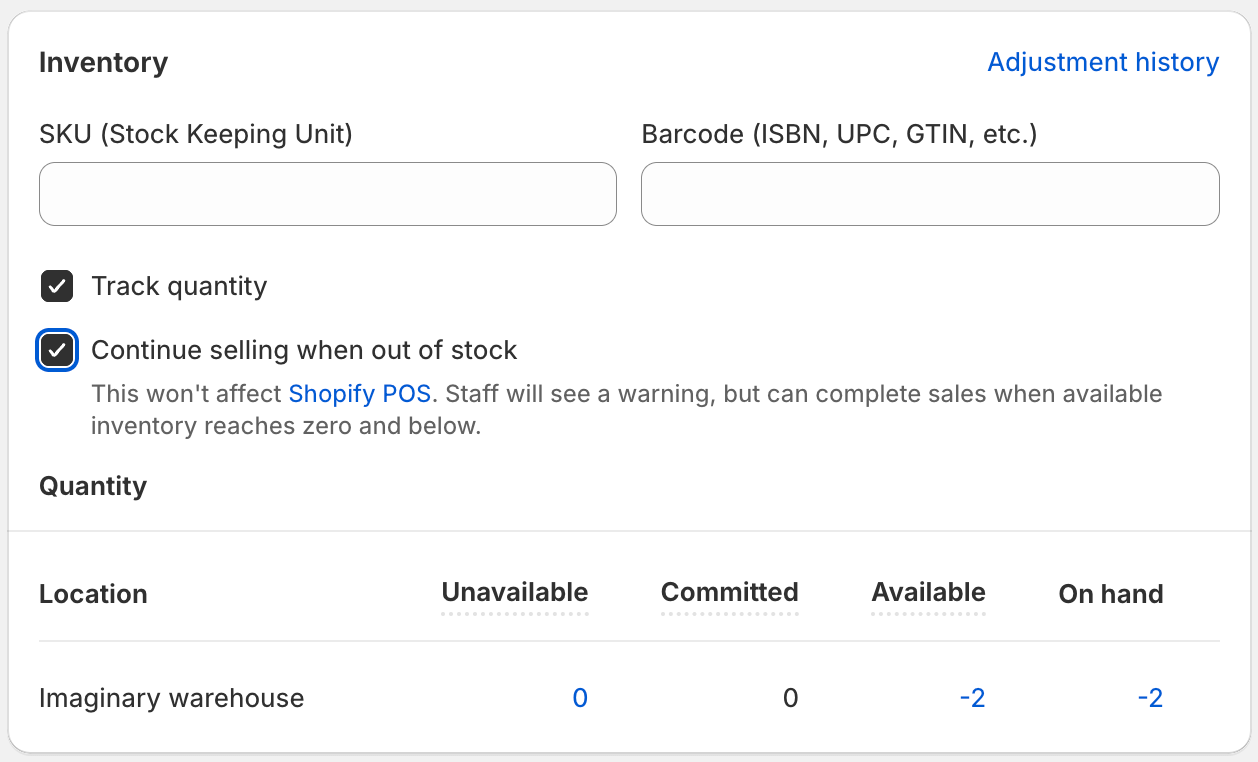
  3. In the Inventory section, uncheck “Track quantity”
  4. Set “Continue selling when out of stock” to enabled
  5. Update product description to clearly indicate pre-order status
  6. Modify your order confirmation emails to mention pre-order timing
Shopify continue selling box
The Shopify “continue selling when out of stock” box allows zero stock products to pass through checkout.

Method 2: Using Pre-Order Apps

  1. Browse the Shopify App Store for pre-order solutions
  2. Install your chosen app (many offer free trials such as PreProduct)
  3. Create a pre-order listing for your product in the app.
  4. Check the product page and make sure you’re happy with the presentation and user experience
  5. Update any settings and automated email sequences you’d like before going live.
  6. Go live and test out the user flow from product page through to checkout*

*It’s important to ensure Shopify will allow your zero stock product through checkout. Issues usually come from not having the “continue selling…” box unticked or not having the product published to the correct sales channel in Shopify.

Customising wording with a pre-order app

Optimizing Customer Experience

Clear Communication Strategy

  • Display expected shipping dates prominently on product pages
  • Send regular updates about order status and any delays
  • Provide easy cancellation options
  • Set realistic expectations about potential delays
  • Include pre-order terms in your checkout process

Payment Processing Best Practices

  • Decide between immediate charging or payment at shipping
  • Clearly explain when charges will occur
  • Ensure Payment Card Industry compliance for all transactions (for example using Shopify or Stripe)
  • Consider offering deposit options for high-value items
  • Make refund policies crystal clear

Legal and Compliance Considerations

FTC or equivalent Requirements

  • Clearly disclose that items are pre-orders
  • Provide accurate shipping date estimates
  • Honor cancellation requests within reasonable timeframes
  • Maintain transparent communication about delays

Customer Protection

  • Implement clear terms and conditions
  • Provide easy-to-find contact information
  • Offer straightforward refund processes
  • Maintain customer service standards throughout pre-order period

Measuring Success and Optimization

Track these key metrics to optimize your pre-order performance:

  • Conversion rate compared to regular products
  • Cancellation rate: On average 5.4% of pre-orders are cancelled (according to our recent report: https://preproduct.io/one-million-pre-orders/)
  • Customer satisfaction scores
  • Average order value for pre-orders vs regular orders
  • Time from order to fulfillment

Common Challenges and Solutions

Managing Customer Expectations Challenge: Customers unclear about shipping timelines Solution: Prominent display of expected dates, regular communication updates

Payment Processing Issues Challenge: Confusion about when payment occurs Solution: Clear payment terms at checkout, confirmation emails

Inventory Forecasting Challenge: Difficulty predicting demand Solution: Start with limited quantities, use pre-order data for future planning

Conclusion

Setting up pre-orders on Shopify can significantly boost your cash flow and reduce inventory risk. Start with Shopify’s native features if you’re testing the waters, then consider upgrading to specialized apps as your pre-order volume grows.

The key to success lies in clear communication, realistic expectations, and professional execution throughout the entire pre-order process.


Oli Woods

Co-founder @PreProduct

Pre-sell With PreProduct

7 day free trial with all plans

Pre-order Strategy: 4 Data-Driven Lessons from $85M in Sales

Intro

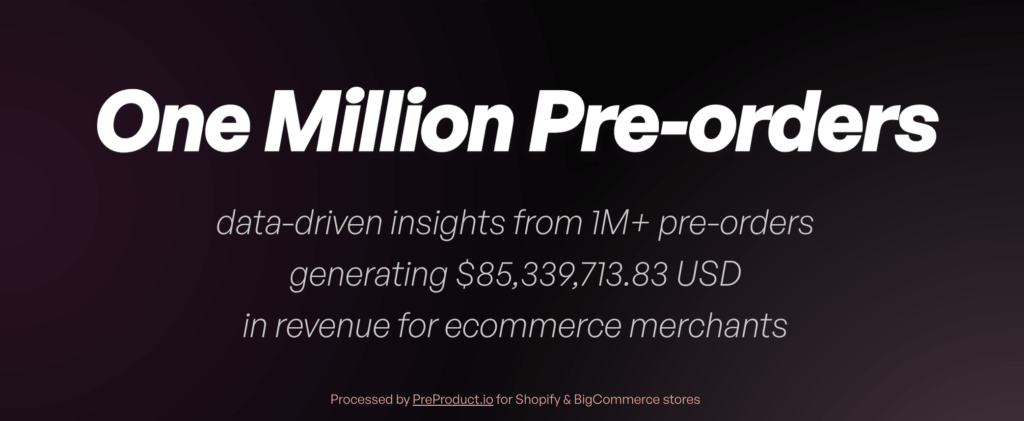
At PreProduct we recently passed one million pre-orders processed for merchants, totalling over $85M USD (report here). We dug into the data to pull out 4 key lessons to inform your pre-order strategy — things you can actually use to sell more (and smarter).
Prefer a video? click here.

Lessons

Lesson 1: Ditch the discount

  • Insight: 90.4% of pre-orders don’t offer a discount. Turns out, early access is often enough of a hook. The opportunity is to be one of the first to grab the item.
  • Lesson: Instead of relying on discounts to drive urgency, open the doors earlier. Longer sales windows = more time to capture demand without undercutting your price. Bonus: you get to run two launches — one for pre-order, one for general availability

Source: https://preproduct.io/one-million-pre-orders#discounts

Lesson 2: Don’t be afraid to go early

  • Insight: The most common stated shipping time range for pre-order is 4 – 5 months from the date of pre-launch
  • Lesson: Taking pre-orders well in advance is totally doable — especially with charge-later or deposit-based flows. Most customers are happy to wait, as long as expectations are clear.

Source: https://preproduct.io/one-million-pre-orders#shipping-timing

Lesson 3: Whatever the price, as long as it’s above $10

  • Insight: Products can do well regardless of price which the partial exception of the $0-10 price range. The $25–$50 range made up 42.7% of orders. But the $250+ range brought in more than 2x the revenue by our estimates.
  • Lesson: Unless your product is priced under $10, there’s a strong case for running a pre-launch to take pre-orders. Higher price? Consider taking a deposit or charging upfront. Long lead time? consider charging-later pre-orders.

Source: https://preproduct.io/one-million-pre-orders/#pricing

Lesson 4: Don’t let mixed carts scare you off

  • Insight: 62.1% of stores don’t allow buy-now and pre-order items in the same cart — and that’s totally fine.
  • Lesson: Mixed carts are doable — via fulfilment holds or conditional line item logic — but they’re not required to get started. Keeping pre-orders in separate orders is often the simplest path early on, and you can always evolve from there.

Source: https://preproduct.io/one-million-pre-orders/#mixed-carts

mixed cart of buy-now / pre-order items

Bonus insight: Pre-orders aren’t just for startups

  • Insight: From what we’ve seen over the last 4 years, more pre-orders come from existing brands than early-stage startups (although there’s plenty of them too).
  • Lesson: Pre-orders aren’t just a Kickstarter tactic. They’re a flexible tool — whether you’re managing cashflow, gauging demand, or building buzz. Whatever your company size, there’s most likely a way they can provide value.

Conclusion

That’s it — 4 lessons (plus a bonus) from 1 million pre-orders. Hopefully a few ideas in there can help you sell earlier, smarter, and with fewer discounts this year.

If you’re experimenting with pre-orders or planning a launch, feel free to get in touch or click the button below to start a free trial.

Pre-sell With PreProduct

7 day free trial with all plans

2025 Common Pain Points Project

At the start of every year, we focus on our Common Pain Points project—tackling smaller but meaningful improvements based on customer support trends and feature requests that don’t quite fit into larger development cycles. Over the past six weeks, we’ve shipped a number of updates designed to smooth out pre-orders, optimize workflows, and add new flexibility. Here’s what’s new:

Refunds, Payments & Order Management

You can now issue refunds directly from PreProduct, making it easier to handle cancellations and customer requests without needing to jump into Shopify or BigCommerce admin. This streamlines workflows and keeps everything in one place.

For those using the Shop Pay app, we’ve introduced automatic toggling of the sales channel when listing or de-listing a product for pre-order. This ensures that Shop Pay (which doesn’t support pre-orders) doesn’t allow customers to bypass the pre-order flow.

We’ve also added support for editing pre-order quantities—though at this stage, only decreases are supported. This helps merchants manage inventory levels dynamically as pre-orders roll in.

Better Pre-Order Button & UI Handling

We’re introducing an experimental Optimized Button Loading feature for Shopify stores, which ensures that buy-now buttons are hidden more quickly for pre-order products. This reduces friction and prevents customers from checking out incorrectly before the pre-order messaging loads.

We’ve also improved add-to-cart button detection to ensure it doesn’t hide other essential elements on the page, such as quantity selectors and carousel navigation.

Customization & Merchandising Enhancements

Merchants can now set default Shopify ‘purchase option’ names directly from the ‘Customize Wording’ screen, giving more control over how pre-orders and deferred payment options appear to customers.

We’ve added a unit count display for pre-order sections on “See All” listing screens, making it easier to track pre-order demand at a glance.

Backend & Developer-Focused Improvements

Agencies and developer stores can now access a free, unlimited ‘Partner Test’ plan, making it easier to build and test pre-order setups without incurring extra costs.

We’ve updated our search functionality, allowing Shopify users to find products by name, handle, or SKU. BigCommerce merchants will continue to use their native ‘search like’ function for finding products.

On the technical side, we’ve rolled out updates to the latest platform APIs, libraries, and frameworks to ensure long-term stability and compatibility.

Availability Monitoring & Customer Experience

We’ve added a storewide Availability Issues notice to the top-right of the main dashboard. This feature detects pre-order listings with availability issues and allows merchants to resolve them directly from a pop-up modal.

Customers can now update their payment method directly from their customer portal, reducing friction and improving the self-serve experience.

Looking Ahead

These updates are all about making the pre-selling experience smoother, less error-prone, and better converting. We have some exciting bigger features and updates in the pipeline, but for now, here’s to a great 2025!

Oli

Pre-sell With PreProduct

7 day free trial with all plans