Back in Stock Notifications on Shopify: Complete Setup Guide
Stockouts cost retailers serious money. According to industry research, global stockouts are responsible for roughly $1 trillion in missed sales each year. For Shopify merchants, a sold-out product page can mean losing customers to competitors, or worse, losing them forever.
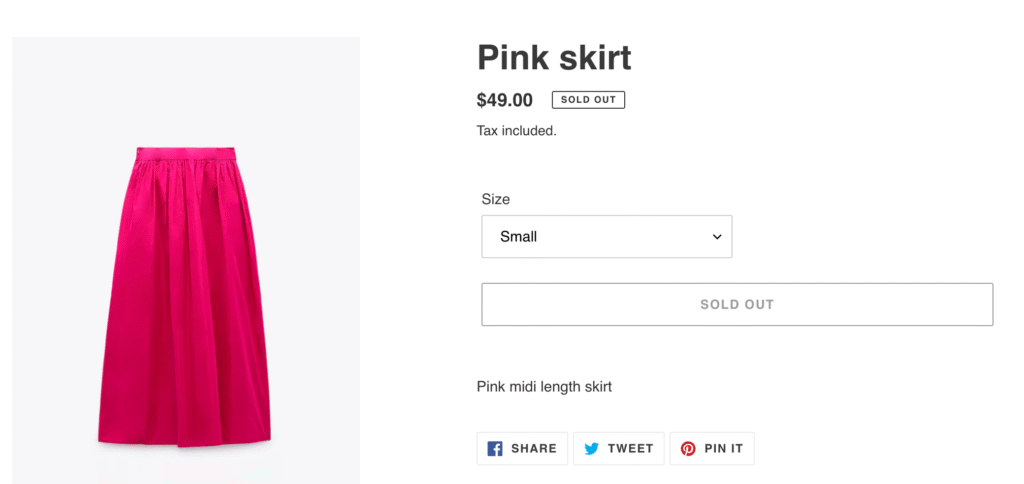
Back in stock notifications on Shopify offer a way to recover some of those lost sales. Instead of showing a “Sold Out” label and hoping customers return later, you can collect their email address and automatically alert them when inventory is available again.
In this guide, you’ll learn exactly how to set up back in stock notifications on Shopify, from third-party apps to email platform integrations. But we’ll also cover something most guides skip: when pre-orders are actually the smarter choice for capturing revenue upfront, rather than just collecting emails and hoping for the best.
What Are Back in Stock Notifications?
Back in stock notifications are automated alerts that let customers know when a previously sold-out product becomes available again. The workflow is straightforward:
- A customer visits a product page that’s out of stock
- Instead of a “Buy Now” button, they see a “Notify Me When Available” button
- They enter their email address (and sometimes phone number)
- When you restock the product, an automated email or SMS goes out
- The customer clicks through and hopefully completes a purchase
The customer experience is simple, but the backend requires some setup. Shopify doesn’t include native back in stock alert functionality, so you’ll need either a dedicated app, an email marketing platform with this feature, or custom code.
Why doesn’t Shopify build this in? It’s a feature that requires ongoing email sending, subscriber management, and inventory syncing. Shopify keeps its core platform lean, leaving this functionality to apps and integrations that specialise in it.
Why Back in Stock Notifications Matter for Your Store
Back in stock emails have some of the strongest performance metrics in ecommerce marketing. According to Omnisend’s 2025 data, these emails achieve:
- 58.03% open rate (compared to ~20% for standard promotional emails)
- 21.19% click-through rate (well above typical ecommerce benchmarks)
- 6.46% conversion rate (the highest of any email automation type)
These numbers make sense when you think about the psychology. Someone who signed up for a back in stock notification has already expressed clear purchase intent. They wanted your product, they just couldn’t buy it at that moment. When the notification arrives, it’s not a cold promotional email; it’s the answer they were waiting for.
Beyond direct conversions, back in stock notifications help you:
Capture demand signals. Every signup tells you someone wanted that product. Aggregate this data across your catalogue and you have real-time demand intelligence for inventory planning.
Reduce customer frustration. Instead of bouncing away from a “Sold Out” page, customers feel like they have a path forward. This keeps them engaged with your brand.
Build your email list. Even if a customer doesn’t convert when the product returns, you’ve added a qualified lead to your marketing list. They’ve demonstrated product interest, making them valuable for future campaigns.
Create urgency when you restock. Back in stock emails naturally drive urgency. The product was gone, now it’s back, and it might sell out again. This psychology converts browsers into buyers.
How to Set Up Back in Stock Notifications on Shopify
There are three main approaches to implementing back in stock alerts on your Shopify store. Each has trade-offs around cost, complexity, and features.
Option 1: Third-Party Shopify Apps
The most common approach is installing a dedicated back in stock notification app from the Shopify App Store. These apps handle everything: the “Notify Me” button, subscriber management, automated sending, and analytics.

How app setup typically works:
- Install the app from the Shopify App Store
- The app automatically adds a “Notify Me” button to sold-out product pages (or you configure where it appears)
- Customise the button styling to match your theme
- Configure your email templates and sending rules
- Connect SMS if you want multi-channel notifications
Most apps can be set up in 15-30 minutes. The “Notify Me” button replaces your standard buy button when a product variant hits zero inventory.
Popular app categories include:
- Standalone back in stock apps (focused solely on restock alerts)
- Combined pre-order and back in stock apps (offering both notification capture and pre-order purchasing)
- Email marketing platforms with back in stock features built in
Pricing varies significantly. Some apps charge monthly fees ($10-50/month is common), while others charge based on notification volume or take a percentage of attributed sales. Consider your expected volume when evaluating pricing models.
Key features to look for:
- Multi-channel support (email + SMS)
- Theme compatibility (especially with Shopify 2.0 themes)
- Integration with your existing email platform
- Customisable signup forms and email templates
- Analytics and conversion tracking
- Asynchronous loading (so the button doesn’t slow your page)
Option 2: Email Platform Integrations
If you already use an email marketing platform like Klaviyo, Omnisend, or Dotdigital, you may be able to handle back in stock notifications without a separate app. These platforms often include built-in back in stock forms and automated flows.

Klaviyo’s back in stock feature, for example, works like this:
- Add Klaviyo’s back in stock script to your theme
- Customise the “Notify Me” button appearance in Klaviyo’s form editor
- Set up a back in stock flow that triggers when inventory is added
- Klaviyo automatically matches subscribers to restocked products and sends notifications
The advantage of this approach is consolidation. Your back in stock subscribers live alongside your other email segments, making it easier to include them in broader marketing campaigns.
The downside? Email platform back in stock features can be less robust than dedicated apps. You may have fewer customisation options, less sophisticated variant-level tracking, or limited SMS capabilities.
Option 3: Custom Code Solutions
Technically savvy merchants or development teams can build custom back in stock functionality using Shopify’s APIs, webhooks, and theme code. This approach offers maximum control but requires significant development resources.
A custom solution typically involves:
- Theme modifications to display signup forms on sold-out products
- A backend system to store subscriber data
- Integration with inventory webhooks to detect restocks
- Connection to an email service (SendGrid, Mailgun, etc.) for sending notifications
- Custom analytics and reporting
This approach makes sense for large stores with unique requirements or merchants who want complete ownership of their customer data. For most Shopify stores, however, the time and cost of custom development outweighs the benefits compared to existing app solutions.
Best Practices for Back in Stock Notifications
Setting up the technical infrastructure is just the first step. How you execute your back in stock strategy determines whether you actually recover those lost sales.
Email Best Practices
Write compelling subject lines. Your subject line needs to cut through inbox noise. Be direct: “Good news: [Product Name] is back” or “[Product Name] is back in stock, grab it now” work well. Include the product name so subscribers immediately know why they’re receiving the email.
Personalise the content. Address customers by name. Reference the specific product they signed up for. Include the product image prominently. The email should feel like a personal update, not a mass broadcast.
Create urgency (honestly). If the product previously sold out, it might sell out again. You can mention limited quantities or high demand, but only if it’s true. Fake scarcity erodes trust.
Make the CTA obvious. One clear button: “Shop Now” or “Buy [Product Name]”. Don’t clutter the email with other products or offers that distract from the primary action.
Send immediately. Back in stock notifications should go out the moment inventory is added. Delays reduce conversion rates; someone else might buy the product first, or the customer’s interest may have cooled.
Multi-Channel Approach
Email isn’t your only option. SMS and push notifications can significantly boost your reach:
SMS alerts have open rates above 98% and are particularly effective for fast-moving products where speed matters. If someone signed up for a limited-edition drop, an SMS ensures they see the restock notification immediately.

Push notifications (web or app) offer another touchpoint for customers who have opted in. They’re especially useful for mobile shoppers.
WhatsApp is gaining traction for customer communications in many markets. Some back in stock apps now support WhatsApp notifications alongside email and SMS.

The key is letting customers choose their preferred channel during signup. Offering multiple options captures more subscribers and ensures notifications reach them on the channel they’re most likely to engage with.
Timing and Automation
Automate everything. Manual restock notifications don’t scale. Your back in stock system should automatically detect inventory changes and trigger notifications without human intervention.
Consider follow-up sequences. If someone doesn’t convert from the initial notification, a follow-up 24-48 hours later can capture additional sales. Just don’t overdo it; two touchpoints are usually enough.
Use low-stock alerts too. Some apps let you notify subscribers when inventory is running low, even before it sells out. This creates urgency and can drive purchases before you hit zero stock.
When Pre-orders Beat Back in Stock Notifications
Here’s what most back in stock guides won’t tell you: sometimes capturing an email address is the wrong strategy. If you know when inventory is coming, pre-orders let you capture revenue now instead of just collecting signups and hoping customers return later.
The Revenue Timing Problem
Consider the standard back in stock workflow:
- Product sells out
- Customer signs up for notification
- You wait for inventory (weeks or months)
- You send the notification
- Customer hopefully opens the email
- Customer hopefully clicks through
- Customer hopefully completes a purchase
That’s a lot of “hopefully.” Even with a 6.46% conversion rate (the best-case scenario), you’re losing over 93% of the interested customers who signed up.
Now consider pre-orders:
- Product sells out (or you launch a new product)
- Customer places a pre-order
- You charge upfront, later, or take a deposit
- Inventory arrives
- You fulfill the order
The sale is captured when interest is highest, not weeks later when the customer may have found an alternative or simply forgotten about your product.
Conversion Comparison
Back in stock notifications measure interest. Pre-orders measure commitment.
An email signup says “I was interested enough to give you my email address.” A pre-order says “I’m committed enough to give you my payment information.”
Data from over 1 million pre-orders shows that pre-order cancellation rates average just 5.4%. That means 94.6% of customers who place a pre-order follow through to purchase. Compare that to the 6.46% who convert from a back in stock email.

The math is clear: if you can take pre-orders instead of collecting email signups, you capture dramatically more revenue.
When to Use Pre-orders Instead
Pre-orders make more sense than back in stock notifications when:
You have a confirmed restock date. If you know inventory is arriving in 4 weeks, why collect emails when you could collect orders? Customers get the certainty of a secured product; you get the certainty of committed revenue.
You’re launching a new product. Pre-orders let you build hype, validate demand, and fund production before you’ve invested in inventory. This is especially valuable for brands launching new SKUs.
You have high-demand items with waitlists. If your back in stock signup list is growing into the hundreds or thousands, that’s demand you could be capturing as revenue. Long waitlists signal you should be taking pre-orders.
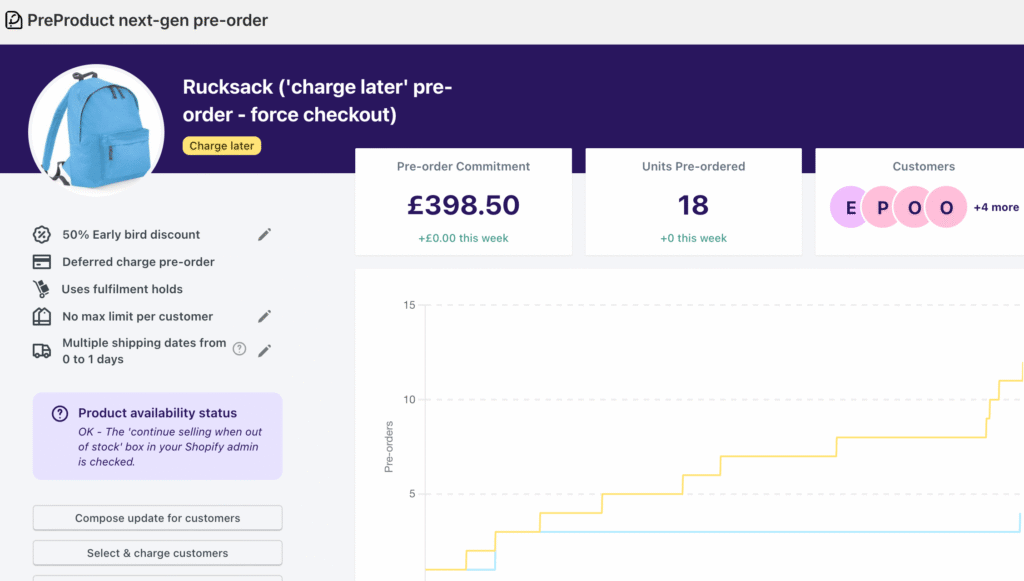
You need cash flow now. Back in stock notifications don’t generate revenue until inventory arrives and customers convert. Charge-upfront pre-orders bring revenue in immediately. Even charge-later models vault the customer’s payment method, creating a committed sale.
Your product has a long lead time. For made-to-order products, custom items, or products with extended manufacturing timelines, pre-orders are the natural fit. Customers understand they’re ordering in advance.
Payment Flexibility with Pre-orders
One reason merchants default to back in stock notifications is uncertainty about payment timing. Pre-orders solve this with flexible payment models:
Charge upfront: Collect full payment at checkout. Revenue is immediate, and there’s zero risk of failed future charges. Best for products with short lead times or when you need immediate cash flow.
Charge later: Customers go through checkout, but you vault their card and charge when inventory arrives. This works well when you’re not sure exactly when stock will land. 43.8% of pre-order listings use this approach.
Deposits: Collect a partial payment upfront (10-50% is common), then charge the balance later. Deposits reduce cancellation risk while being less intimidating than full upfront payment for higher-priced items.
These options give you more control than back in stock notifications, where the only “commitment” you capture is an email address.
Combining Back in Stock with Pre-orders
You don’t have to choose one strategy exclusively. Many Shopify merchants use both, depending on the situation.
Use back in stock notifications when:
- You genuinely don’t know if or when a product will return
- The product is being discontinued or is a limited run
- Restock timelines are unpredictable
Use pre-orders when:
- You have confirmed inventory incoming
- You’re launching a new product
- Lead times are known and communicable to customers
- You want to capture revenue rather than just interest
The hybrid approach: Some merchants start with back in stock signups when inventory status is uncertain, then transition to pre-orders once they have restock confirmation. You can even re-engage your back in stock signup list with a “pre-orders now open” email, converting passive interest into active orders.
For a deeper comparison of these approaches, see our guide on pre-orders vs backorders vs waitlists.
Measuring Your Back in Stock Performance

Whatever approach you choose, tracking performance is essential. Key metrics to monitor:
Signup rate: What percentage of visitors to sold-out product pages sign up for notifications? Low signup rates may indicate a visibility problem (button placement, design) or a product problem (customers don’t want it enough to wait).
Open rate: Industry benchmark for back in stock emails is around 58%. Significantly lower rates suggest deliverability issues or weak subject lines.
Click-through rate: Benchmark is around 21%. Low CTR with high opens suggests the email content or CTA isn’t compelling.
Conversion rate: The 6.46% benchmark is for customers who receive the notification. Track your actual conversion to see how you compare.
Revenue per notification: How much revenue does each back in stock notification generate on average? This helps you understand the true value of the feature.
If your back in stock conversions are underperforming benchmarks, it may be time to test pre-orders instead. Converting even a fraction of your signup list into pre-order customers will likely generate more revenue than waiting for restock notifications.
Conclusion
Back in stock notifications are a valuable tool for recovering lost sales on Shopify. With conversion rates around 6.46%, significantly higher than standard email campaigns, they’re worth implementing for any store that regularly experiences stockouts.
But here’s the key takeaway: back in stock notifications capture emails, while pre-orders capture revenue. If you know when inventory is coming, pre-orders let you turn interested browsers into committed buyers today, not weeks from now when they may have moved on.
For managing out of stock products on Shopify, consider your situation carefully:
- Uncertain restock? Use back in stock notifications
- Confirmed restock date? Consider pre-orders to capture revenue now
- High demand product? Pre-orders with deposits let you gauge commitment without full upfront payment
The best strategy often combines both approaches, using back in stock for unpredictable inventory and pre-orders when you have clarity on when products will ship.
Ready to capture more revenue from your out-of-stock products? Explore how pre-orders work on Shopify to see if they’re right for your store.
Frequently Asked Questions
Does Shopify have built-in back in stock notifications?
No, Shopify doesn’t offer native back in stock alerts. You’ll need a third-party app from the Shopify App Store or an email platform integration like Klaviyo to add this functionality to your store.
What is the conversion rate for back in stock emails?
Back in stock emails have an average conversion rate of 6.46%, making them the highest-converting email automation type. Open rates average around 58%, with click-through rates of 21%.
What’s the difference between back in stock notifications and pre-orders?
Back in stock notifications collect customer emails and alert them when products restock. Pre-orders capture payment or payment intent upfront, securing the sale before inventory arrives. Pre-orders convert interested customers immediately; back in stock notifications require customers to return and complete a purchase later.
Can I use both back in stock and pre-orders on Shopify?
Yes. Many merchants use back in stock notifications for uncertain restock timelines and pre-orders when they have confirmed inventory coming. The two strategies complement each other and can be used together based on your inventory situation.
How quickly should back in stock notifications be sent?
Immediately. Back in stock notifications should trigger automatically the moment inventory is added. Delays reduce conversion rates because customers may find alternatives or lose interest. Most back in stock apps send notifications within minutes of a restock.
Pre-sell With PreProduct
7 day free trial with all plans


