Shopify Split Payments: How to Let Customers Pay in Parts
Payment flexibility matters more than most merchants realize. According to Baymard Institute, 10% of shoppers abandon their carts because there aren’t enough payment methods. For merchants selling higher-ticket items or running pre-orders with long lead times, that’s revenue walking out the door. Split payments can be the difference between a completed order and an abandoned cart.
But here’s the catch: Shopify doesn’t natively support split payments for online checkout. You can’t split a transaction across two credit cards or let a customer pay half now and half later without some workarounds. The good news is there are several ways to make split payments work on your store. This guide breaks down your options so you can pick the right approach for your business.
What Are Split Payments on Shopify?
Split payments let customers divide a purchase into multiple transactions. This can mean:
- Splitting across payment methods (two credit cards, card + gift card)
- Partial payments (deposit now, balance later)
- Installments (pay over several weeks or months)
These terms often get used interchangeably, but they work differently on Shopify. For a deeper dive into partial payments, deposits and deferred charges, see our Shopify partial payments guide.
Why Split Payments Matter for Your Store
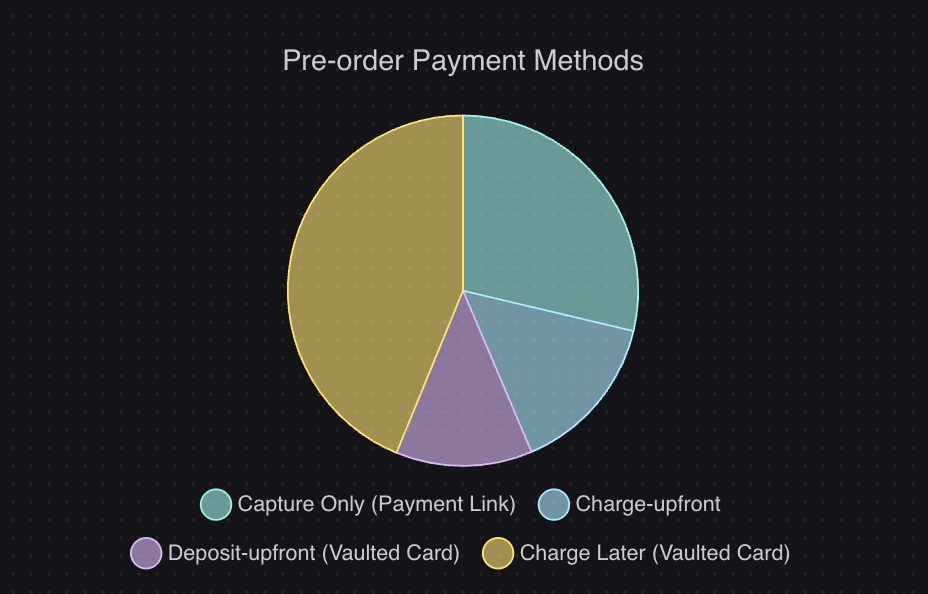
The data makes a strong case. Shopify reports that Shop Pay Installments reduces abandoned carts by 28%, with one in four merchants seeing a 50% increase in AOV after enabling it. For pre-orders specifically, payment flexibility plays an even bigger role. According to data from over 1 million pre-orders, 43.8% of pre-order listings use charge-later models where customers pay nothing upfront. Removing that upfront friction helps validate demand before you commit to inventory.
The Shopify Split Payment Limitation
Let’s be clear about what Shopify can and cannot do natively.
What Shopify does NOT support:
- Splitting an online checkout across two credit cards
- Letting customers pay a portion now and the rest later (without apps)
- Multiple payment methods in a single online transaction
What Shopify DOES support:
- Split payments at point of sale (POS) for in-person transactions
- Draft orders with manual partial payments
- Shop Pay Installments (BNPL through Affirm)
- Shopify Plus B2B partial payments
The limitation comes down to how payment gateways work. Security requirements make it difficult to hold multiple payment methods in a single checkout session. This is why most split payment solutions for online stores require either manual processes or third-party apps.
Technical note: Only certain payment gateways support storing card details for later charges. Shopify Payments and PayPal support vaulted cards, which means they can securely save a customer’s payment method to charge later without the customer taking any additional action. This distinction matters when choosing how to handle split payments, and we’ll cover it more in the third-party apps section.
5 Ways to Accept Split Payments on Shopify
1. Shopify POS (In-Person Sales)
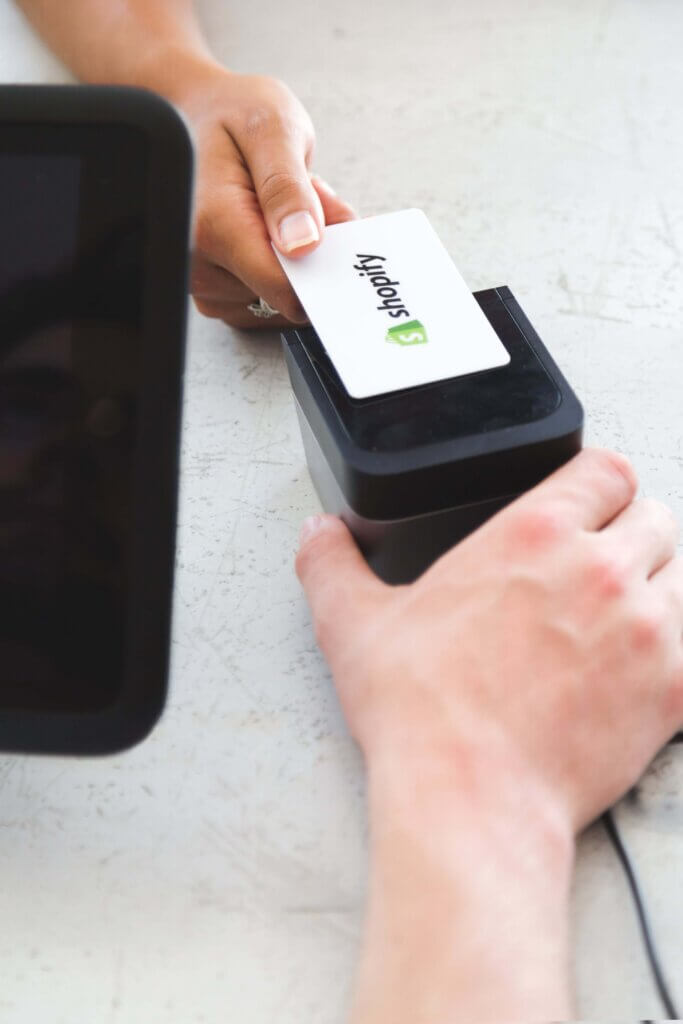
If you sell in person, Shopify POS supports split payments natively. Customers can pay using any combination of:
- Multiple credit cards
- Cash and card
- Gift cards and card
- Store credit and other methods
This works well for retail stores, markets and pop-ups. The catch is obvious: it only works for in-person sales. If your business is primarily online, you’ll need one of the other options below.
2. Draft Orders (Manual B2B Method)
Draft orders let you create custom invoices with partial payment requirements. Here’s how it works:
- Create a draft order in Shopify admin
- Set a deposit amount or percentage
- Send the invoice to your customer
- Manually record additional payments as they come in
Best for: B2B transactions, custom quotes, one-off large orders where you’re already in direct contact with the customer.
Limitations:
- Manual process that doesn’t scale
- No automation for balance collection
- Requires hands-on management of each transaction
For low-volume, high-touch situations, draft orders work fine. For anything at scale, you’ll want a more automated solution.
3. Shop Pay Installments (Native BNPL)
Shop Pay Installments is Shopify’s built-in buy now, pay later option, powered by Affirm. Customers can split purchases into 2-4 interest-free payments.

How it works:
- Customer selects Shop Pay Installments at checkout
- Affirm runs a soft credit check
- If approved, customer pays in bi-weekly installments
- You receive the full payment upfront (minus fees)
Eligibility requirements:
- Store must be in the US, Canada or UK
- Must use Shopify Payments as your gateway
- Orders typically between $50-$3,000
Best for: In-stock items with immediate shipping. Shop Pay Installments charges the customer right away and you ship the product. It’s not designed for pre-orders or products with long lead times.
For more on installment options, see our Shopify payment plans guide.
4. Shopify Plus B2B Partial Payments
If you’re on Shopify Plus with B2B customers, you can now set deposit requirements directly on payment terms. This is a relatively new feature that lets you:
- Require a percentage upfront on wholesale orders
- Record partial payments in the Shopify admin
- Manage payment schedules for net terms
Best for: Wholesale accounts, B2B customers on net-30/60/90 terms, enterprise clients who expect deposit and balance payment structures.
This feature is limited to Plus merchants with the B2B channel enabled.
5. Third-Party Apps
For most online stores, third-party apps are the practical solution for split payments. But not all apps work the same way. There are two fundamentally different approaches:
Invoice-based apps (Split Partial Deposit, SpurIT, etc.):
- Send payment links via email for the balance
- Customer must click a link and complete payment manually
- Works with any payment gateway
- Requires customer action for each subsequent payment
Vaulted card apps (PreProduct):

- Customer completes checkout once, card stored securely
- Balance charges happen automatically, no customer action needed
- Requires Shopify Payments or PayPal
- Single checkout experience, multiple charges
- Supports multi-step payment plans where customers choose their installment count
This isn’t just a feature difference. It’s an architectural distinction that affects customer experience and conversion rates. With invoice-based apps, every balance payment is a potential drop-off point. The customer has to open an email, click a link, and re-enter payment details. With vaulted card apps, the customer goes through the buying flow once and you handle the rest.
| App Type | Customer Experience | Gateway Requirement | Best For |
|---|---|---|---|
| Invoice-based | Multiple touchpoints, customer action required | Any gateway | Non-Shopify Payments stores |
| Vaulted card | Single checkout, automatic charges | Shopify Payments or PayPal | Stores wanting seamless experience |
For stores using Shopify Payments, vaulted card apps provide a better customer experience. For stores on other gateways, invoice-based apps are your only option.
When to Use Each Split Payment Method
Choosing the right method depends on your situation. Here’s a quick framework:
Use Shopify POS if:
- You sell in person (retail, markets, events)
- Customers want to split across cards or payment types at the register
Use draft orders if:
- You handle low-volume, high-value B2B transactions
- You’re already in direct contact with each customer
- You need complete flexibility on payment terms
Use Shop Pay Installments if:
- You sell in-stock products that ship immediately
- Your orders are typically $50-$3,000
- You use Shopify Payments and are in the US, Canada or UK
Use Shopify Plus B2B if:
- You’re on Plus with B2B customers
- You need deposits on wholesale orders
- Your customers expect net terms with partial payments
Use third-party apps if:
- You sell pre-orders or products with lead times
- You want deposits or charge-later models
- You need automated balance collection
| Use Case | Best Method | Why |
|---|---|---|
| In-person retail | Shopify POS | Native support, no setup needed |
| B2B wholesale (Plus) | Shopify Plus B2B | Built-in, no extra apps |
| Low-volume custom orders | Draft orders | Flexible, manual control |
| In-stock BNPL | Shop Pay Installments | Native, customer-friendly |
| Pre-orders and deposits | Third-party apps | Automation, payment flexibility |
Split Payments for Pre-orders
Pre-orders need a different approach because you’re selling products that don’t exist yet, or haven’t arrived. The timing between order and fulfillment changes everything.
The most popular pre-order payment models:
- Charge-later: $0 upfront, charge when ready to ship. This is the most common approach, with 43.8% of pre-order listings using it according to PreProduct data. It removes upfront friction and lets you validate demand before inventory investment.
- Deposits: 20-50% upfront, balance when ready. Works well for higher-priced items where you want customer commitment.
- Multi-step plans: Spread payments across the production timeline with multi-step payment plans. Customers choose how many installments they want, and charges happen automatically on a schedule you define. Common for crowdfunding-style launches or higher-ticket pre-orders.
For a complete breakdown of payment models and when to use each, see our pre-order payment models guide.
The key for pre-orders is that vaulted card technology makes a significant difference. Customers only go through checkout once. No invoices, no payment links, no additional friction when it’s time to collect the balance.
Common Questions About Shopify Split Payments
Can I split a Shopify checkout between two credit cards?
Not natively. Shopify’s online checkout only supports one payment method per transaction. To split across cards, you’d need to use draft orders (manually) or a third-party app that supports multiple payment captures.
What if the second payment fails?
This is where dunning workflows matter. Good split payment apps will automatically retry failed charges and notify customers. For a deep dive on recovering failed payments, see our failed Shopify payments guide.
Which payment gateways support vaulted cards?
Shopify Payments, PayPal and Cybersource can securely store card details for deferred charging. Other gateways don’t support this, so you’ll need invoice-based solutions instead.
What’s the ideal deposit percentage?
Most merchants find 20-50% works well. Lower deposits reduce friction; higher deposits secure more commitment. It depends on your product price point and lead times.
Can I use Shop Pay Installments for pre-orders?
Shop Pay Installments charges customers immediately, so it’s designed for in-stock products. For pre-orders where you want to charge later, you’ll need a different approach like charge-later or deposit pre-orders.
Making Split Payments Work for Your Store
Split payments aren’t one-size-fits-all. The right approach depends on whether you’re selling in person or online, whether you use Shopify Payments, and whether you need deposits for pre-orders or installments for in-stock products.
Here’s the quick version:
- In-person? Shopify POS handles it natively
- B2B on Plus? Use the built-in partial payments feature
- In-stock products via buy-now-pay-later (ship now)? Shop Pay Installments (powered by Affirm)
- In-stock products via vaulted card (ship later)? Watch this space, we have a new ‘Payment Plans’ app coming out shortly.
- Pre-orders or custom orders? Third-party apps with vaulted card support give you the best experience
The distinction between invoice-based and vaulted card apps is worth understanding. For pre-orders especially, having customers complete checkout once and handling subsequent charges automatically makes a real difference in completion rates.
If you’re running pre-orders and want to explore deposit or charge-later options, PreProduct can help you set up split payment models that keep everything within Shopify’s native checkout.
Pre-sell With PreProduct
7 day free trial with all plans


