Failed Shopify Payments: What They Mean and How to Fix Them
Few things are more frustrating than watching sales slip away because of a failed Shopify payments. Whether it’s a customer seeing “payment declined” at checkout or a deferred charge that won’t go through months after a pre-order was placed, payment failures cost merchants real revenue and can damage customer trust.
The good news? Most failed payments are fixable, and many are recoverable. Research shows that many failed charge payments can be recovered with proper retry logic and timing. But first, you need to understand what went wrong.
This guide breaks down the different types of Shopify payment failures, explains what each error code means, and walks through practical steps to diagnose, fix, and prevent them. We will also cover the unique challenges that pre-order merchants face with deferred payments and authorization expiration, topics most guides overlook entirely.
What causes Shopify payments to fail?
Payment failures fall into three main categories: customer-side issues, merchant-side issues, and platform/gateway problems. Understanding where the failure originated helps you fix it faster.
Customer-side issues are the most common. These include expired cards, insufficient funds, incorrect card details, and fraud detection blocks from the customer’s bank. Sometimes a customer’s bank simply flags the transaction as suspicious, especially for international purchases or unusually large orders.
Merchant-side issues typically involve configuration problems. Maybe your payment gateway credentials are incorrect, you’re still in test mode, or your fraud filters are too aggressive. These issues affect all customers, not just one.
Platform and gateway issues are less common but do happen. Shopify or your payment provider might experience outages, or there could be processing delays during high-traffic periods.
For merchants running pre-orders with charge-later payment models, there’s a fourth category: deferred payment failures. When you charge a customer weeks or months after their initial order, cards expire, accounts close, and customers forget they placed an order. This creates a unique set of challenges we’ll address in this guide.
Shopify payment error codes explained
When a payment fails, Shopify returns a standardized error code that tells you exactly what went wrong. Here’s a complete reference based on Shopify’s API documentation.
Card and bank declines
These errors indicate the customer’s bank or card issuer rejected the transaction:
| Error Code | What It Means | What to Do |
|---|---|---|
CARD_DECLINED | The card issuer declined the transaction without a specific reason | Customer should try a different card or contact their bank |
CALL_ISSUER | The bank wants the customer to call them before approving | Customer must contact their card issuer directly |
PICK_UP_CARD | The card has been reported lost or stolen | Customer needs to use a different payment method |
INSUFFICIENT_FUNDS | Not enough money in the account | Customer should use a different card or add funds |
The generic CARD_DECLINED is frustrating because the bank doesn’t always explain why. It could be fraud protection, spending limits, or account restrictions. The customer’s best option is to call the bank phone number on their card.
Card detail errors
These happen when the payment information entered doesn’t match what the bank has on file:
| Error Code | What It Means | What to Do |
|---|---|---|
EXPIRED_CARD | The card’s expiration date has passed | Customer needs to update their card details |
INCORRECT_NUMBER | The card number is wrong | Customer should re-enter their card number carefully |
INCORRECT_CVC | The security code (CVV/CVC) doesn’t match | Customer should check the 3-4 digit code on their card |
INVALID_CVC | The security code format is incorrect | Customer should verify they’re entering digits only |
INVALID_EXPIRY_DATE | The expiration date format is wrong | Customer should use MM/YY format |
Card detail errors are usually simple to fix. The customer just needs to re-enter their information carefully.
Address verification failures
Address Verification Service (AVS) failures occur when billing address details don’t match the card issuer’s records:
| Error Code | What It Means | What to Do |
|---|---|---|
INCORRECT_ZIP | The ZIP or postal code doesn’t match | Customer should verify their billing ZIP code |
INCORRECT_ADDRESS | The full billing address doesn’t match | Customer should check their complete billing address |
AVS mismatches are common for customers who’ve recently moved or have multiple addresses on file with their bank.
Processing and configuration errors
These errors often indicate problems on the merchant side:
| Error Code | What It Means | What to Do |
|---|---|---|
GENERIC_ERROR | An unknown error occurred during processing | Retry the transaction; if persistent, contact support |
CONFIG_ERROR | Your gateway or merchant configuration is wrong | Check your payment gateway settings and API credentials |
PROCESSING_ERROR | Something went wrong during processing | Wait and retry; could be a temporary issue |
TEST_MODE_LIVE_CARD | A real card was used but your gateway is in test mode | Switch your gateway from test to live mode |
If you’re seeing CONFIG_ERROR or TEST_MODE_LIVE_CARD, the problem is almost certainly in your Shopify admin under Settings > Payments.
Regional and feature limitations
Some errors relate to what payment methods are available:
| Error Code | What It Means | What to Do |
|---|---|---|
INVALID_COUNTRY | The payment method isn’t available in the customer’s country | Offer alternative payment methods |
PAYMENT_METHOD_UNAVAILABLE | The payment method is temporarily unavailable | Try a different payment method or wait |
UNSUPPORTED_FEATURE | Your gateway doesn’t support a required feature | Check gateway capabilities or switch providers |
Shopify payment status types
Beyond error codes, Shopify uses transaction statuses to indicate where a payment stands in its lifecycle:
- SUCCESS: The transaction completed. Funds will settle to your account.
- FAILURE: The transaction was rejected. No funds were captured.
- PENDING: The transaction is still processing. This is normal for some payment methods.
- ERROR: Something went wrong during processing, distinct from a decline.
- AWAITING_RESPONSE: The system is waiting for a response from the payment gateway.
- UNKNOWN: The status couldn’t be determined. Check your gateway dashboard.
What “Payment pending” means: When you see a pending status, it usually means Shopify is waiting for confirmation from the payment provider. For methods like bank transfers or some regional payment options, pending payments can take several days to clear. Most pending payments have an expiry date, typically around a week, after which they change to “Expired” if not completed.
For pre-order merchants, it’s important to distinguish between an authorization pending (waiting for you to capture a payment hold) and a deferred payment pending (waiting to charge a vaulted card). Authorization holds expire after 7 days on standard Shopify plans, which is why many pre-order apps use vaulted cards instead.
Authorization expiration: what pre-order merchants need to know
This section is critical if you’re taking pre-orders with lead times longer than a week. Understanding Shopify’s authorization periods can save you significant headaches.
Standard authorization period: Shopify Payments allows a 7-day authorization period. This means when a customer places an order, the payment is authorized (the funds are held on their card) but not captured. You have 7 days to capture that payment before the authorization expires.
What happens after 7 days: If you capture payment after the standard authorization period, Shopify charges an additional 1.75% fee on top of your normal processing fees. This adds up quickly on larger orders.
Extended authorization for Shopify Plus: Merchants on Shopify Plus may have access to extended authorization periods for certain card types, but this varies by issuing bank and isn’t guaranteed.
Why this matters for pre-orders: If you’re selling products that won’t ship for 30, 60, or 120+ days, the 7-day authorization model doesn’t work. By the time stock arrives, the authorization has long expired.
The solution: Charge-later with vaulted cards. Instead of authorizing and capturing later, charge-later pre-orders vault the customer’s card at checkout (securely storing the payment method) and charge it when you’re ready to ship. This bypasses the authorization period entirely.
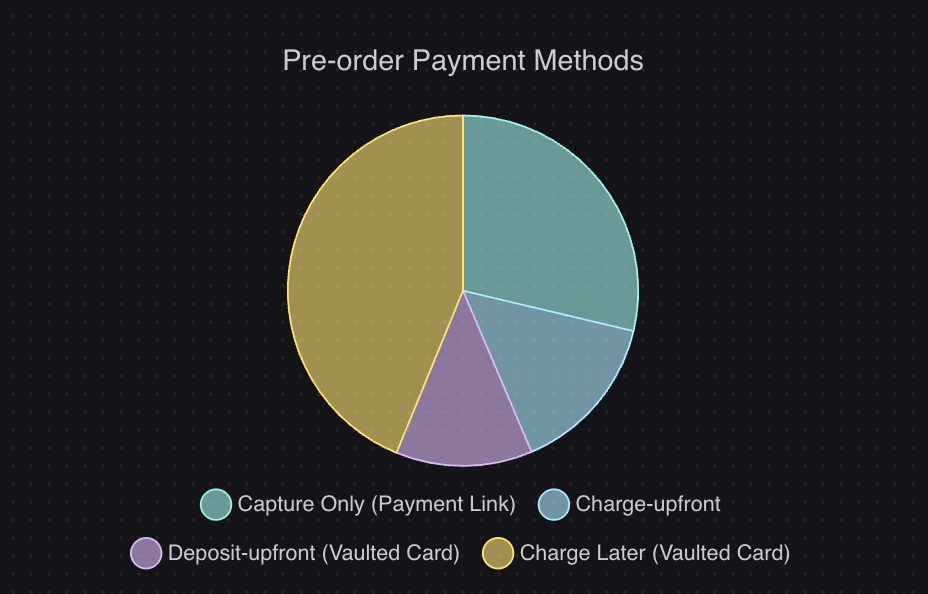
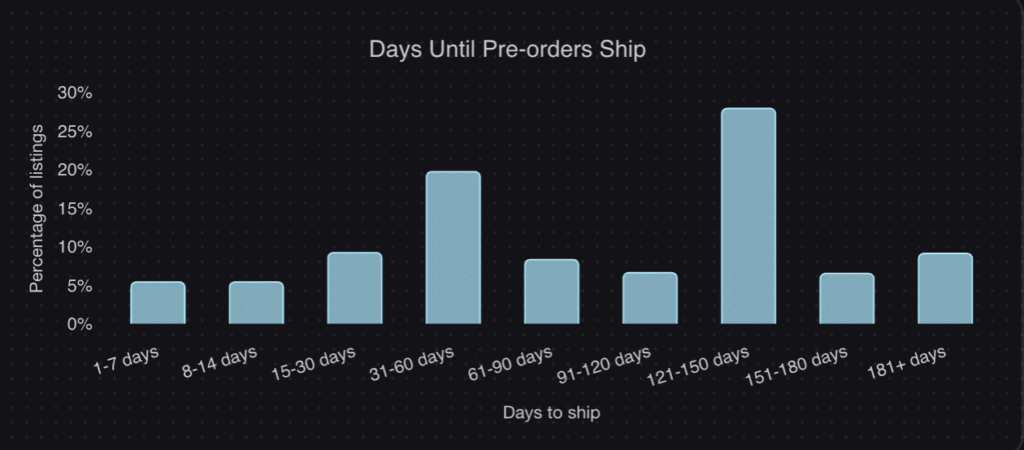
According to our analysis of over one million pre-orders, 43.8% of pre-order listings use charge-later models, and 28.1% of pre-orders have lead times of 121-150 days. For these merchants, vaulted cards aren’t optional; they’re essential.
How to fix common Shopify payment failures
Now for the practical part. Here’s how to address the most common failure scenarios.
For checkout payment failures
When customers can’t complete checkout, work through this checklist:
- Check your payment gateway setup: Go to Settings > Payments in your Shopify admin. Verify that your gateway is active, API credentials are correct, and you’re not in test mode.
- Review your fraud filter settings: Overly aggressive fraud filters can block legitimate customers. Check your settings and consider loosening restrictions if you’re seeing high false-positive rates.
- Verify Shopify’s status: Visit the Shopify status page to check for any ongoing incidents affecting payment processing.
- Test with a real transaction: Run a small test purchase using a real card to confirm your setup is working correctly.
- Offer multiple payment methods: If one method fails, customers can try another. Consider enabling Shop Pay, PayPal, Apple Pay, or Google Pay alongside credit cards.
If specific customers are experiencing issues, the error code will guide your response. For CARD_DECLINED or CALL_ISSUER, the customer needs to contact their bank. For INCORRECT_CVC or INVALID_EXPIRY_DATE, they just need to re-enter their details.
For failed deferred charges
When a charge-later pre-order or subscription payment fails, you need a recovery process:
- Notify the customer immediately: Send an email explaining that their payment couldn’t be processed and provide a direct link to update their payment method.
- Retry with smart timing: Don’t retry immediately after a failure. Wait 24 hours for the first retry. This gives temporary issues (like a bank’s fraud hold or a card limit reset) time to resolve.
- Follow a dunning schedule: Industry best practice suggests retrying at 24 hours, then 3-5 days, then 7-10 days. After the final retry, send a last-chance notice before cancellation.
- Make payment updates easy: Provide a customer portal where customers can update their payment method without contacting support. This self-service option dramatically improves recovery rates.
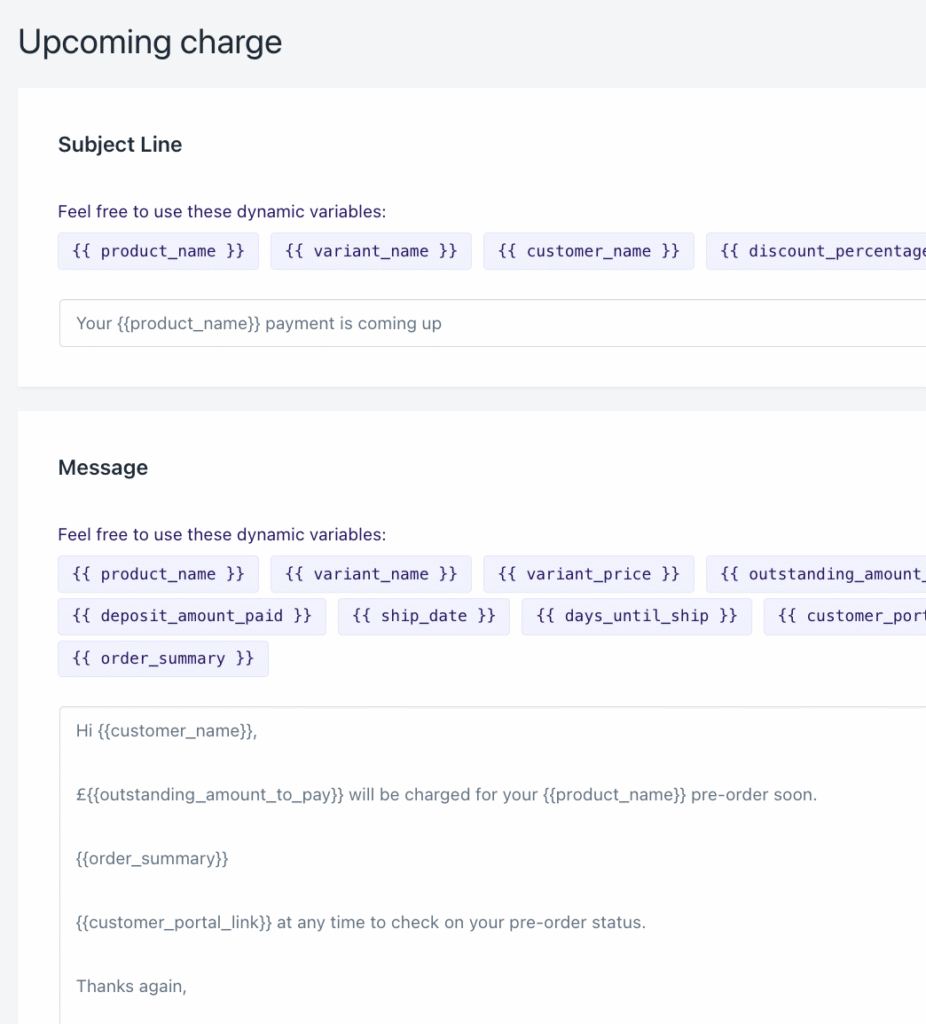
- Send pre-charge notifications: For deferred charges, send an “upcoming charge” email 3-7 days before you plan to charge. This catches expired cards proactively and reminds customers the charge is coming.
If you’re using PreProduct for pre-orders, our failed charge recovery flow handles much of this automatically, including customer notifications and retry logic.
For failed payouts
When Shopify can’t send money to your bank account:
- Verify bank account details: Double-check your account number and routing number in Settings > Payments > Shopify Payments.
- Confirm currency settings: Ensure your bank account currency matches your Shopify Payments payout currency. Currency mismatches cause failed payouts.
- Maintain a positive balance: If you’ve issued refunds or received chargebacks, you might have a negative balance. Shopify needs a positive balance to process payouts.
- Check for account restrictions: Some banks have restrictions on business deposits or international transfers. Contact your bank if payouts consistently fail.
Recovering failed payments: dunning strategies that work
Failed payments don’t have to mean lost revenue. With the right recovery strategy, you can recapture the majority of failed transactions.
Why recovery matters: Failed payments can lead to involuntary churn rates of 20-40% monthly if left unaddressed. But research shows that many of these failures are recoverable with proper retry logic and customer communication.
Pre-dunning for deferred charges: The best failed payment is one that never happens. For pre-orders and subscriptions, send customers a notification 3-7 days before their scheduled charge. This email should:
- Remind them a charge is coming
- State the amount and what it’s for
- Provide a link to update their payment method if needed
Immediate notification: When a payment fails, notify the customer within minutes. Your email should:
- Clearly state that payment couldn’t be processed
- Avoid accusatory language (their card wasn’t “rejected,” the payment “couldn’t be completed”)
- Include a direct link to update payment information
- Provide a deadline for resolution
Smart retry schedule:
- 24 hours after failure: First automatic retry. Resolves temporary holds and daily limit resets.
- 3-5 days after failure: Second retry with follow-up email. Catches customers who intended to update their card but forgot.
- 7-10 days after failure: Final retry with urgent notice. Make clear that the order will be cancelled without payment.
Customer self-service: The easier you make it to update payment information, the higher your recovery rate. A customer portal where customers can:
- View their pending charges
- Update their card on file
- See their payment history
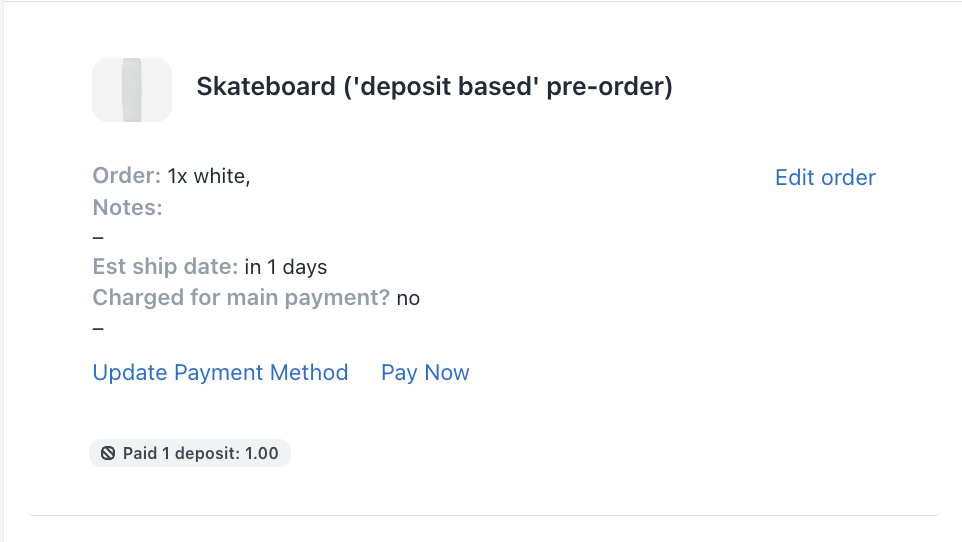
…will outperform email-only recovery every time.
Handling chargebacks and disputes
Chargebacks are different from payment failures, but they’re related. A chargeback happens when a customer disputes a charge with their bank after the payment was successful. The bank reverses the transaction and takes the money (plus a fee) from your account.
Common chargeback reasons:
- Fraudulent transaction: The cardholder claims they didn’t authorize the purchase
- Product not received: The customer says they never got their order
- Product not as described: The customer claims the product was different than expected
- Duplicate charge: The customer was charged twice
- Unrecognized transaction: The customer doesn’t recognize the charge on their statement
The response process: When you receive a chargeback through Shopify Payments:
- You’ll be notified with a deadline to respond (typically 7-21 days)
- Gather evidence: Order confirmation, shipping tracking, delivery confirmation, customer communication, your terms and policies
- Submit your response through the Shopify admin before the deadline
- The card network reviews the evidence and makes a decision (can take up to 120 days)
Important: Always submit evidence, even if the customer says they’ve withdrawn the dispute. Without a formal withdrawal letter submitted as evidence, you could still lose.
Prevention strategies:
- Use clear merchant descriptors so customers recognize charges
- Send order confirmations and shipping notifications
- Require signature on delivery for high-value orders
- Maintain clear pre-order policies that customers agree to at checkout
- Respond quickly to customer service inquiries
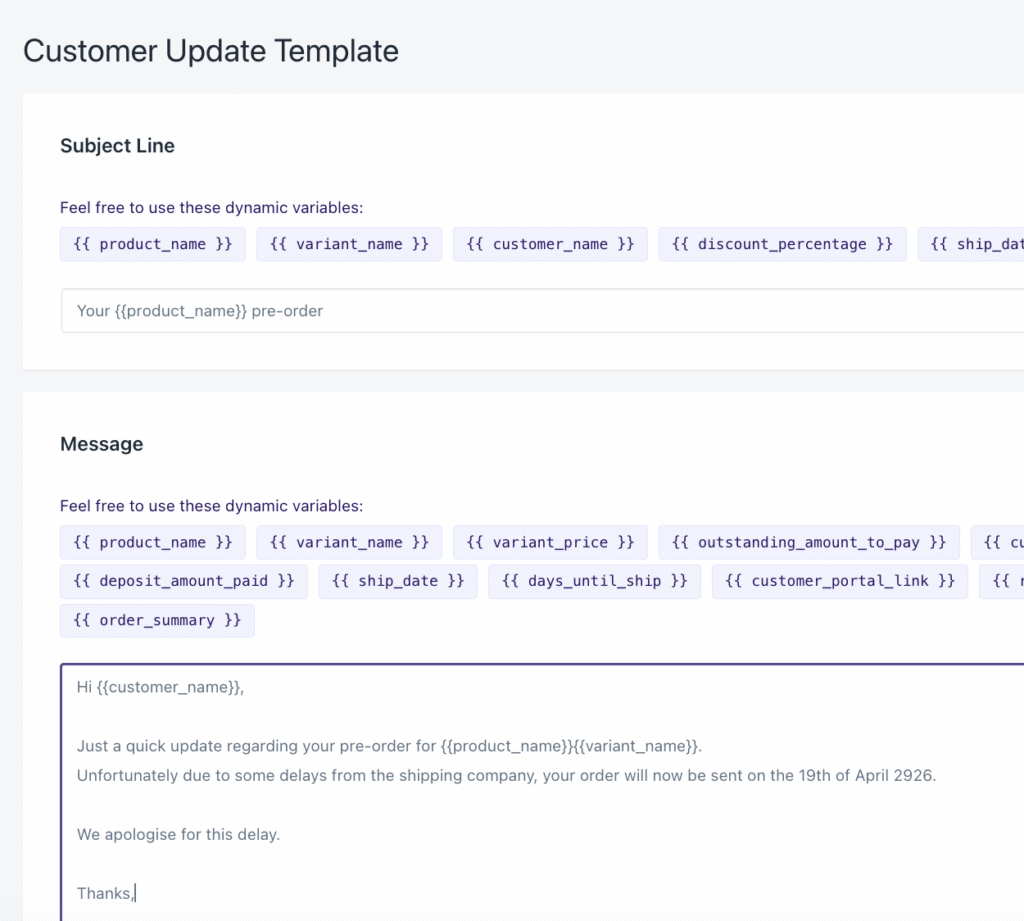
For pre-orders specifically, clear communication about lead times and expected ship dates prevents “product not received” disputes. When customers know what to expect, they’re less likely to dispute a charge out of confusion.
Preventing payment failures before they happen
The best approach to payment failures is preventing them in the first place.
At checkout:
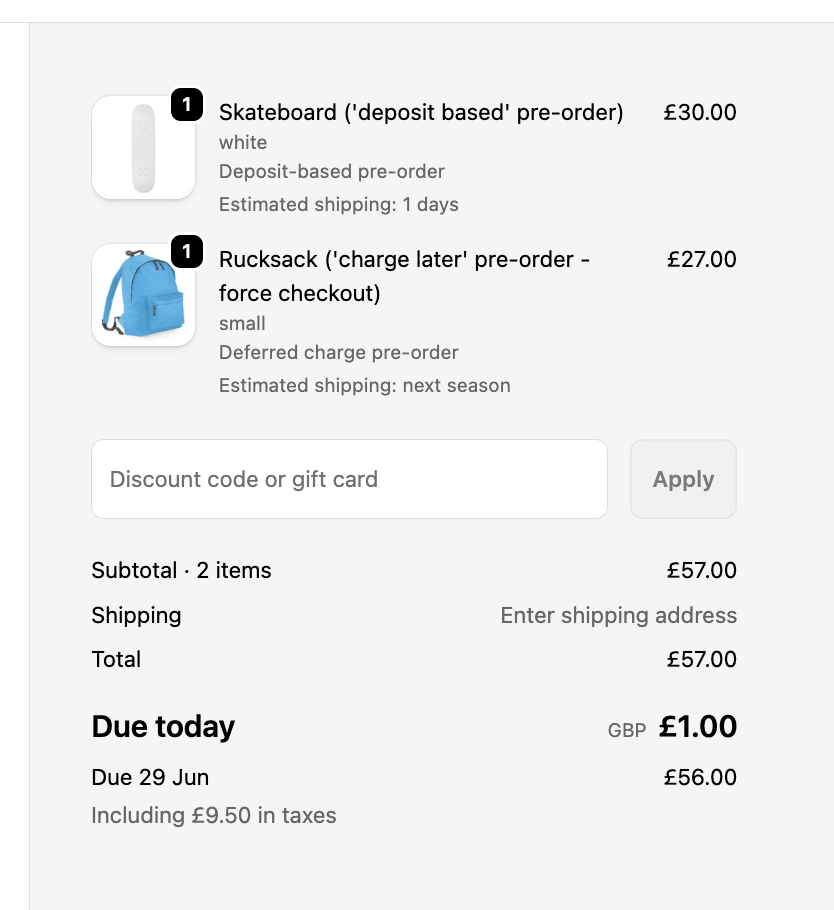
- Display pricing clearly, including taxes and shipping, before checkout
- Offer multiple payment methods so customers have alternatives
- Use address validation to catch typos before submission
- Keep your fraud filters balanced; too strict means lost sales
Before deferred charges:
- Send pre-charge notification emails 3-7 days in advance
- Monitor for expiring cards and prompt updates proactively
- Allow customers to update payment methods anytime via a portal
- Set appropriate retry logic for failed charges
Ongoing monitoring:
- Track your payment failure rate and abandonment metrics monthly
- Test your checkout process regularly, especially after theme or app changes
- Monitor the Shopify status page during high-traffic periods
- Review failed transactions to identify patterns
For pre-orders specifically:
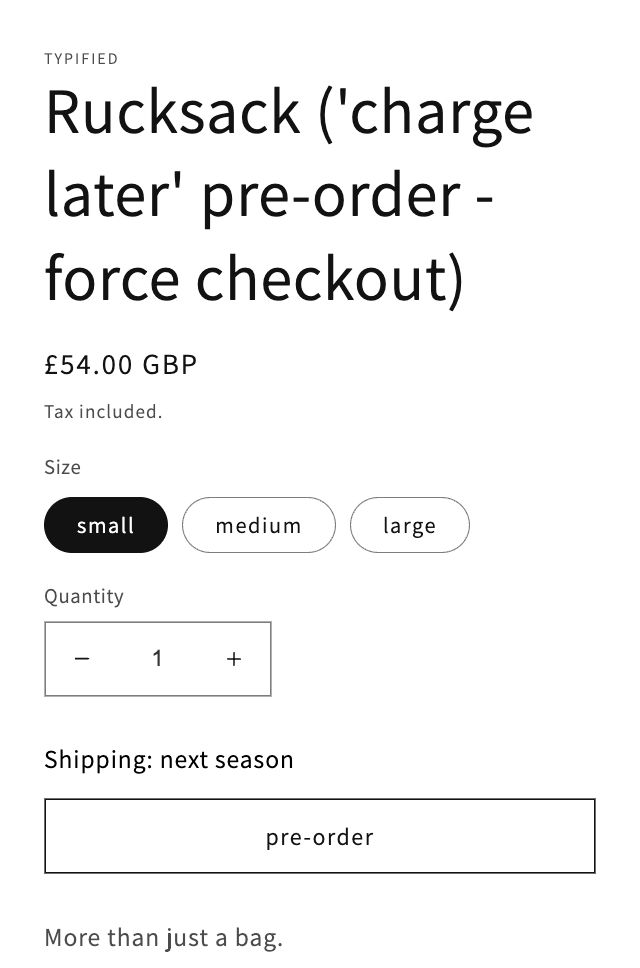
- Set realistic lead time expectations on product pages
- Send regular status updates during longer lead times
- Use charge-later with vaulted cards for products shipping beyond 7 days
- Implement dunning automation through Shopify Flow or your pre-order app
When you’re running pre-orders at scale, failed payment recovery should be automated, not manual. Tools like Shopify Flow can trigger customer notifications, schedule retries, and even cancel orders after a set number of failed attempts.
Conclusion
Failed Shopify payments are frustrating, but they’re manageable. Most failures can be diagnosed from the error code, fixed with the right troubleshooting steps, and recovered with smart dunning strategies.
Here’s the key takeaway: approach payment failures as a lifecycle, not a one-time fix.
- Diagnose: Use error codes to understand what went wrong
- Fix: Address the root cause, whether it’s configuration, customer card issues, or gateway problems
- Recover: Implement retry logic and customer communication to recapture failed payments
- Prevent: Put systems in place to reduce failures before they happen
For pre-order merchants, the standard authorization model doesn’t work for products with long lead times. If you’re shipping more than a week out, charge-later pre-orders with vaulted cards bypass authorization expiration entirely and give you the flexibility to charge when you’re ready to fulfill.
Payment failures will always happen. The difference between merchants who lose revenue and those who don’t comes down to having the right systems in place to catch and recover those failures before they become permanent losses.
Pre-sell With PreProduct
7 day free trial with all plansMigrate pre-orders
